游戏预览


配置要求
最低配置
- 系统
- Windows 10
推荐配置
- 系统
- Windows 11
在线人数趋势(最近 7 天)
在线人数(7 天)
价格历史(90天)
游戏简介
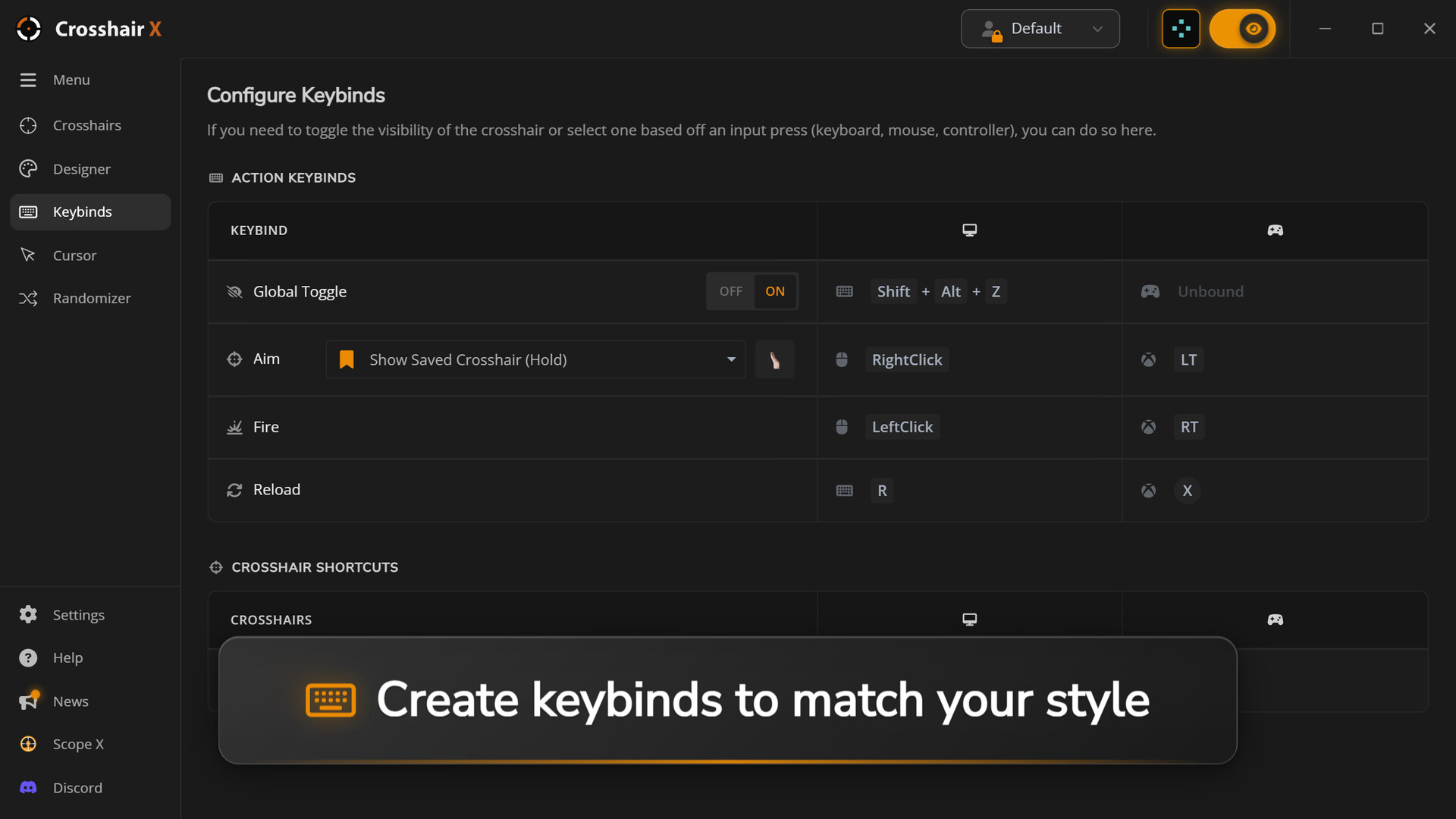
竞技FPS玩家的首选准星叠加工具。用自定义准星即刻提升瞄准能力——从数千种职业和社区设计中选择,或打造专属准星。数百万玩家信赖之选。适用于所有游戏。
更新记录
Steam Achievements, Content Filters and More!
Hey everyone,
We have a brand new update rolling out for Crosshair X! This time around, we're shining the spotlight on Achievements, giving you more control over the Community feed, and delivering some essential stability fixes.
🏆 Steam Achievements!
In case you missed it in our recent updates, Crosshair X now features Steam Achievements!
Plus, following a direct request from the community, we’ve just added a brand new achievement to the roster to reward our top creators:
• New Achievement: Unlocks upon reaching 500+ downloads on your shared crosshairs! Publish your best designs to the community and claim your bragging rights.
🔍 Community Content Filters
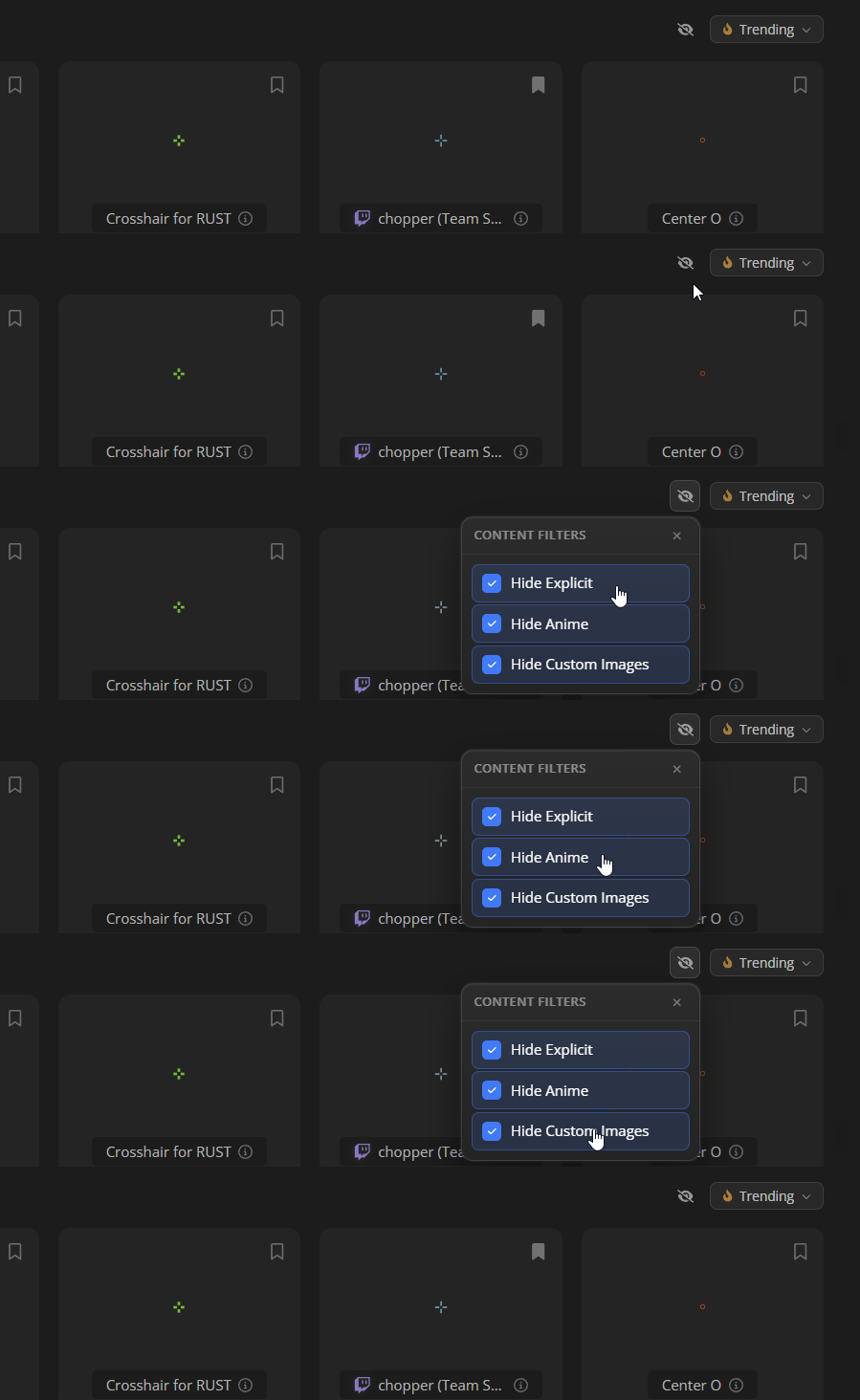
We want your Discover feed to be perfectly tailored to what you actually want to see. We've added new preference settings so you can easily curate your browsing experience.
You can now filter community content by:
• Hiding all Custom Images entirely.
• Hiding Explicit content.
• Hiding Anime crosshairs.
Note: The Browse section will strictly respect your active filters. However, please be aware that some filtered results might still appear when you are actively using the Search function for specific keywords.
🛠️ Fixes
• Added support for animating "Draw" type layers.
• Image layers behave the same between the classic and modern designer
• Improved the stability of the Game Bar widget to ensure your crosshair always appears correctly upon launch.
• Enhanced game detection for better reliability across different titles.
• Fixed a bug on the Saved Crosshairs page where the share modal did not default to the method selection view.
Thank you as always for your continued feedback and support. If you have any feature requests or encounter issues, please let us know in the community hub!
Happy hunting,
- The Crosshair X Team
🦆
We have a brand new update rolling out for Crosshair X! This time around, we're shining the spotlight on Achievements, giving you more control over the Community feed, and delivering some essential stability fixes.
🏆 Steam Achievements!
In case you missed it in our recent updates, Crosshair X now features Steam Achievements!
Plus, following a direct request from the community, we’ve just added a brand new achievement to the roster to reward our top creators:
• New Achievement: Unlocks upon reaching 500+ downloads on your shared crosshairs! Publish your best designs to the community and claim your bragging rights.
🔍 Community Content Filters
We want your Discover feed to be perfectly tailored to what you actually want to see. We've added new preference settings so you can easily curate your browsing experience.
You can now filter community content by:
• Hiding all Custom Images entirely.
• Hiding Explicit content.
• Hiding Anime crosshairs.
Note: The Browse section will strictly respect your active filters. However, please be aware that some filtered results might still appear when you are actively using the Search function for specific keywords.
🛠️ Fixes
• Added support for animating "Draw" type layers.
• Image layers behave the same between the classic and modern designer
• Improved the stability of the Game Bar widget to ensure your crosshair always appears correctly upon launch.
• Enhanced game detection for better reliability across different titles.
• Fixed a bug on the Saved Crosshairs page where the share modal did not default to the method selection view.
Thank you as always for your continued feedback and support. If you have any feature requests or encounter issues, please let us know in the community hub!
Happy hunting,
- The Crosshair X Team
🦆

Minor Update for 06/18/2026
Hey everyone!
We're rolling out a quick minor update today to squash a few pesky bugs and polish up your Crosshair X experience. A huge thank you to everyone in the community who helped report these—your feedback keeps us moving forward!
Here is what’s fixed in today's patch:
🪴Patch Notes & Fixes:
• Fixed an issue where the "Show only in-game" setting wasn't reliably detecting certain games.
• Resolved a visual layering quirk in the Designer when using the Draw tool. Your new brush strokes will no longer temporarily hide behind previous ones while you hold down the mouse!
• Fixed bugs related to animating arm visibility with color changes.
• Various under-the-hood internal fixes to keep everything running smoothly.
• Fixed a bug regarding the Mouse X popup
As always, if you run into any other issues or have suggestions for future updates, jump into our Community Hub or Discord and let us know.
GLHF
We're rolling out a quick minor update today to squash a few pesky bugs and polish up your Crosshair X experience. A huge thank you to everyone in the community who helped report these—your feedback keeps us moving forward!
Here is what’s fixed in today's patch:
🪴Patch Notes & Fixes:
• Fixed an issue where the "Show only in-game" setting wasn't reliably detecting certain games.
• Resolved a visual layering quirk in the Designer when using the Draw tool. Your new brush strokes will no longer temporarily hide behind previous ones while you hold down the mouse!
• Fixed bugs related to animating arm visibility with color changes.
• Various under-the-hood internal fixes to keep everything running smoothly.
• Fixed a bug regarding the Mouse X popup
As always, if you run into any other issues or have suggestions for future updates, jump into our Community Hub or Discord and let us know.
GLHF
Mouse X is OUT NOW! + QoL Update
Hey everyone!
Today is a massive day for our community. We are incredibly excited to officially launch our brand new app, and we're also dropping some highly requested Quality of Life features for Crosshair X. Let's dive right in!
We’re thrilled to introduce Mouse X, a brand new way to personalize your desktop! While Crosshair X remains your ultimate tool for in-game precision, Mouse X brings that same level of customization to your overall PC experience.
https://store.steampowered.com/app/4255580/Mouse_X/
• Community-Driven Designs: Ditch the standard Windows cursor and explore thousands of unique, creative designs shared directly by the community.
• Super Lightweight: We optimized Mouse X purely for custom cursors, ensuring it runs seamlessly in the background without impacting your PC's performance.
• Launch Offer: Available right now with a limited-time introductory discount!
• Get It Now: Check out Mouse X on Steam Here!
✨ Crosshair X: QoL Updates & Fixes
Alongside our new launch, we're rolling out an update for Crosshair X based directly on your feedback!
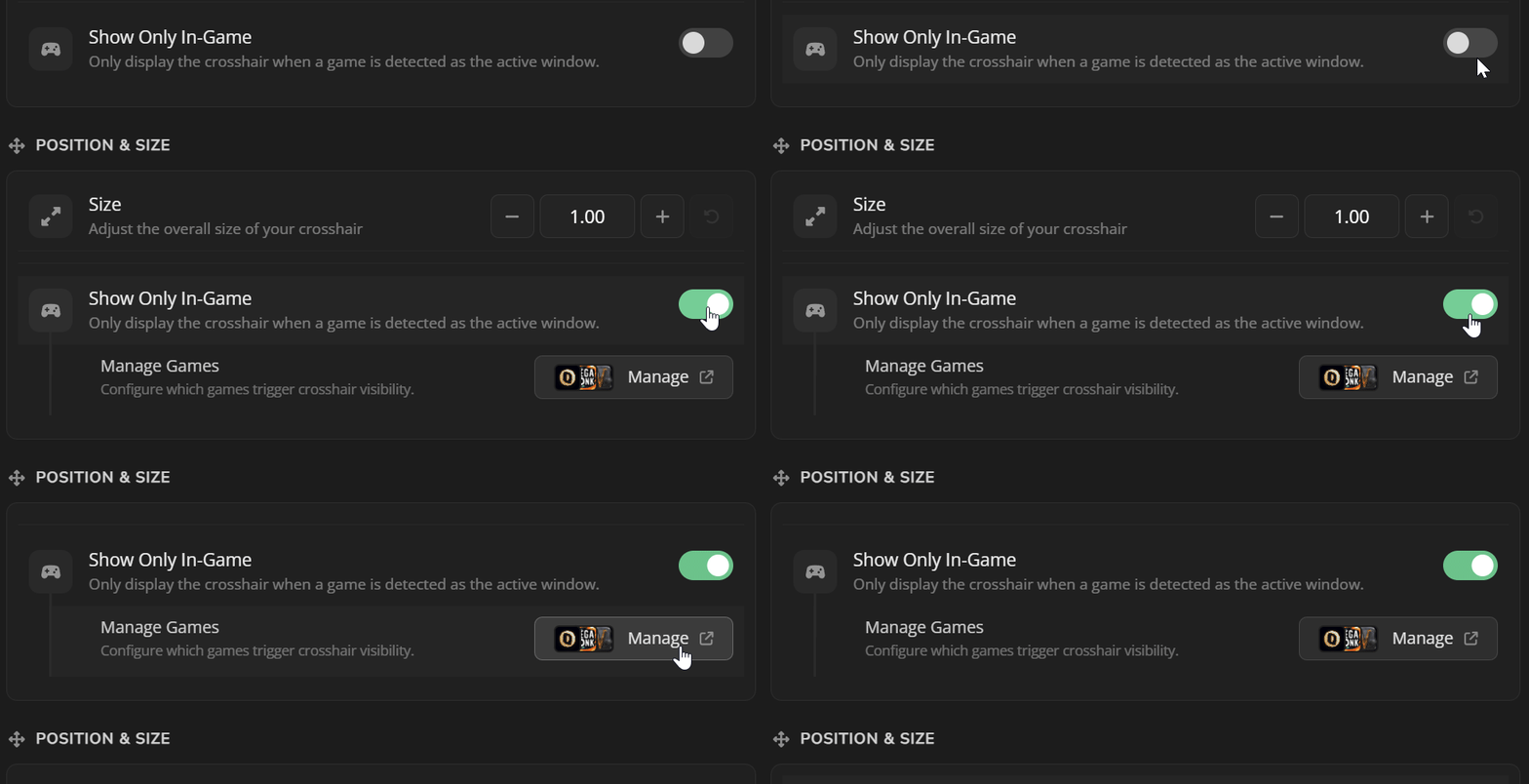
🎮 Only Show In-Game
This has been one of our most highly requested features!
• Manually toggle this new setting on, and Crosshair X will only display your custom crosshair when you are actively in-game.
• Easily add your own games and processes to control exactly when the app is visible.
• You can find the new setting on the Settings page under the Display category.
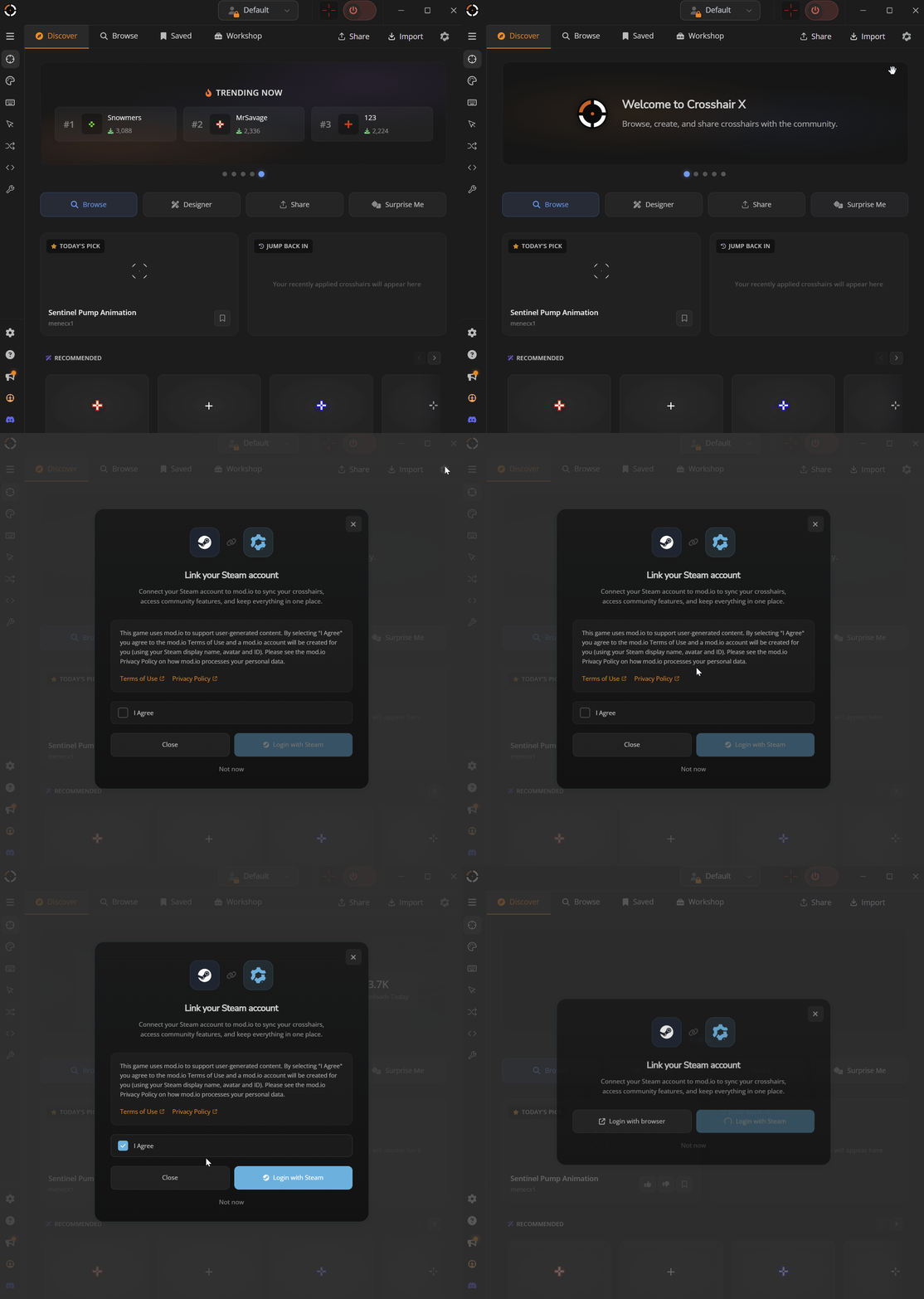
🔓 Seamless Steam Sharing & Login
• We want to make it as frictionless as possible to interact with the community.[
• You can now log in and share your designs to the community directly via Steam in just two clicks!
• You can toggle this integration on the Settings page, under the Integrations category.
🐛 Bug Fixes
• Added UI sounds when swiping the carousel on the home page.
• Added UI sounds when clicking the toggles on the settings page.
• Fixed an issue where reverse animations weren't playing while working on a design.
• Fixed Center Dot Ring animations from being clipped.
• Squashed a visual UI bug when opening the share modal.
Thank you for all your support over the years. Your feedback drives Crosshair X forward, and we can’t wait to see what you create with Mouse X!
🦆❤️
Today is a massive day for our community. We are incredibly excited to officially launch our brand new app, and we're also dropping some highly requested Quality of Life features for Crosshair X. Let's dive right in!
We’re thrilled to introduce Mouse X, a brand new way to personalize your desktop! While Crosshair X remains your ultimate tool for in-game precision, Mouse X brings that same level of customization to your overall PC experience.
https://store.steampowered.com/app/4255580/Mouse_X/
• Community-Driven Designs: Ditch the standard Windows cursor and explore thousands of unique, creative designs shared directly by the community.
• Super Lightweight: We optimized Mouse X purely for custom cursors, ensuring it runs seamlessly in the background without impacting your PC's performance.
• Launch Offer: Available right now with a limited-time introductory discount!
• Get It Now: Check out Mouse X on Steam Here!
✨ Crosshair X: QoL Updates & Fixes
Alongside our new launch, we're rolling out an update for Crosshair X based directly on your feedback!
🎮 Only Show In-Game
This has been one of our most highly requested features!
• Manually toggle this new setting on, and Crosshair X will only display your custom crosshair when you are actively in-game.
• Easily add your own games and processes to control exactly when the app is visible.
• You can find the new setting on the Settings page under the Display category.
🔓 Seamless Steam Sharing & Login
• We want to make it as frictionless as possible to interact with the community.[
• You can now log in and share your designs to the community directly via Steam in just two clicks!
• You can toggle this integration on the Settings page, under the Integrations category.
🐛 Bug Fixes
• Added UI sounds when swiping the carousel on the home page.
• Added UI sounds when clicking the toggles on the settings page.
• Fixed an issue where reverse animations weren't playing while working on a design.
• Fixed Center Dot Ring animations from being clipped.
• Squashed a visual UI bug when opening the share modal.
Thank you for all your support over the years. Your feedback drives Crosshair X forward, and we can’t wait to see what you create with Mouse X!
🦆❤️


Discover Page, Your Squad, and More!
Hey everyone!
This update adds new ways to discover crosshairs, share with your friends, and jump back into the designs you use most.
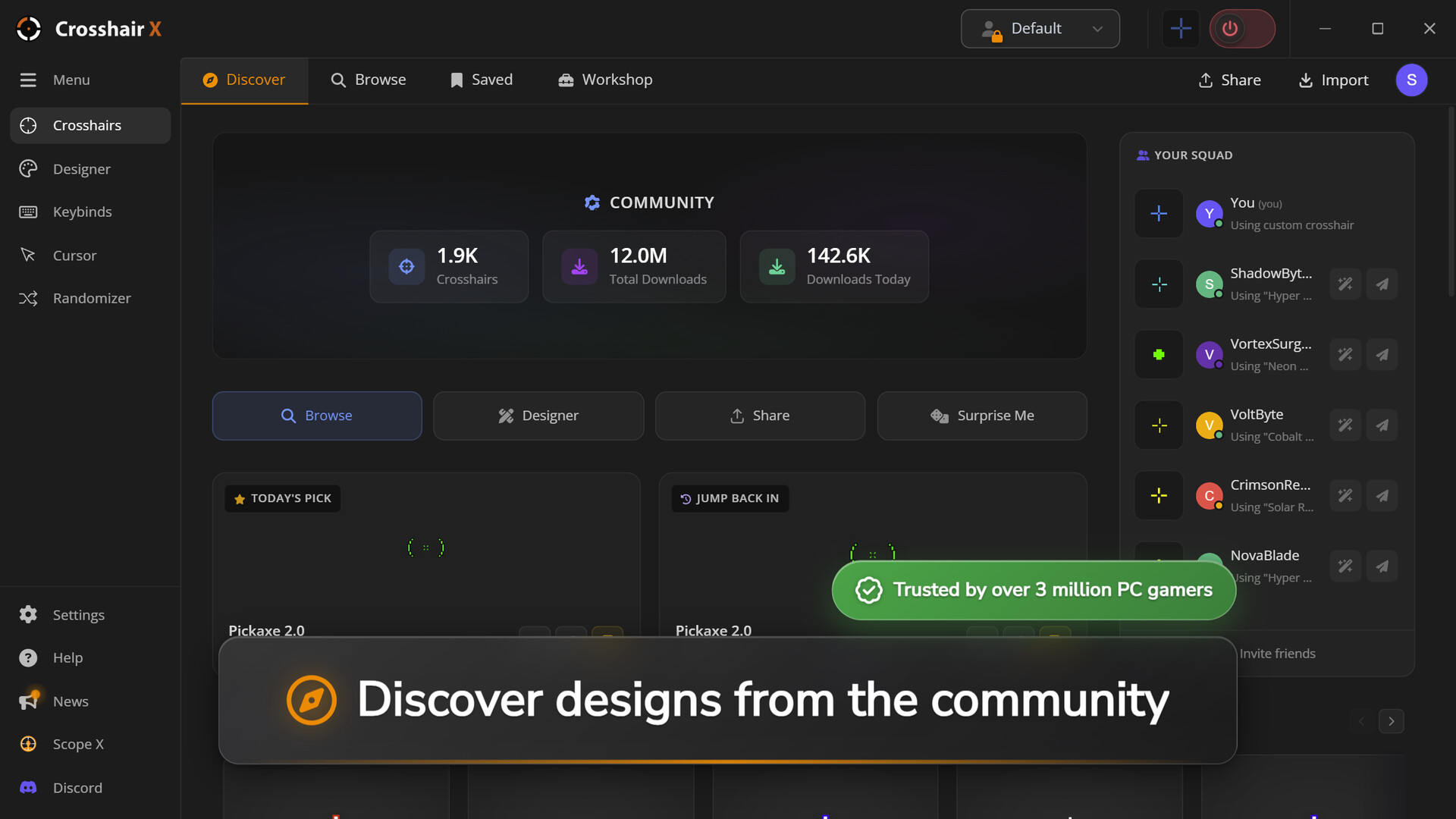
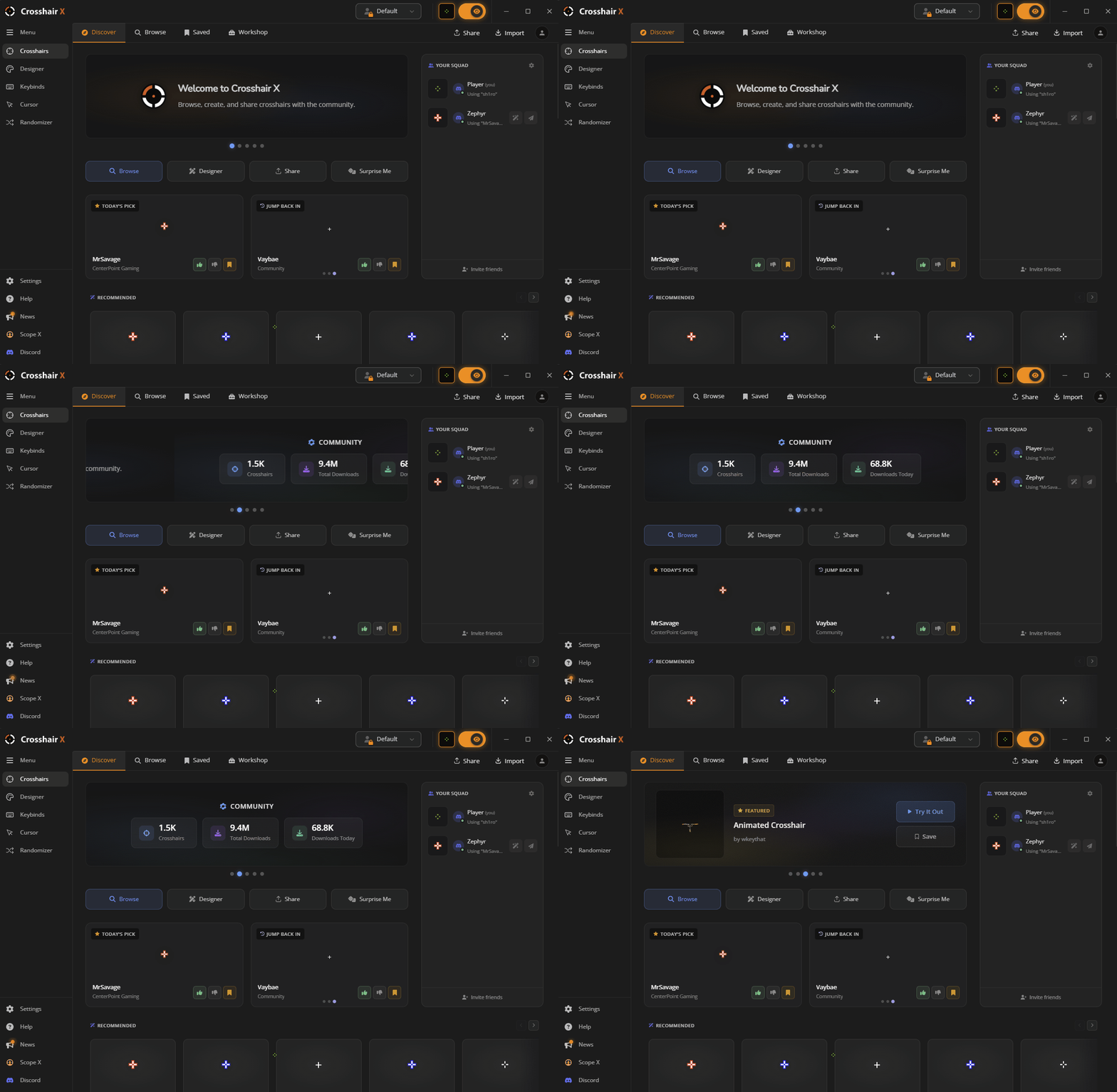
🌟 Discover Page
The new Discover page gives you one place to explore what’s happening across the Crosshair X community.
What's New:
• Added a highlights carousel for trending crosshairs, featured picks, upcoming apps, community stats, and more.
• Added Today's Pick — a daily crosshair selected for the community to try.
• You can now vote up or down on Today's Pick.
• Added Jump Back In to quickly access your 5 most recently used crosshairs.
• Added game-based recommendations when community tags are available for the game you are playing.
• Added a Discover Feed to browse trending, newest, and most downloaded community crosshairs.
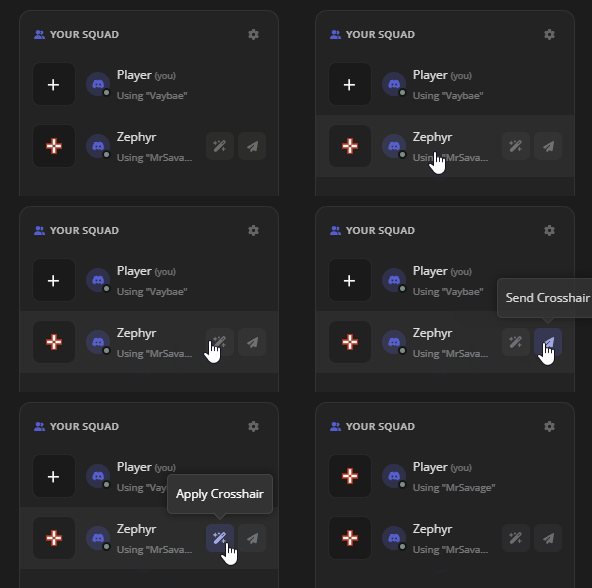
👥 Your Squad
Your Squad connects Crosshair X with Discord, making it easier to share crosshairs with friends.
What's New:
• Connect Crosshair X with Discord.
• Share crosshairs with your squad in one click.
• See which crosshairs your squad is using.
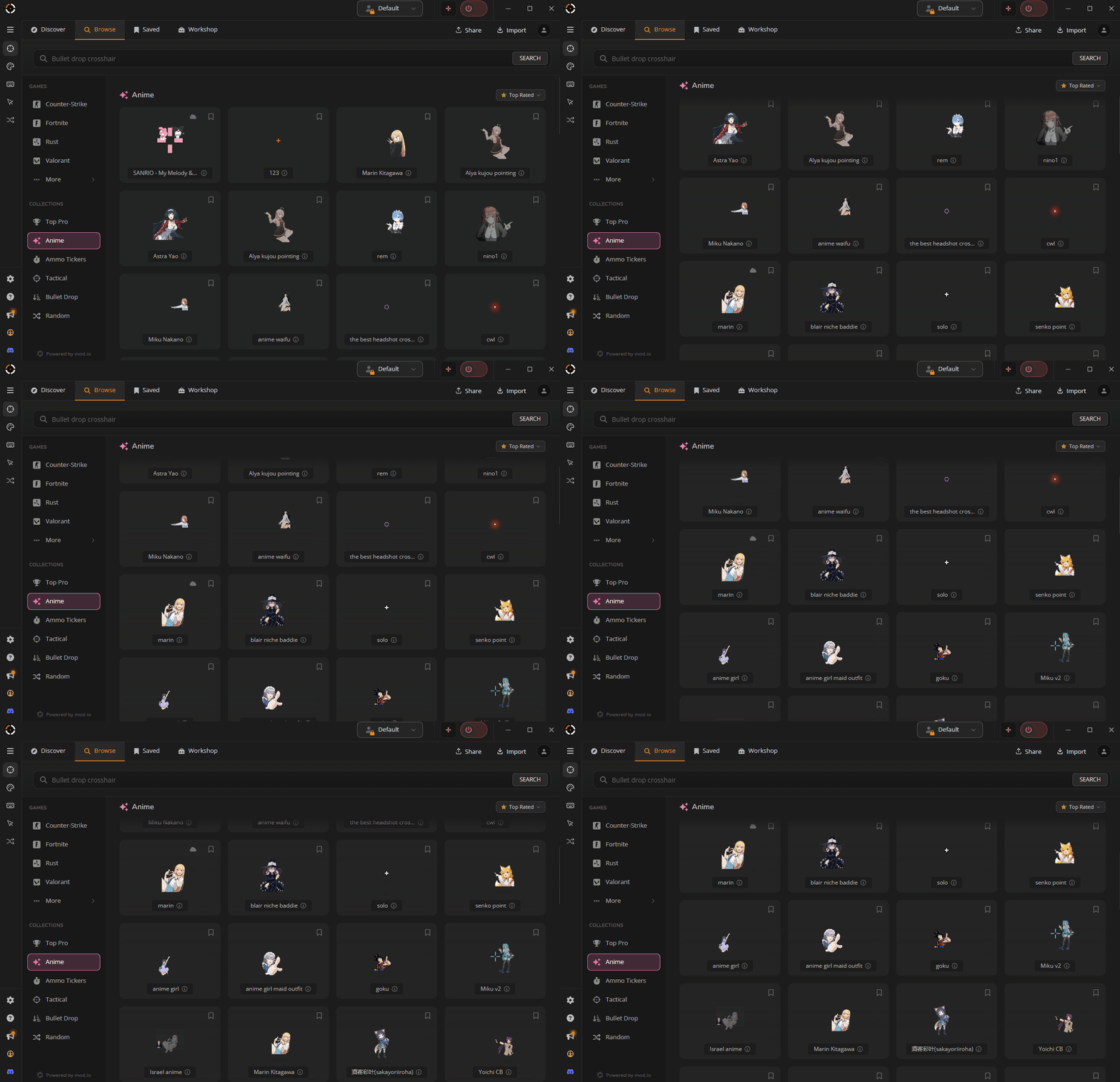
🌸 Anime Collection
We’ve added a new Anime Collection to the Browse tab, giving you a themed set of crosshairs to explore.
What's New:
• Browse anime-inspired crosshairs in one place.
• Discover new community designs with a themed collection.
• Check back for more collections as we continue expanding Browse.
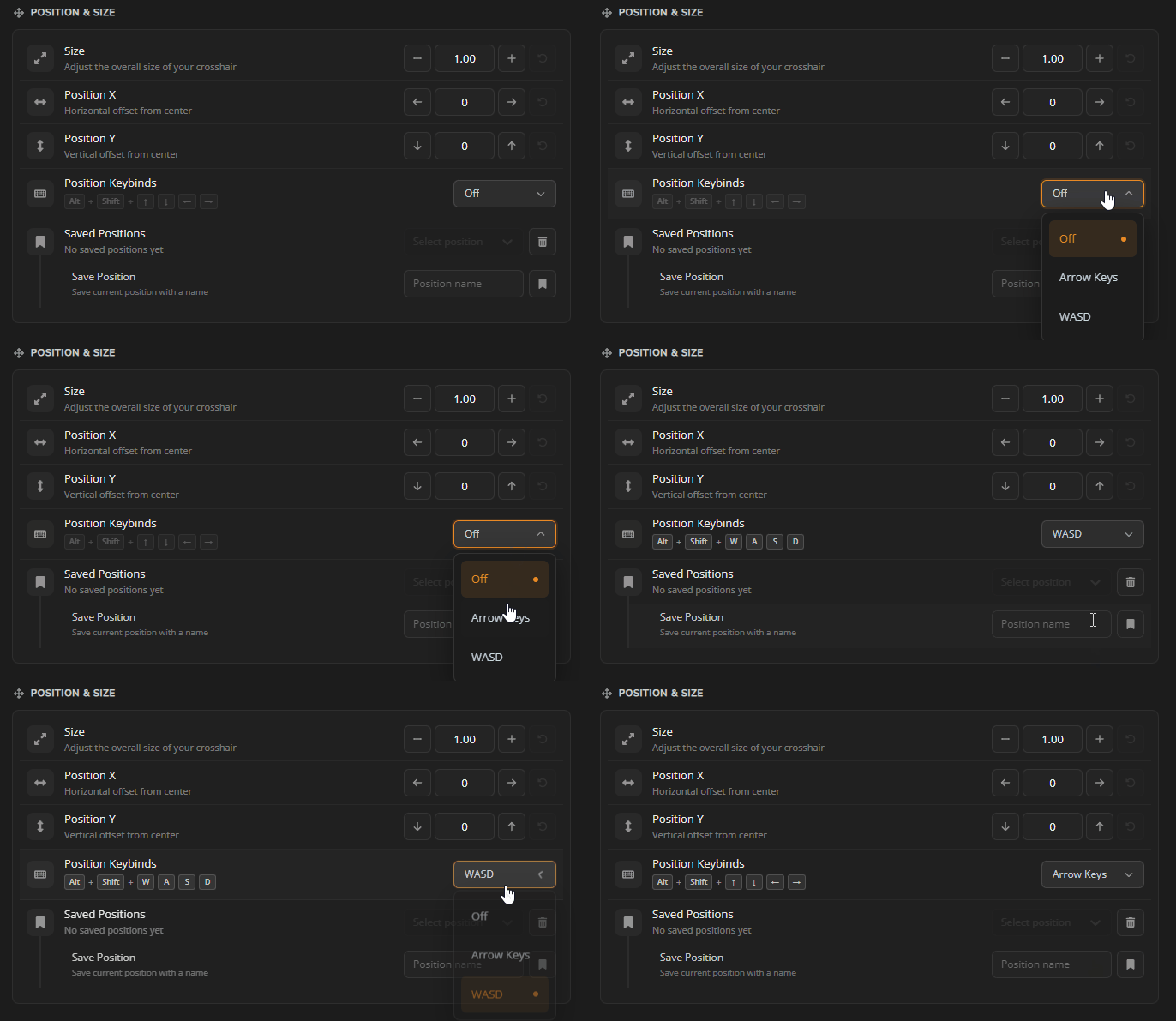
🎮 Position Keybinds Are Back
A highly requested feature has returned — Position Keybinds are back in Crosshair X.
What's New:
• Brought back the Position Keybinds.
• Move and adjust your crosshair position faster using keybinds.
🛠️ Designer & Sharing Improvements
We also made several updates to the Designer, Share codes, and exports.
What's New:
• Monitor bounds are now shown in the Designer canvas.
• Removed unnecessary limits to crosshair design values. (Length, Thickness, Gap, etc.)
• Share codes and crosshair exports now support the new layer types.
• Designs that cannot be encoded into a Share code now show clearer messaging and sharing alternatives.
• Designer and Settings position values can now go beyond the previous hard caps.
• Improved handling of special characters in mod.io titles.
Thank you again for all your support and feedback.
Check out the new Discover page, try Today's Pick, and let us know what crosshair categories or game tags you would like to see next.
Join our Discord
🦆
This update adds new ways to discover crosshairs, share with your friends, and jump back into the designs you use most.
🌟 Discover Page
The new Discover page gives you one place to explore what’s happening across the Crosshair X community.
What's New:
• Added a highlights carousel for trending crosshairs, featured picks, upcoming apps, community stats, and more.
• Added Today's Pick — a daily crosshair selected for the community to try.
• You can now vote up or down on Today's Pick.
• Added Jump Back In to quickly access your 5 most recently used crosshairs.
• Added game-based recommendations when community tags are available for the game you are playing.
• Added a Discover Feed to browse trending, newest, and most downloaded community crosshairs.
👥 Your Squad
Your Squad connects Crosshair X with Discord, making it easier to share crosshairs with friends.
What's New:
• Connect Crosshair X with Discord.
• Share crosshairs with your squad in one click.
• See which crosshairs your squad is using.
🌸 Anime Collection
We’ve added a new Anime Collection to the Browse tab, giving you a themed set of crosshairs to explore.
What's New:
• Browse anime-inspired crosshairs in one place.
• Discover new community designs with a themed collection.
• Check back for more collections as we continue expanding Browse.
🎮 Position Keybinds Are Back
A highly requested feature has returned — Position Keybinds are back in Crosshair X.
What's New:
• Brought back the Position Keybinds.
• Move and adjust your crosshair position faster using keybinds.
🛠️ Designer & Sharing Improvements
We also made several updates to the Designer, Share codes, and exports.
What's New:
• Monitor bounds are now shown in the Designer canvas.
• Removed unnecessary limits to crosshair design values. (Length, Thickness, Gap, etc.)
• Share codes and crosshair exports now support the new layer types.
• Designs that cannot be encoded into a Share code now show clearer messaging and sharing alternatives.
• Designer and Settings position values can now go beyond the previous hard caps.
• Improved handling of special characters in mod.io titles.
Thank you again for all your support and feedback.
Check out the new Discover page, try Today's Pick, and let us know what crosshair categories or game tags you would like to see next.
Join our Discord
🦆
New Designer: Draw, Build & Animate Like Never Before
Hey everyone!
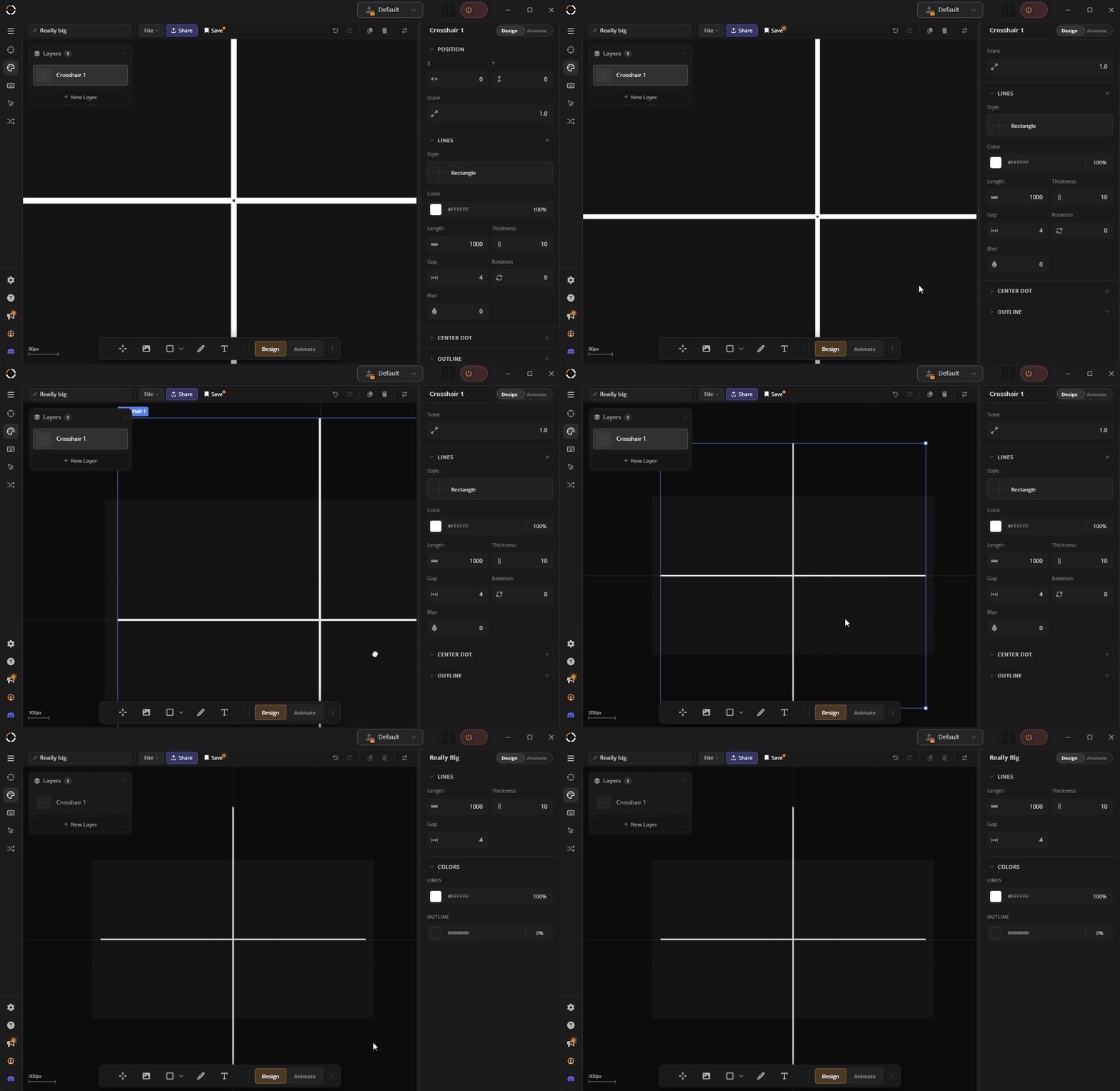
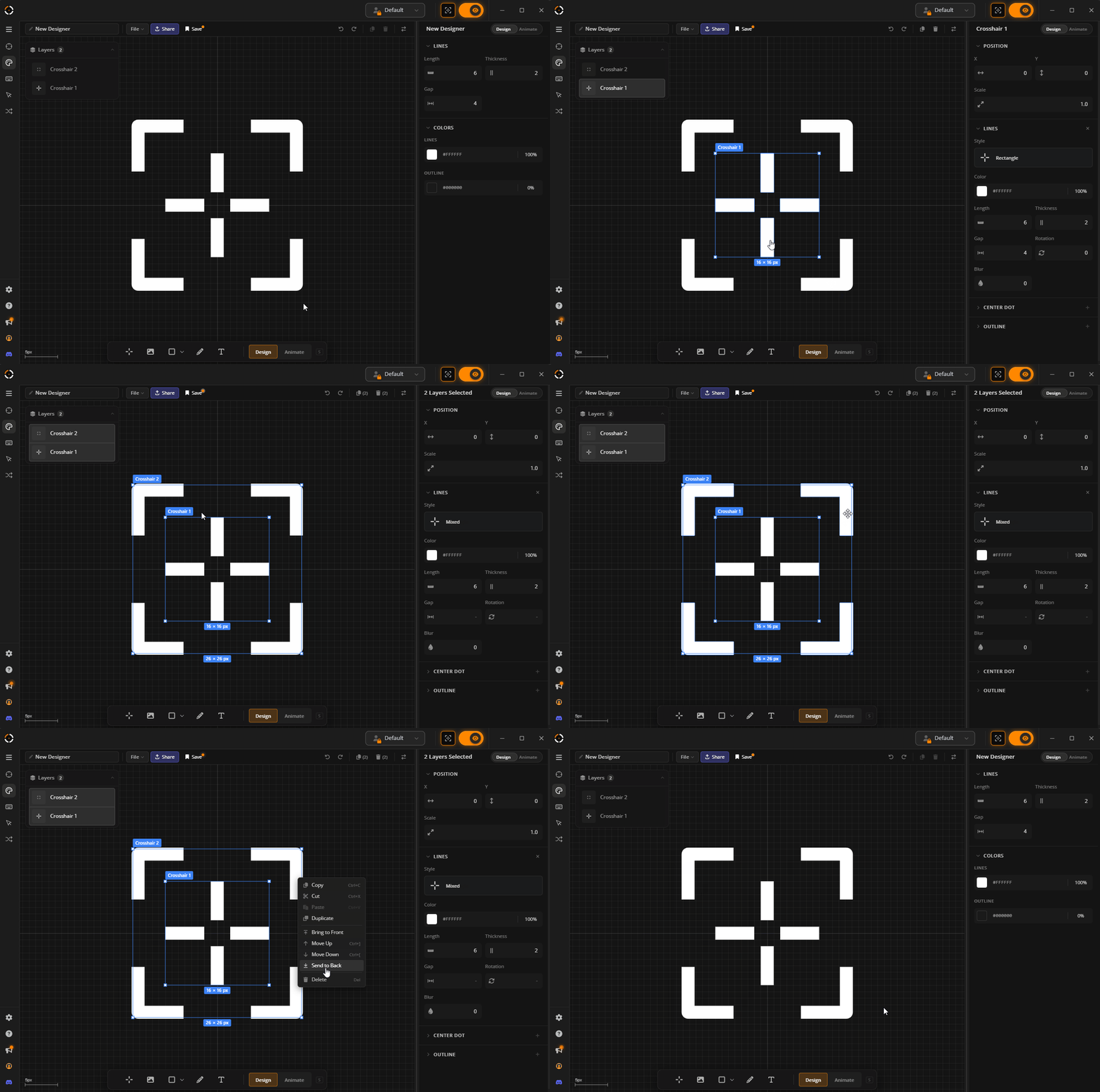
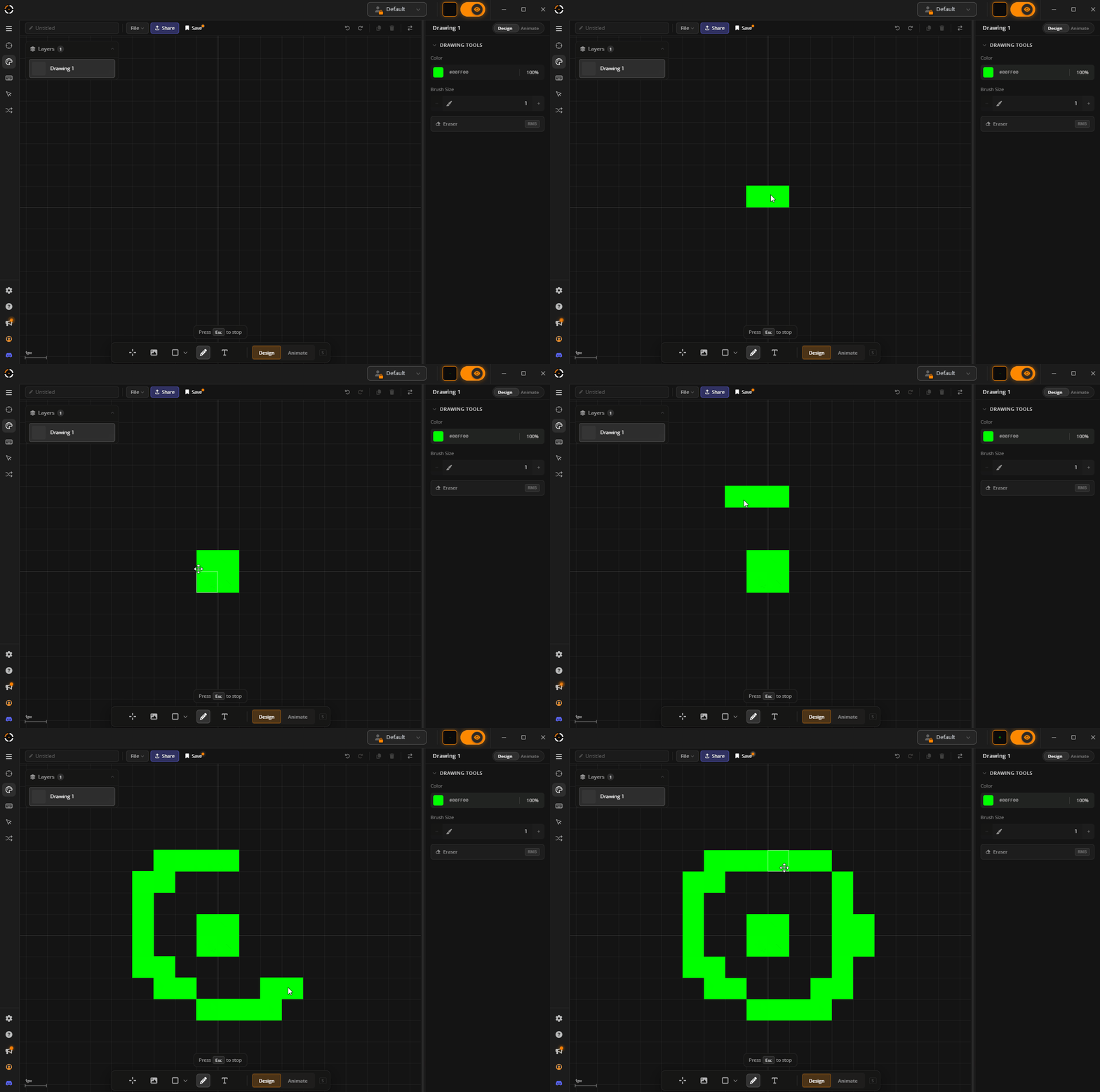
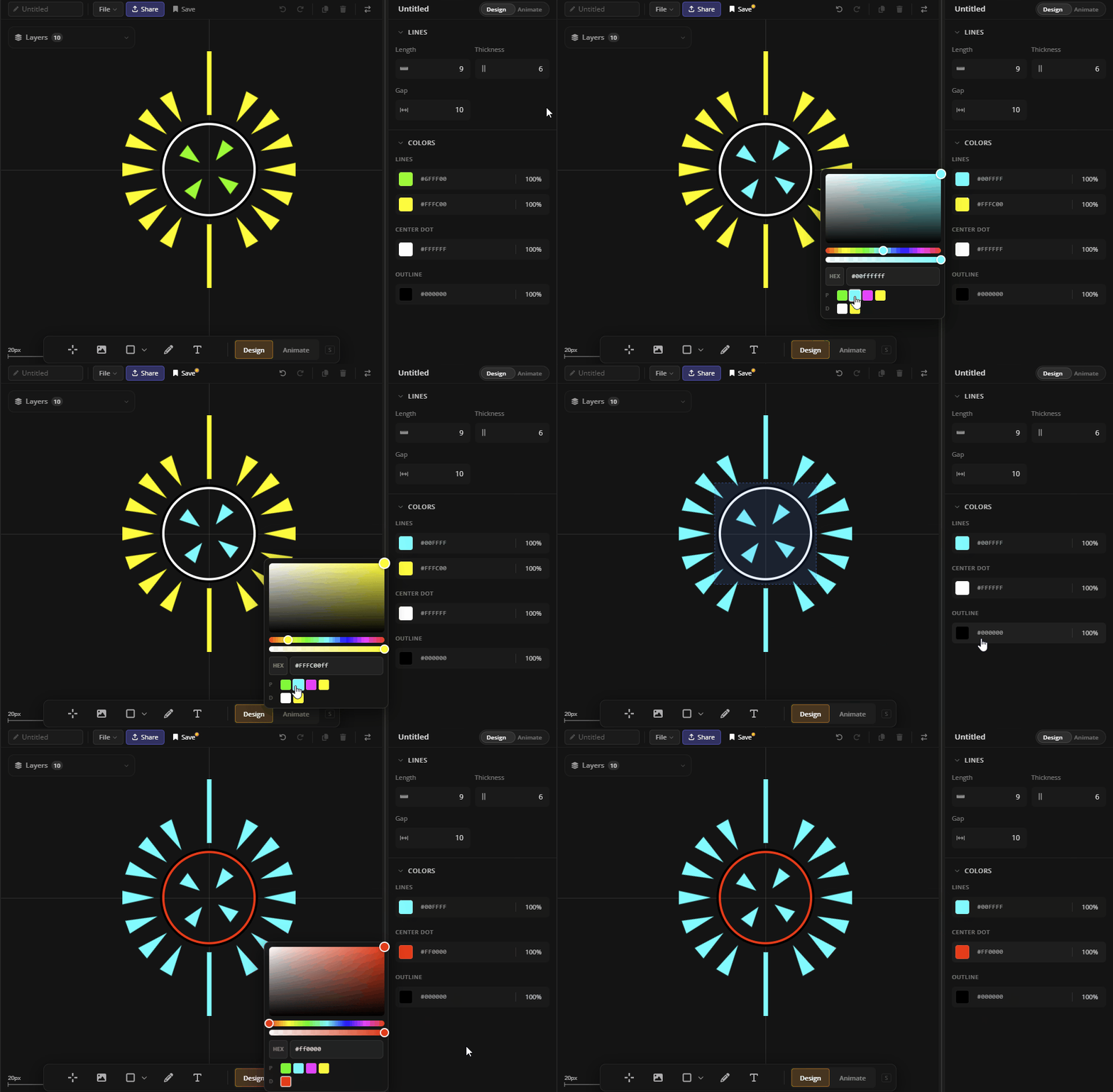
We built a new Designer to help you unlock your full creative potential. Pixel-perfect placement on an interactive grid canvas with freehand drawing tools, and so much more!
The original Designer is still available — this one just takes things further.
🎨 The new Canvas
Features
• Scroll to zoom, middle-click to pan, and click to select layers directly on the canvas.
• Drag to move and resize layers. Click and drag an empty area to marquee select multiple layers.
• Drag and drop images onto the canvas to add them as layers.
• Right-click context menu and full keyboard shortcut support.
✏️ Freehand Drawing + New Layer types
We have finally implemented one of the most requested feature: Freehand pixel drawing for Crosshair Designs.
New Layer Types
• Draw — Interact directly with the canvas and draw
• Shape — Rectangles, ellipses, and triangles can now independently be added to your design with animation support
• Text — Finally you can also add text to your design with animation support
🆕 Line Shapes & Arm Rendering
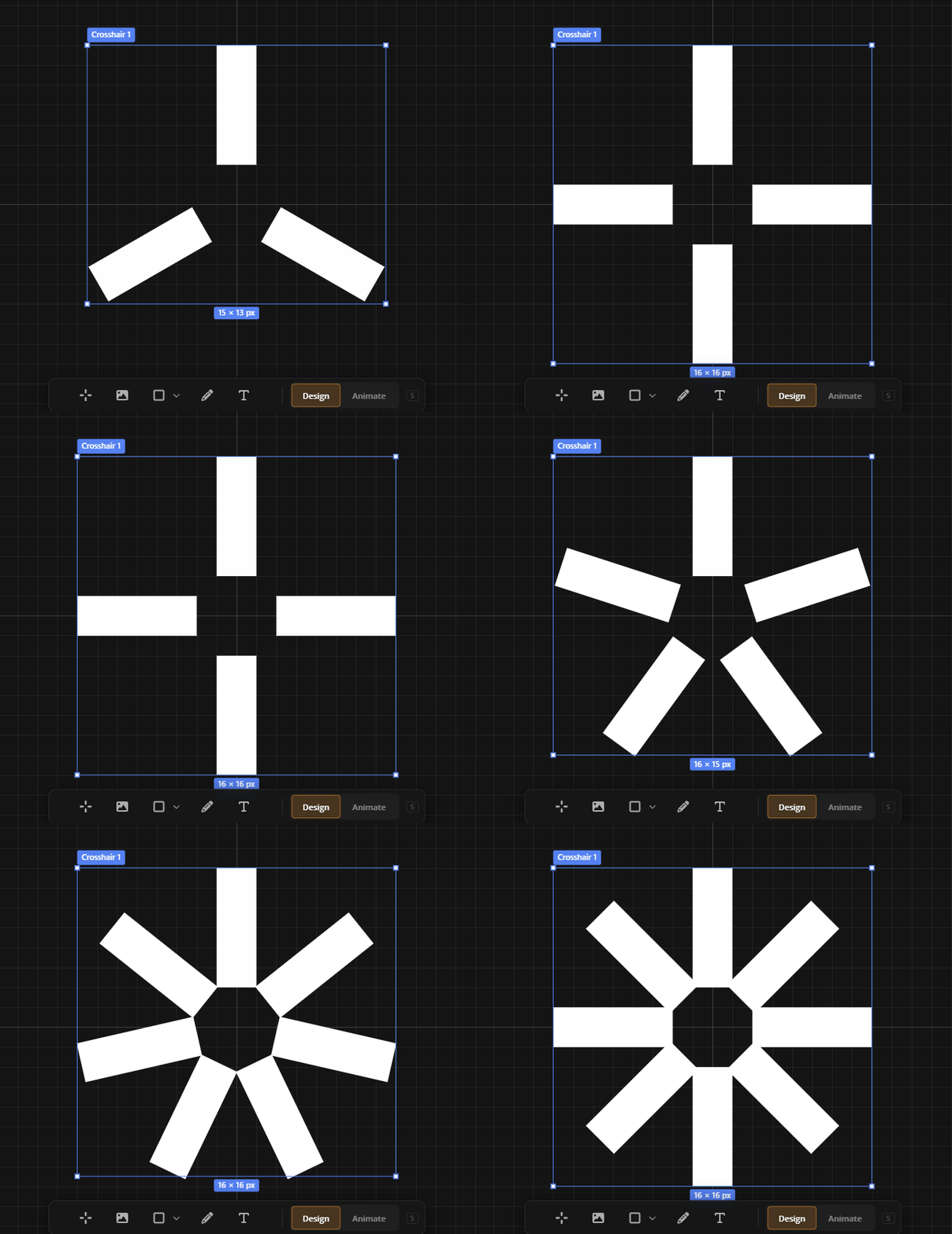
• New arm renderer supporting 3–8 evenly-spaced arms with per-arm visibility toggles.
• Two new arm shapes: Image and Text (Yes you can make crosshairs out of images now)
• Supported line shapes:
• Rectangle
• Triangle
• Chevron In
• Chevron Out
• Arc
• T-Shape
• Image (new)
• Text (new)
Presets
Varying Arms
⚡Animation Changes
• Multi-stage animations — chain multiple stages together to create more dynamic and complex animations.
• Image layers can now be animated — animate width, height, opacity, rotation, and position on fire, aim, or autoplay.
• Shape and text layers are fully animatable too — each with their own set of properties.
📋 Design Quick Actions
• New summary view showing common properties across all layers in your design.
• Change colors, outlines, and opacity globally — no need to edit each layer individually.
• Get to the look you want faster by iterating on the whole design at once.
👋 Until next time
Thank you for sticking with us — this update has been a long time coming. We're excited to see your designs and hear your feedback. Come share what you build.
💬 Join the Crosshair X Community on Discord
GLHF 🦆
We built a new Designer to help you unlock your full creative potential. Pixel-perfect placement on an interactive grid canvas with freehand drawing tools, and so much more!
The original Designer is still available — this one just takes things further.
🎨 The new Canvas
Features
• Scroll to zoom, middle-click to pan, and click to select layers directly on the canvas.
• Drag to move and resize layers. Click and drag an empty area to marquee select multiple layers.
• Drag and drop images onto the canvas to add them as layers.
• Right-click context menu and full keyboard shortcut support.
✏️ Freehand Drawing + New Layer types
We have finally implemented one of the most requested feature: Freehand pixel drawing for Crosshair Designs.
New Layer Types
• Draw — Interact directly with the canvas and draw
• Shape — Rectangles, ellipses, and triangles can now independently be added to your design with animation support
• Text — Finally you can also add text to your design with animation support
🆕 Line Shapes & Arm Rendering
• New arm renderer supporting 3–8 evenly-spaced arms with per-arm visibility toggles.
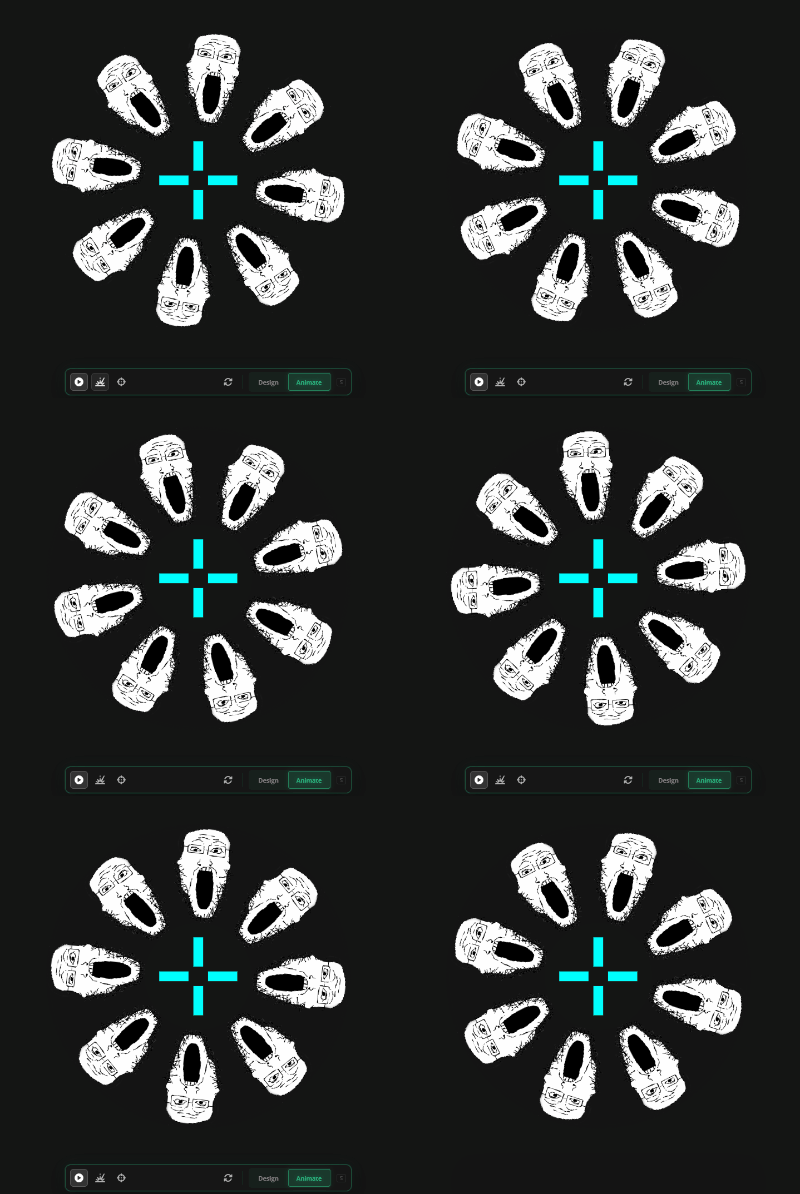
• Two new arm shapes: Image and Text (Yes you can make crosshairs out of images now)
• Supported line shapes:
• Rectangle
• Triangle
• Chevron In
• Chevron Out
• Arc
• T-Shape
• Image (new)
• Text (new)
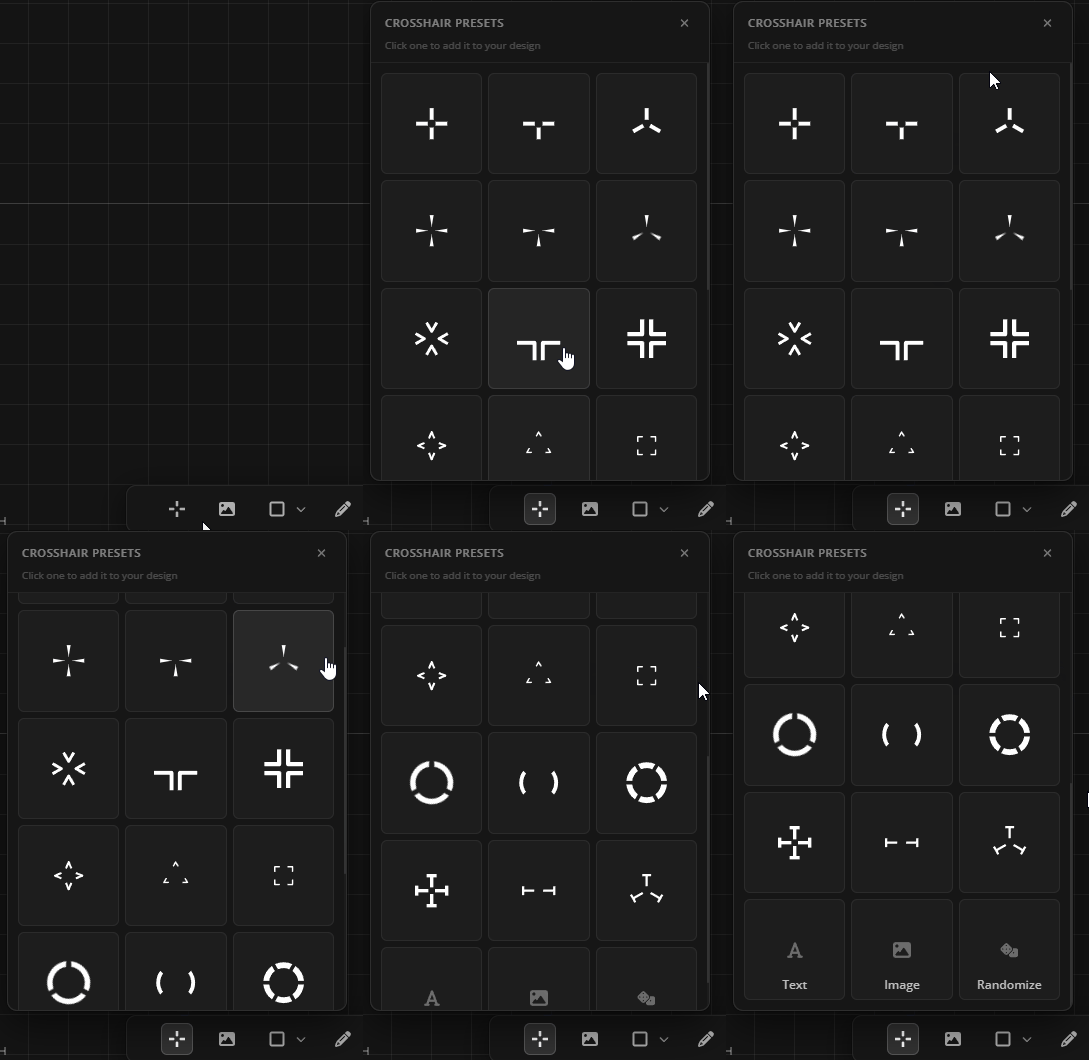
Presets
Varying Arms
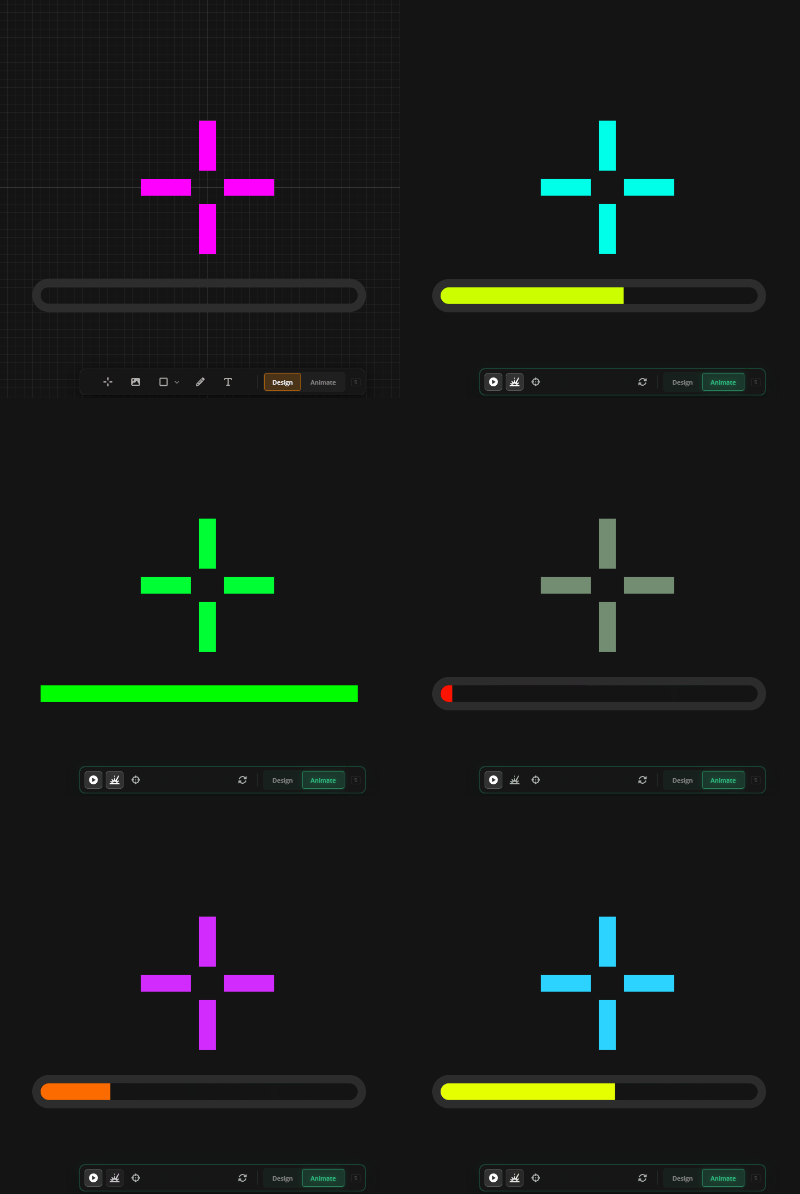
⚡Animation Changes
• Multi-stage animations — chain multiple stages together to create more dynamic and complex animations.
• Image layers can now be animated — animate width, height, opacity, rotation, and position on fire, aim, or autoplay.
• Shape and text layers are fully animatable too — each with their own set of properties.
📋 Design Quick Actions
• New summary view showing common properties across all layers in your design.
• Change colors, outlines, and opacity globally — no need to edit each layer individually.
• Get to the look you want faster by iterating on the whole design at once.
👋 Until next time
Thank you for sticking with us — this update has been a long time coming. We're excited to see your designs and hear your feedback. Come share what you build.
💬 Join the Crosshair X Community on Discord
GLHF 🦆
Discover, Share & Update Crosshairs Across Every Platform
Hey everyone!
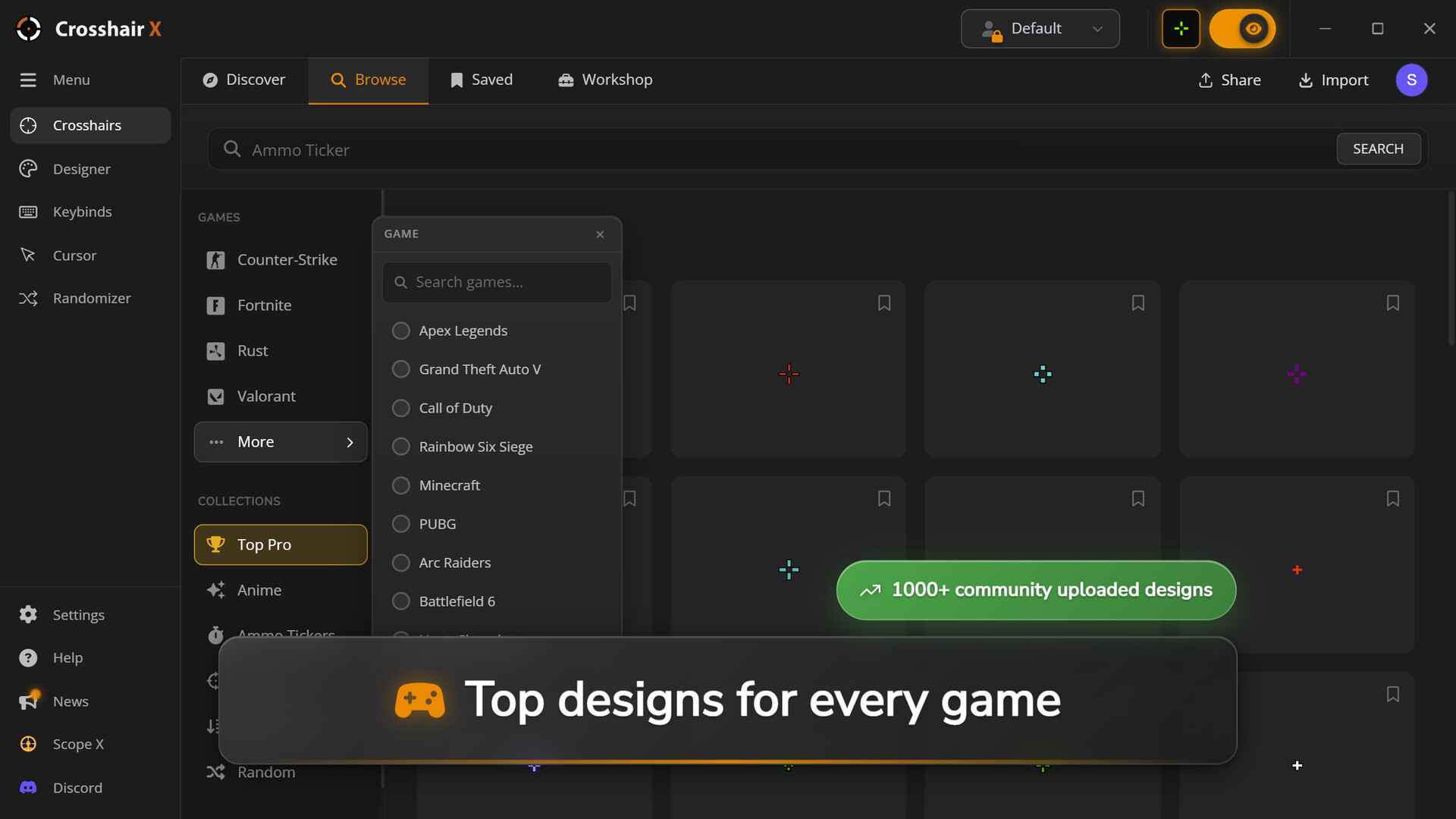
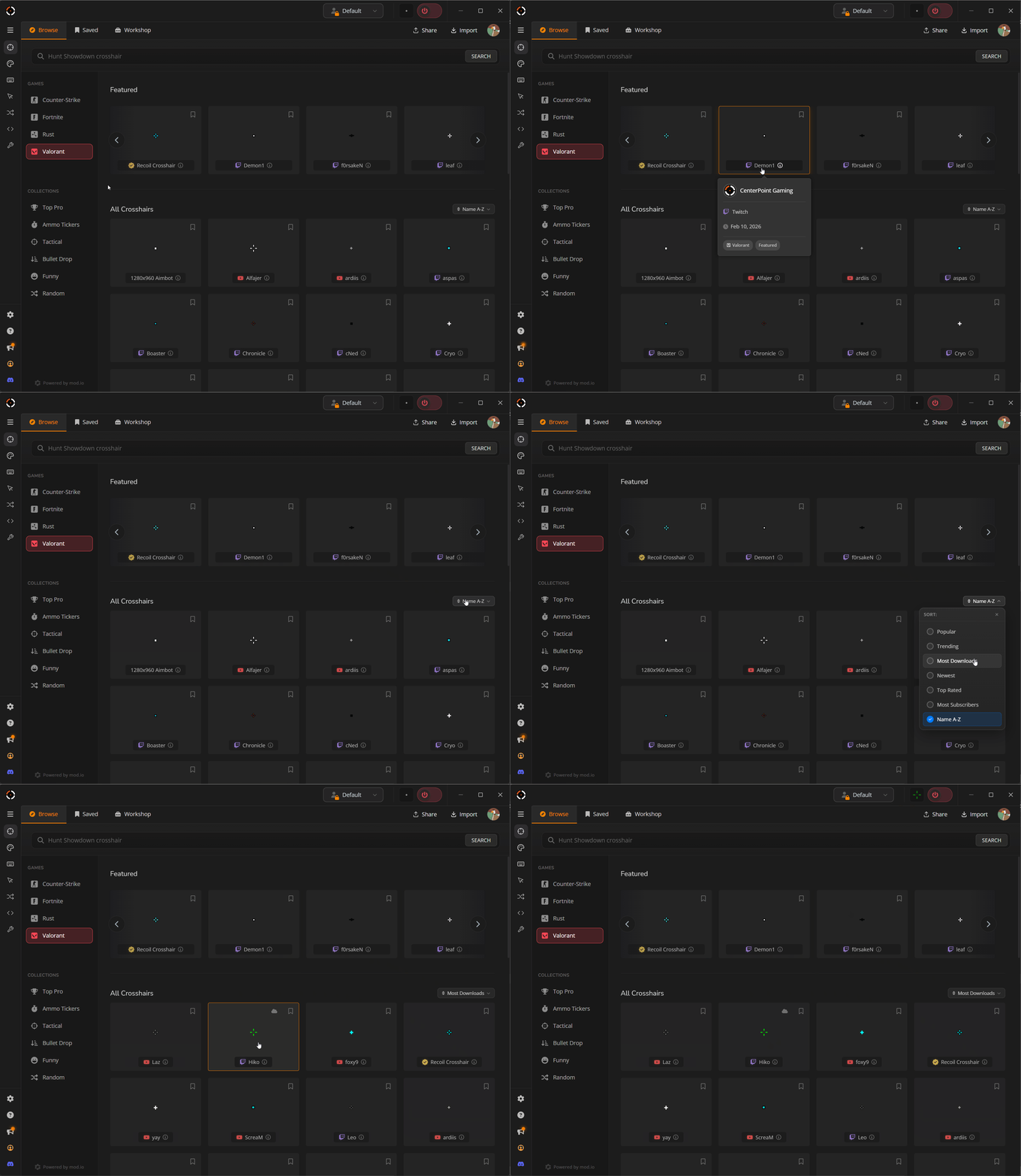
We got a big one for you — the Browse page is now a connected, cross-platform community powered by mod.io. See what's trending, discover fresh crosshairs from players everywhere, and share your own creations across every platform.
🌐 A Connected Browse Experience
The Browse page is no longer a static list. It's a living feed where new crosshairs show up as the community grows!
• Discover the latest and most popular crosshairs across more games than ever before — no account or login needed.
• Preview any crosshair before deciding to save it -- just like before.
• Search can now filter by game, style, or tags to find exactly what you're looking for.
• Search works across both mod.io and Steam with new sorting and filtering options
• Want to get featured? Publish your crosshairs to mod.io and they could show up on the home page.
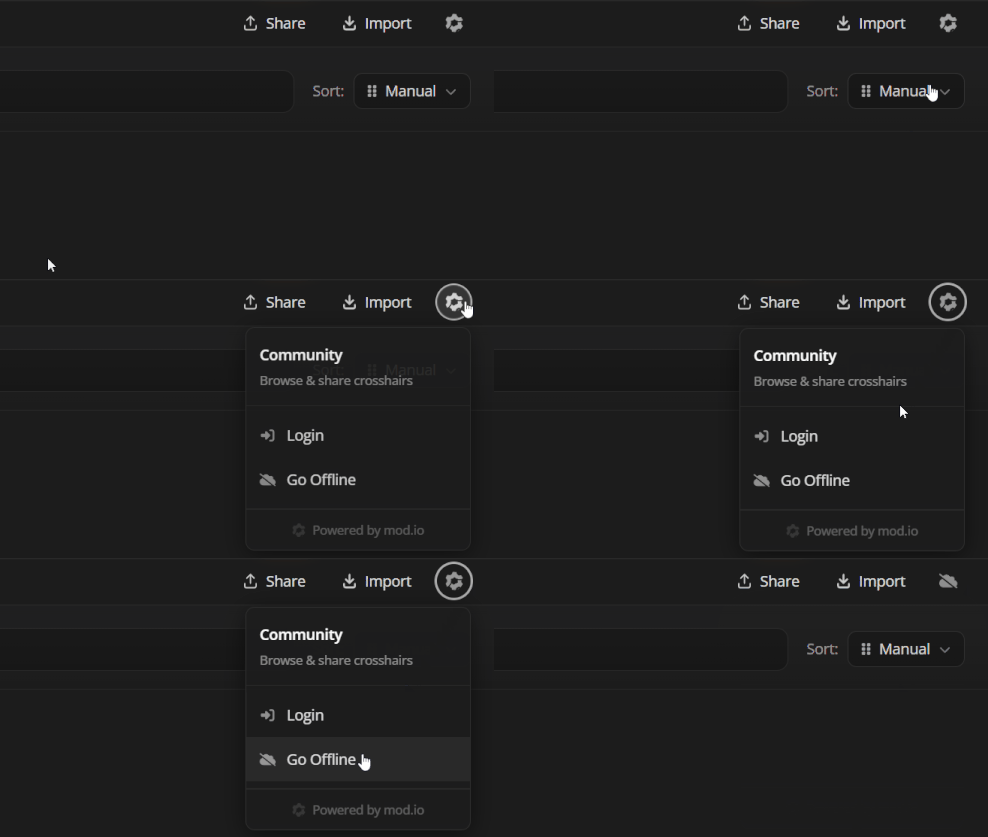
📡 Offline Mode
• Don't want the connected experience? Toggle offline mode to restore the legacy Browse page.
• Crosshair X detects connection issues automatically and will offer users to switch to offline mode for a better experience.
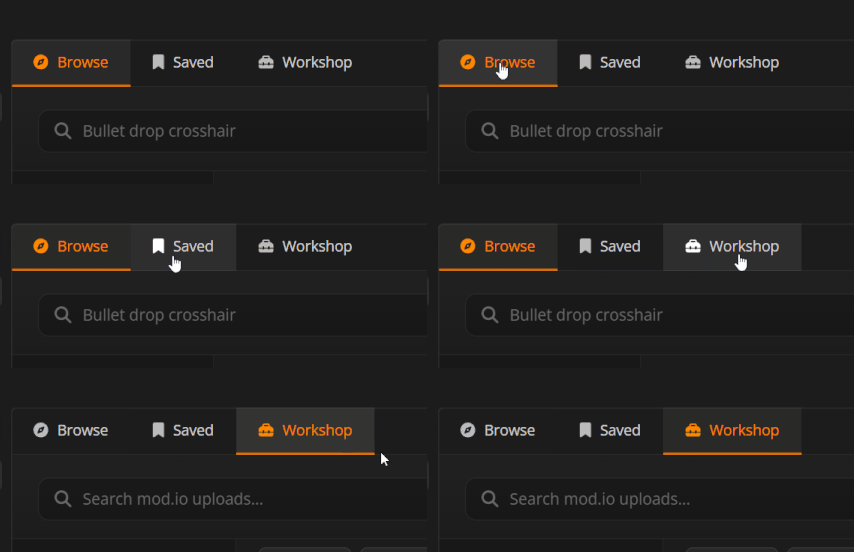
🗂️ My Workshop
The new My Workshop tab brings your Steam Workshop and mod.io content together in one place.
• Push updates to your published crosshairs on Steam Workshop and mod.io — subscribers are notified when a new version drops.
• See all your subscriptions and uploads across both platforms in a single view.
• Track downloads, subscriber counts, and other stats on your published crosshairs.
• Edit names, tags, and visibility on existing items in app without creating a new listing.
• Manage subscriptions and uploads in app.
📢 Workshop Items can now be UPDATED!
• Creators can now share revisions and updates to their designs with all of their subscribers
• Simply update your subscribed crosshairs with a single click
🛠️ Other Changes
• Better guidance when Game Bar isn't installed — a dedicated modal now explains what to do.
• Added Ukrainian language support.
• Minor FAQ text updates.
• Internal stability and performance improvements.
• The "Saved" tab now remembers your last active category.
---
This update is all about giving you the tools to discover, share, and manage your crosshairs across every platform. We can't wait to see what you share!
Join us on Discord if you'd like to share feedback or ideas:
💬 Join the Crosshair X Community
🦆
We got a big one for you — the Browse page is now a connected, cross-platform community powered by mod.io. See what's trending, discover fresh crosshairs from players everywhere, and share your own creations across every platform.
🌐 A Connected Browse Experience
The Browse page is no longer a static list. It's a living feed where new crosshairs show up as the community grows!
• Discover the latest and most popular crosshairs across more games than ever before — no account or login needed.
• Preview any crosshair before deciding to save it -- just like before.
• Search can now filter by game, style, or tags to find exactly what you're looking for.
• Search works across both mod.io and Steam with new sorting and filtering options
• Want to get featured? Publish your crosshairs to mod.io and they could show up on the home page.
📡 Offline Mode
• Don't want the connected experience? Toggle offline mode to restore the legacy Browse page.
• Crosshair X detects connection issues automatically and will offer users to switch to offline mode for a better experience.
🗂️ My Workshop
The new My Workshop tab brings your Steam Workshop and mod.io content together in one place.
• Push updates to your published crosshairs on Steam Workshop and mod.io — subscribers are notified when a new version drops.
• See all your subscriptions and uploads across both platforms in a single view.
• Track downloads, subscriber counts, and other stats on your published crosshairs.
• Edit names, tags, and visibility on existing items in app without creating a new listing.
• Manage subscriptions and uploads in app.
📢 Workshop Items can now be UPDATED!
• Creators can now share revisions and updates to their designs with all of their subscribers
• Simply update your subscribed crosshairs with a single click
🛠️ Other Changes
• Better guidance when Game Bar isn't installed — a dedicated modal now explains what to do.
• Added Ukrainian language support.
• Minor FAQ text updates.
• Internal stability and performance improvements.
• The "Saved" tab now remembers your last active category.
---
This update is all about giving you the tools to discover, share, and manage your crosshairs across every platform. We can't wait to see what you share!
Join us on Discord if you'd like to share feedback or ideas:
💬 Join the Crosshair X Community
🦆
🎯 Crisp Rendering Changes, Saved Page and Cut Tool revamp, and more! ✨
🚀 Big Update for 02/04/2026
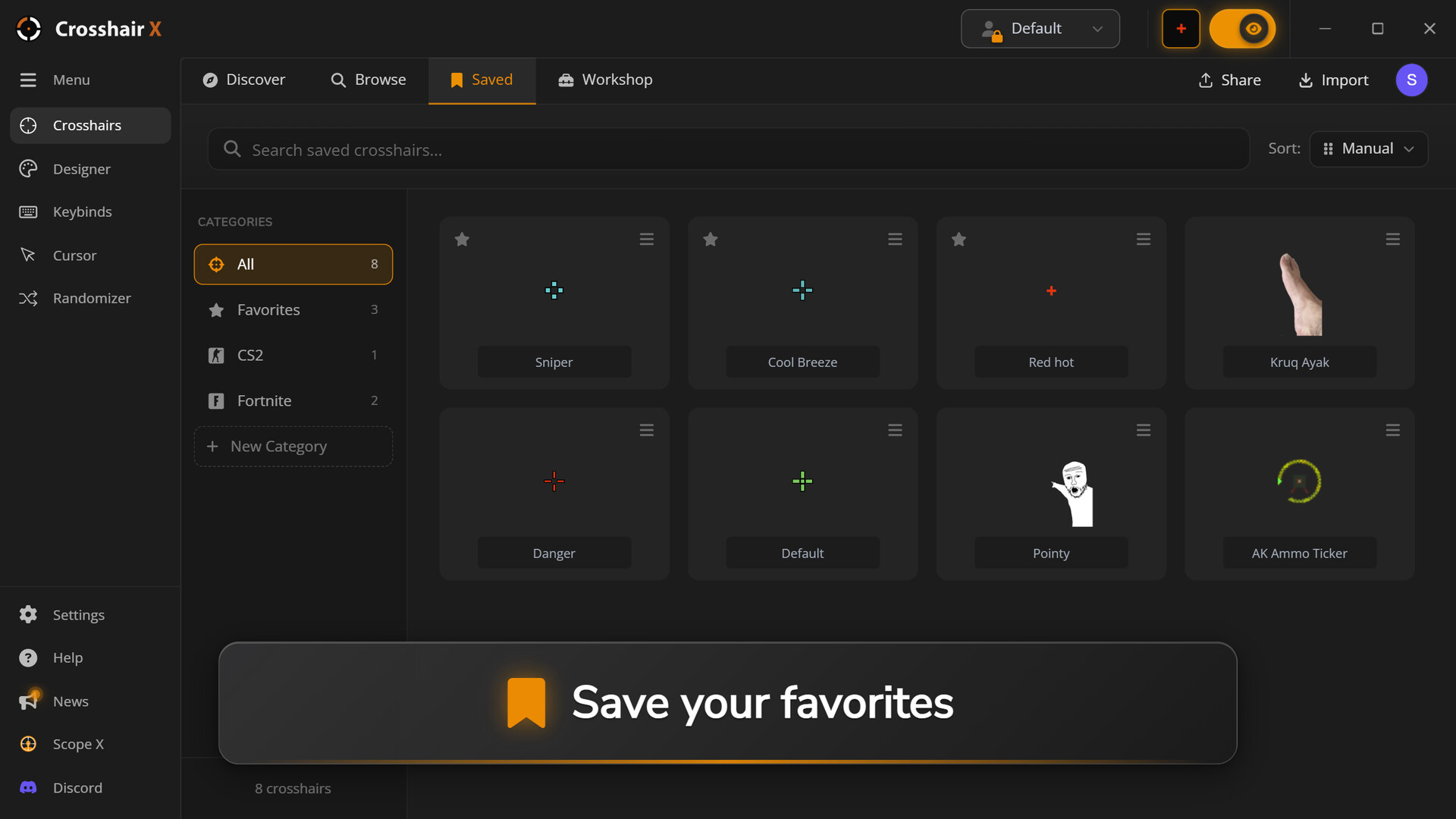
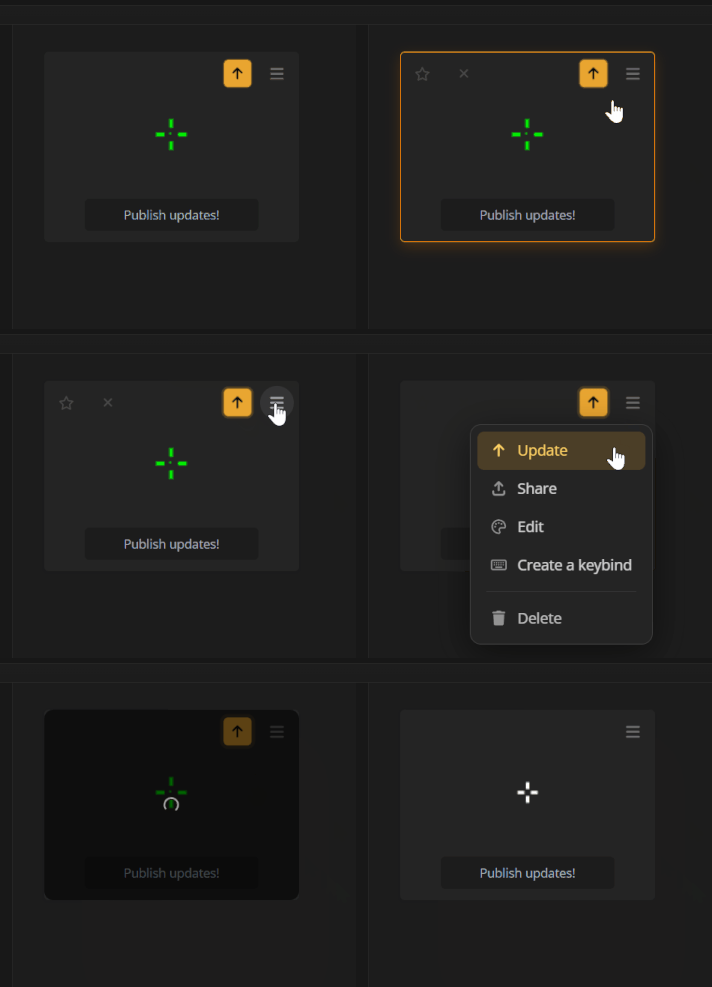
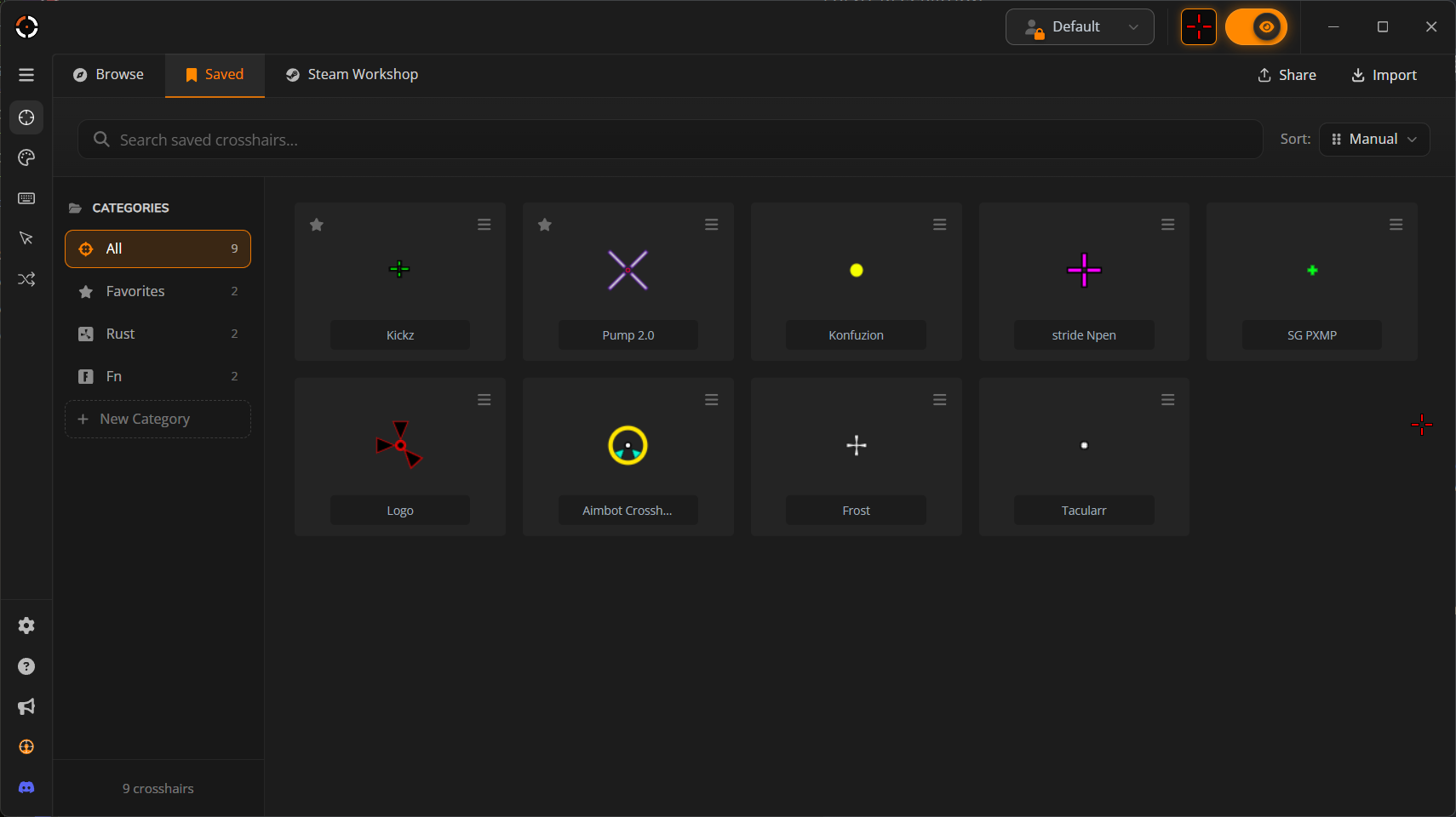
📁 Saved Page Organization Revamp!
This is to the power users with too many crosshairs to count. You know who you are.
•
Re-arrangeable crosshairs
•
Folder management
•
Search, Favorites
•
Faster loading in Saved page, Designer Save and Importing!
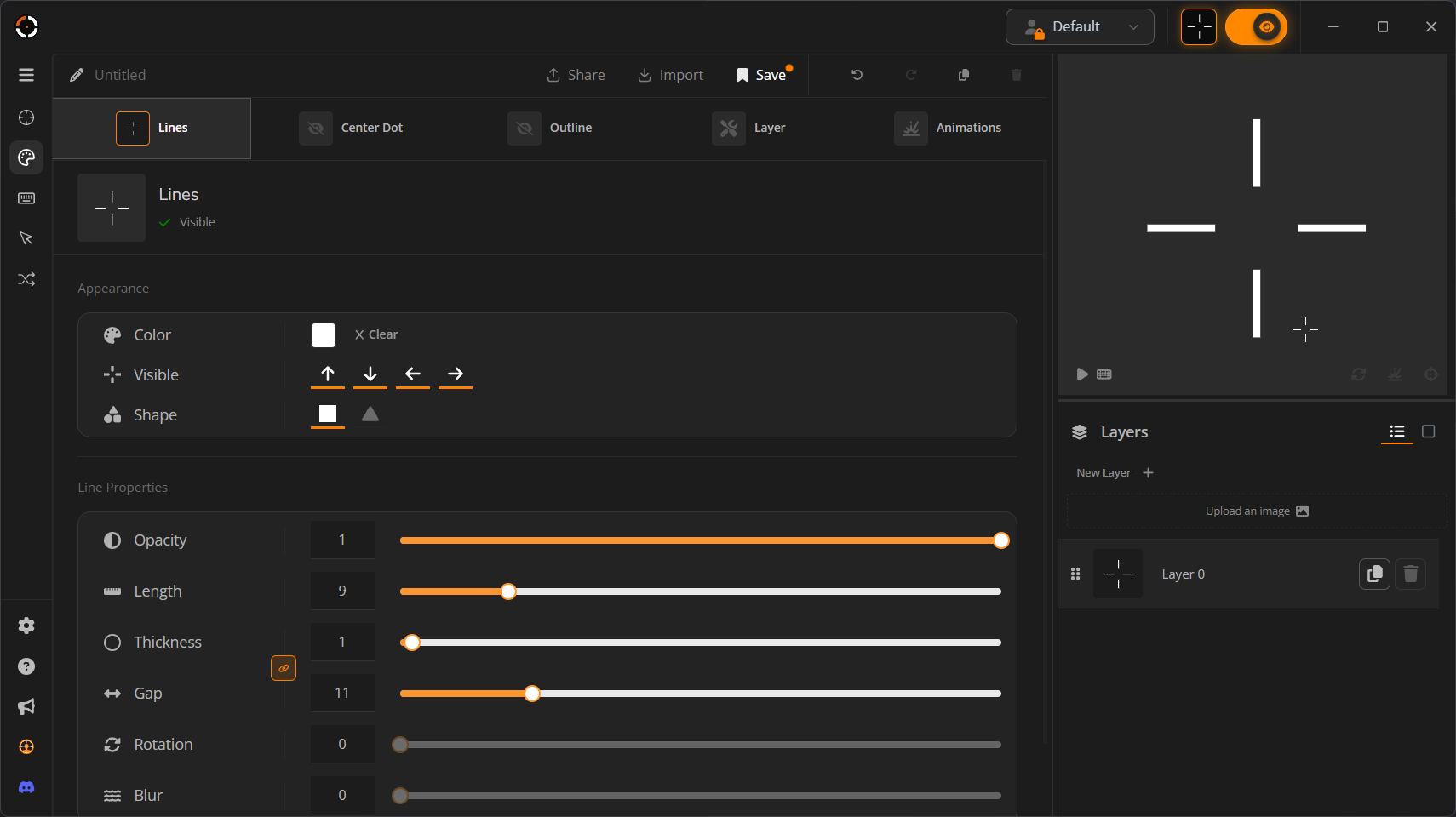
📏 1px thick rendering is now possible!
If we broke your crosshair in this update, we're sorry, but it had to be done.
This is a long requested bug fix people wanted for years and we kept putting it off we didn't want to risk making people adapt to new changes in the designer. Prior to this update, you could never make truly 1px thick crosshairs in the designer without really pushing the designer to it's limits.
⚖️ Thickness and Gap Parity Syncing in the Designer
Now that Crosshairs can be extremely thin, crosshairs have the ability to not be symmetric. That is why we made an option to always keep the gap and thickness to maintain being odd or even.
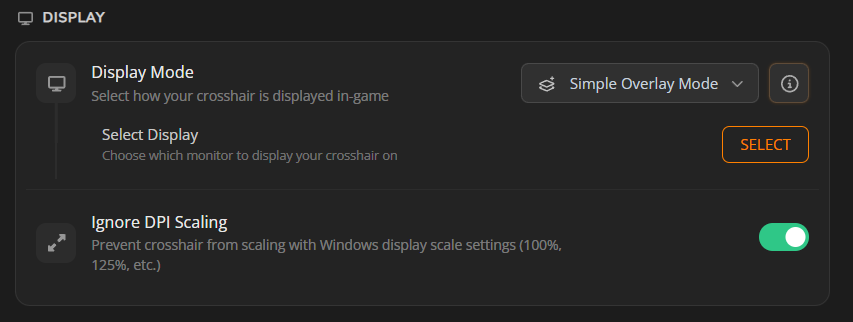
🖥️ Ignore DPI Scaling turned on by default!
Example: 225% Display Scaling will look the same as 100% Display Scaling.
Your crosshair will now look the same on every Windows scaling option unless you turn it off this setting. This will prevent users from complaining their crosshair looks too blurry when it just had to do with them having Windows Display Scaling set to anything other then 100%.
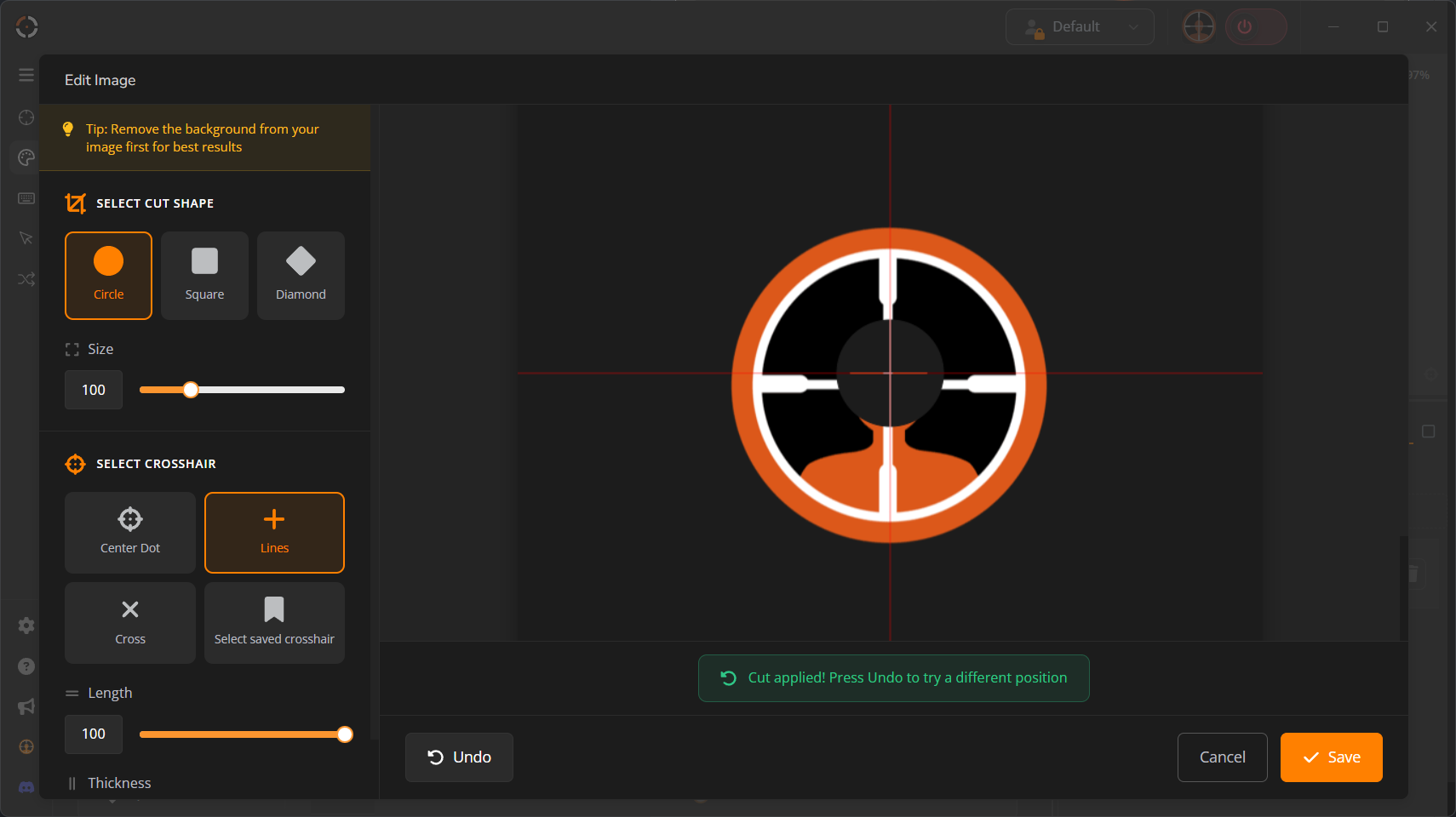
✂️ Shape Cut Tool UI/UX clean up!
If you enjoy making meme crosshairs, this one's for you.
We forgot to update the UI in the previous UI update so we gave it a fresh look this update. Check it out!
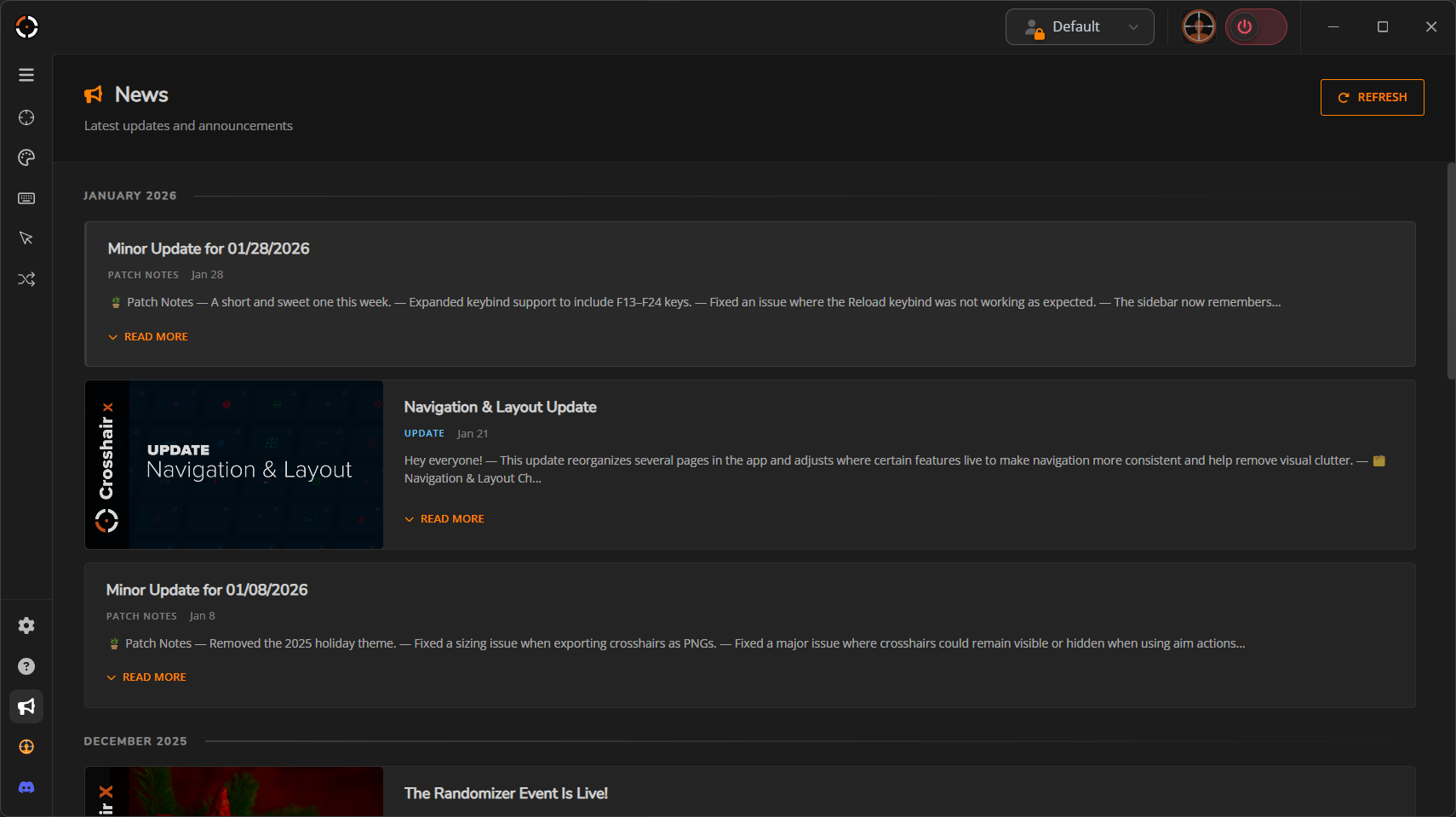
📰 News page in-app now available!
You can now read our news and updates from within the app.
🛠️ Other small fixes
Nothing huge but honorable mentions:
•
Fixed Display Mode selection toast, it was navigating users to the wrong page.
•
Re-arranged sidebar icons and fixed padding.
•
Fixed a ton of translations throughout the app.
•
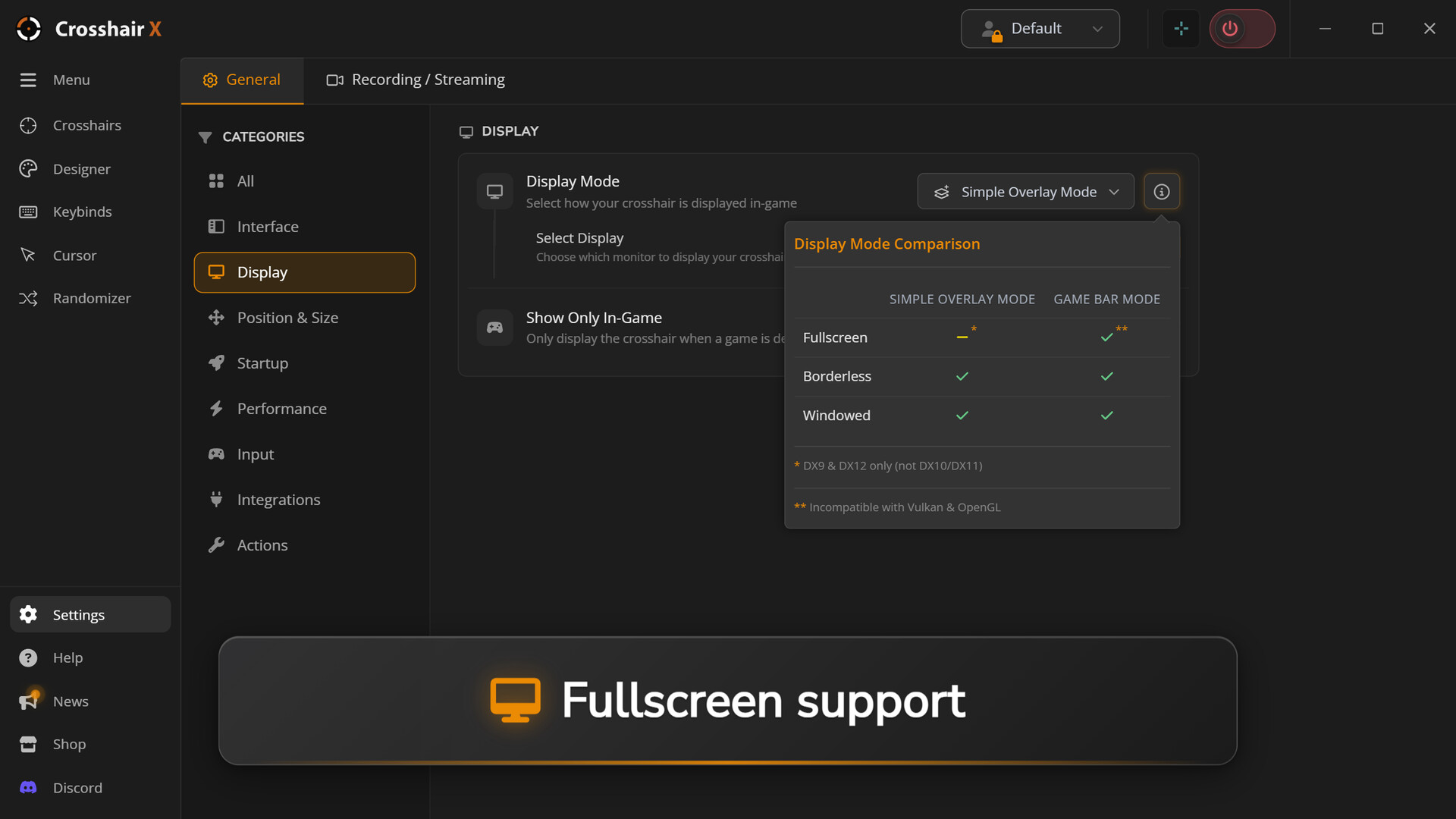
Added glow to Display modes info tooltip and added more information.
Thank you for your continued support! We're committed to making Crosshair X the best crosshair overlay tool available. If you encounter any issues with this update, please reach out on Discord.
🦆
📁 Saved Page Organization Revamp!
This is to the power users with too many crosshairs to count. You know who you are.
•
Re-arrangeable crosshairs
•
Folder management
•
Search, Favorites
•
Faster loading in Saved page, Designer Save and Importing!
📏 1px thick rendering is now possible!
If we broke your crosshair in this update, we're sorry, but it had to be done.
This is a long requested bug fix people wanted for years and we kept putting it off we didn't want to risk making people adapt to new changes in the designer. Prior to this update, you could never make truly 1px thick crosshairs in the designer without really pushing the designer to it's limits.
⚖️ Thickness and Gap Parity Syncing in the Designer
Now that Crosshairs can be extremely thin, crosshairs have the ability to not be symmetric. That is why we made an option to always keep the gap and thickness to maintain being odd or even.
🖥️ Ignore DPI Scaling turned on by default!
Example: 225% Display Scaling will look the same as 100% Display Scaling.
Your crosshair will now look the same on every Windows scaling option unless you turn it off this setting. This will prevent users from complaining their crosshair looks too blurry when it just had to do with them having Windows Display Scaling set to anything other then 100%.
✂️ Shape Cut Tool UI/UX clean up!
If you enjoy making meme crosshairs, this one's for you.
We forgot to update the UI in the previous UI update so we gave it a fresh look this update. Check it out!
📰 News page in-app now available!
You can now read our news and updates from within the app.
🛠️ Other small fixes
Nothing huge but honorable mentions:
•
Fixed Display Mode selection toast, it was navigating users to the wrong page.
•
Re-arranged sidebar icons and fixed padding.
•
Fixed a ton of translations throughout the app.
•
Added glow to Display modes info tooltip and added more information.
Thank you for your continued support! We're committed to making Crosshair X the best crosshair overlay tool available. If you encounter any issues with this update, please reach out on Discord.
🦆
Minor Update for 01/28/2026
🪴 Patch Notes
A short and sweet one this week.
• Expanded keybind support to include F13–F24 keys.
• Fixed an issue where the Reload keybind was not working as expected.
• The sidebar now remembers your expanded/collapsed preference.
• Fixed an issue where some Designer settings wouldn’t save properly.
🦆
A short and sweet one this week.
• Expanded keybind support to include F13–F24 keys.
• Fixed an issue where the Reload keybind was not working as expected.
• The sidebar now remembers your expanded/collapsed preference.
• Fixed an issue where some Designer settings wouldn’t save properly.
🦆
Navigation & Layout Update
Hey everyone!
This update reorganizes several pages in the app and adjusts where certain features live to make navigation more consistent and help remove visual clutter.
🗂️ Navigation & Layout Changes
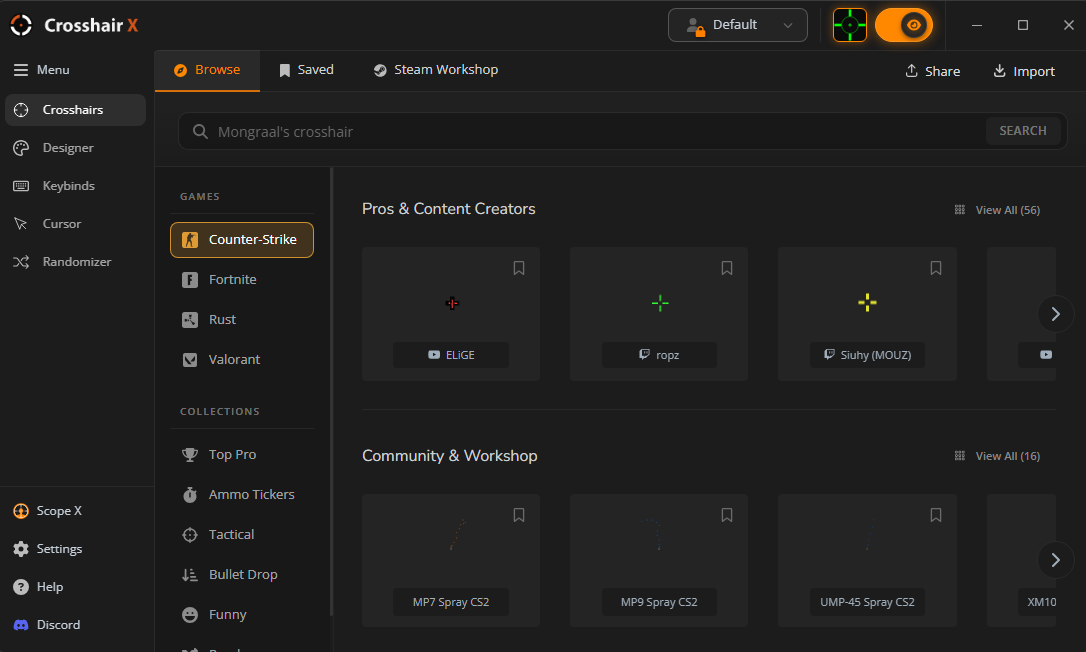
• Consolidated the Featured, Community, and Search tabs into a single page called Browse.
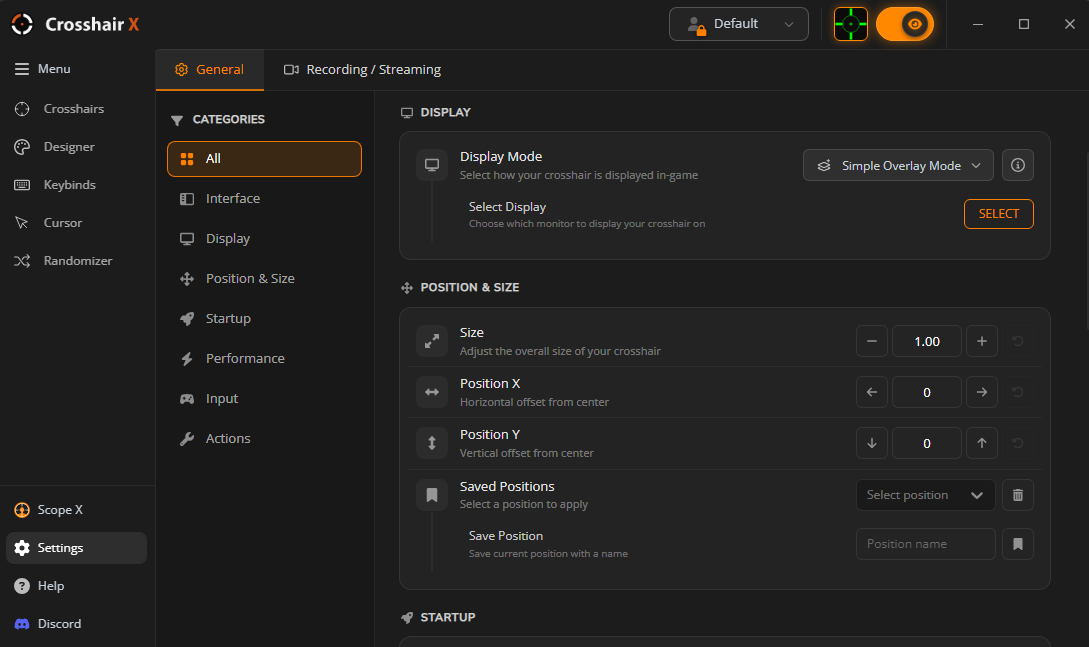
• Updated the sidebar layout and moved the previous Options page into a new Settings button at the bottom.
• Relocated both Display Modes and Position & Size into the Settings page.
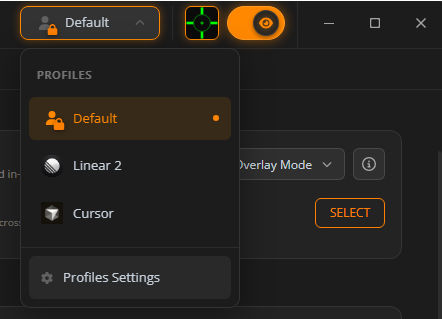
• Added a larger Profile Quick Select at the top of the app.
• Removed “Profiles” from the sidebar — accessible through the quick select instead.
• Added profile filters, search, and a table view for profile management.
• Updated the visibility indicator for Crosshair Visibility Status in the top bar.
---
Thank you for the continued support — and if you’d like to share feedback or ideas, join us on Discord:
💬 Join the Crosshair X Community
🦆
This update reorganizes several pages in the app and adjusts where certain features live to make navigation more consistent and help remove visual clutter.
🗂️ Navigation & Layout Changes
• Consolidated the Featured, Community, and Search tabs into a single page called Browse.
• Updated the sidebar layout and moved the previous Options page into a new Settings button at the bottom.
• Relocated both Display Modes and Position & Size into the Settings page.
• Added a larger Profile Quick Select at the top of the app.
• Removed “Profiles” from the sidebar — accessible through the quick select instead.
• Added profile filters, search, and a table view for profile management.
• Updated the visibility indicator for Crosshair Visibility Status in the top bar.
---
Thank you for the continued support — and if you’d like to share feedback or ideas, join us on Discord:
💬 Join the Crosshair X Community
🦆
Minor Update for 01/08/2026
🪴 Patch Notes
• Removed the 2025 holiday theme.
• Fixed a sizing issue when exporting crosshairs as PNGs.
• Fixed a major issue where crosshairs could remain visible or hidden when using aim actions in-game (reported by multiple users).
• Fixed unnecessary CPU usage while idle.
• Fixed Drag & Drop not working for Image layers in the Designer.
• Additional internal optimizations — performance improvements will continue to be a major focus this year.
Thank you for the continued feedback and reports — they help us make Crosshair X better every update.
🦆
• Removed the 2025 holiday theme.
• Fixed a sizing issue when exporting crosshairs as PNGs.
• Fixed a major issue where crosshairs could remain visible or hidden when using aim actions in-game (reported by multiple users).
• Fixed unnecessary CPU usage while idle.
• Fixed Drag & Drop not working for Image layers in the Designer.
• Additional internal optimizations — performance improvements will continue to be a major focus this year.
Thank you for the continued feedback and reports — they help us make Crosshair X better every update.
🦆
The Randomizer Event Is Live!
🎄 Happy Holidays from Crosshair X!
Hey everyone!
We’re wrapping up the year with a festive update for Crosshair X. Alongside fixes and UI improvements, we’re introducing something entirely new — a fun holiday event built just for you.
✨ What’s New
• Improved the Game Bar status warning tooltip to clearly show which setup steps are missing.
• Added a festive holiday theme across the app.
• UI improvements and refinements in the Designer.
• Fixed a memory leak related to animated crosshairs.
• Fixed Global Toggle tooltip showing the wrong profile keybind.
• Added Share to the Crosshair Actions dropdown.
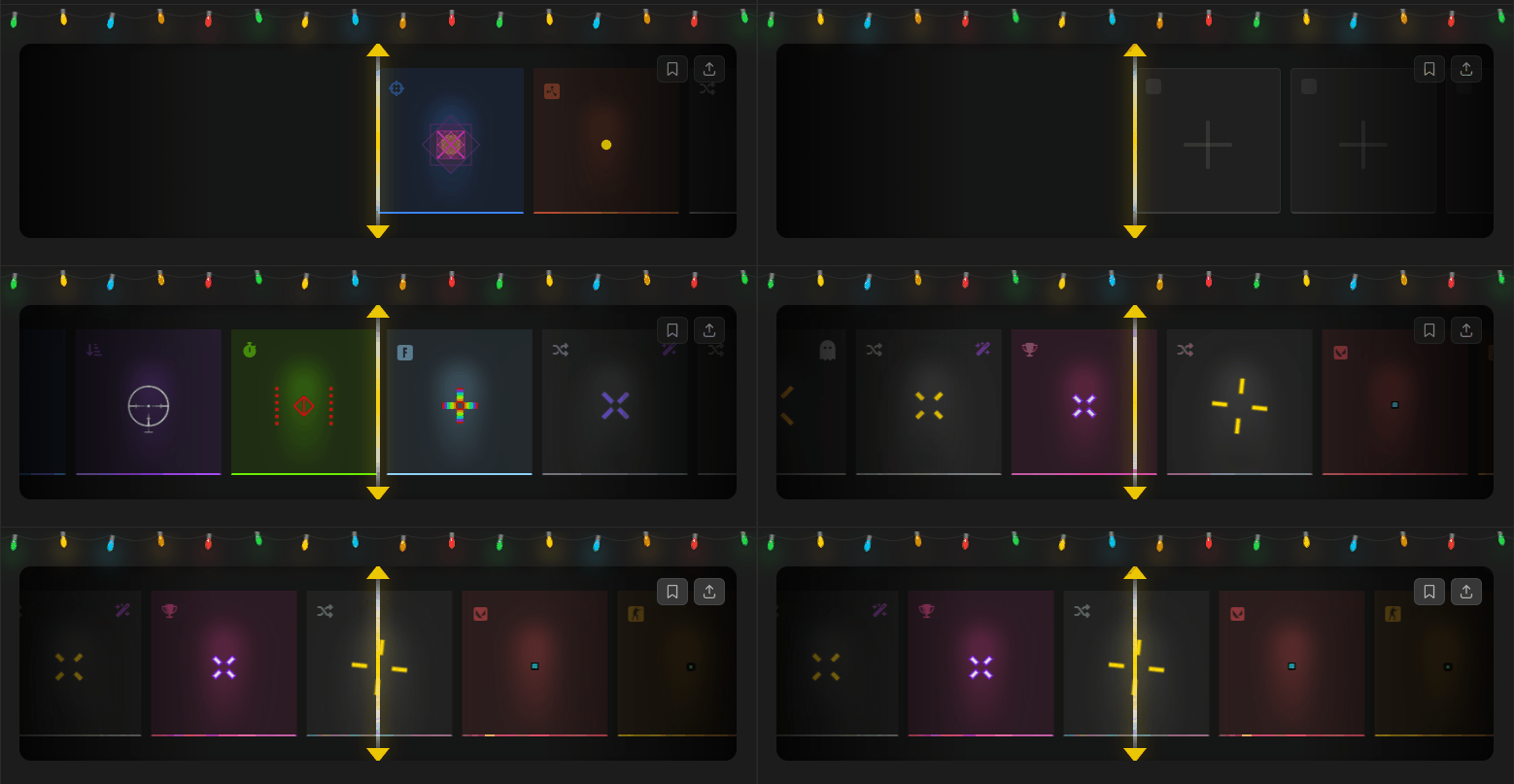
• Added a brand-new event: Randomizer.
🎁 Introducing the Crosshair X: Randomizer
To celebrate the holidays, we’ve added the Randomizer — a mini-game inside Crosshair X designed to help you discover new and unexpected crosshairs.
• Spin through a mix of randomly generated crosshairs and hand-picked community favorites.
• Discover hidden rare crosshairs along the way.
• Play games with the Randomizer running in the background.
• Press R (Reload key) to spin — the Randomizer page must be active for this to work.
• Customize settings like keybinds, auto-spin, and sound effects.
• Full CS2 integration — randomize crosshairs on kill, death, or new round.
The Randomizer is all about discovery. We’ve added fun mechanics like modifiers and a few hidden easter eggs — be sure to share what you find with the community!
And don’t forget… try to get the highest spin count 👀
❤️ Thank You
Thank you for being part of the Crosshair X journey this year.
We’re incredibly grateful for your feedback, creativity, and support — and we’re excited to keep building even bigger things together in 2026.
Happy Holidays, and good luck spinning! 🎉
— The Crosshair X Team 🦆
Hey everyone!
We’re wrapping up the year with a festive update for Crosshair X. Alongside fixes and UI improvements, we’re introducing something entirely new — a fun holiday event built just for you.
✨ What’s New
• Improved the Game Bar status warning tooltip to clearly show which setup steps are missing.
• Added a festive holiday theme across the app.
• UI improvements and refinements in the Designer.
• Fixed a memory leak related to animated crosshairs.
• Fixed Global Toggle tooltip showing the wrong profile keybind.
• Added Share to the Crosshair Actions dropdown.
• Added a brand-new event: Randomizer.
🎁 Introducing the Crosshair X: Randomizer
To celebrate the holidays, we’ve added the Randomizer — a mini-game inside Crosshair X designed to help you discover new and unexpected crosshairs.
• Spin through a mix of randomly generated crosshairs and hand-picked community favorites.
• Discover hidden rare crosshairs along the way.
• Play games with the Randomizer running in the background.
• Press R (Reload key) to spin — the Randomizer page must be active for this to work.
• Customize settings like keybinds, auto-spin, and sound effects.
• Full CS2 integration — randomize crosshairs on kill, death, or new round.
The Randomizer is all about discovery. We’ve added fun mechanics like modifiers and a few hidden easter eggs — be sure to share what you find with the community!
And don’t forget… try to get the highest spin count 👀
❤️ Thank You
Thank you for being part of the Crosshair X journey this year.
We’re incredibly grateful for your feedback, creativity, and support — and we’re excited to keep building even bigger things together in 2026.
Happy Holidays, and good luck spinning! 🎉
— The Crosshair X Team 🦆
Minor Update for 11/20/2025
Another small update for everyone — laying the groundwork for future changes!
• Fixed a bug where launch preferences were not being respected.
• Fixed an issue where the Display Selector appeared blank.
• Increased Custom Image size limit from 5MB → 8MB.
• Corrected text in Windows notifications when triggering Global Toggle.
• Updated social icons in the app sidebar.
• Added new Rust Crosshairs:
• Kickz (Twitch) → Crosshair
• Vaybae (Twitch) → Crosshair
• Internal stability and performance improvements.
GLHF 🦆
• Fixed a bug where launch preferences were not being respected.
• Fixed an issue where the Display Selector appeared blank.
• Increased Custom Image size limit from 5MB → 8MB.
• Corrected text in Windows notifications when triggering Global Toggle.
• Updated social icons in the app sidebar.
• Added new Rust Crosshairs:
• Kickz (Twitch) → Crosshair
• Vaybae (Twitch) → Crosshair
• Internal stability and performance improvements.
GLHF 🦆
DAILY DEAL DISCOUNT: TELL YOUR FRIENDS!
Crosshair X and Scope X are now both 50% off!
Ask yourself the following questions:
•
Do my friends have perfect aim?
•
Do they have loads of money?
•
Are they using a custom crosshair yet?
If the answers are no, let your friends know about this special deal that won’t last forever.
Good luck, have fun, and thank you for your support over the years!
Ask yourself the following questions:
•
Do my friends have perfect aim?
•
Do they have loads of money?
•
Are they using a custom crosshair yet?
If the answers are no, let your friends know about this special deal that won’t last forever.
Good luck, have fun, and thank you for your support over the years!
Minor Update for 11/05/2025
A very small update this time. We're working on some big changes coming soon!
• Minor UI bug fixes
• Improved the out-of-box-experience
• Fixed streamer server pop up experience
GLHF.
• Minor UI bug fixes
• Improved the out-of-box-experience
• Fixed streamer server pop up experience
GLHF.
Minor Update for 10/21/2025
• Reduce input latency on some systems.
• Introduce a new out-of-box-experience.
• Remove the Scope X Pixel Hunt game.
• Address a bug that sometimes caused the wrong display to be selected at startup.
• Address a rare bug where the Streamer Server does not throw an error when experiencing a port conflict.
GLHF.
• Introduce a new out-of-box-experience.
• Remove the Scope X Pixel Hunt game.
• Address a bug that sometimes caused the wrong display to be selected at startup.
• Address a rare bug where the Streamer Server does not throw an error when experiencing a port conflict.
GLHF.
讨论板块
游戏服务器
暂无服务器