游戏预览
配置要求
最低配置
- 系统
- Windows 10 20H2 (64 bit)
- CPU
- Intel i5 2500K, AMD Ryzen 1300X
- 内存
- 4 GB RAM
- 显卡
- GeForce GTX 900 Series, Radeon RX 400 Series, Intel HD Graphics 500
- 存储
- 600 MB available space
推荐配置
- 系统
- Windows 11 (64 bit)
- CPU
- Intel i7 8700K, AMD Ryzen 1600X
- 内存
- 8 GB RAM
- 显卡
- GeForce 10 Series, Radeon 5000 Series, Intel Xe
- 存储
- 600 MB available space
在线人数趋势(最近 7 天)
在线人数(7 天)
价格历史(90天)
游戏简介
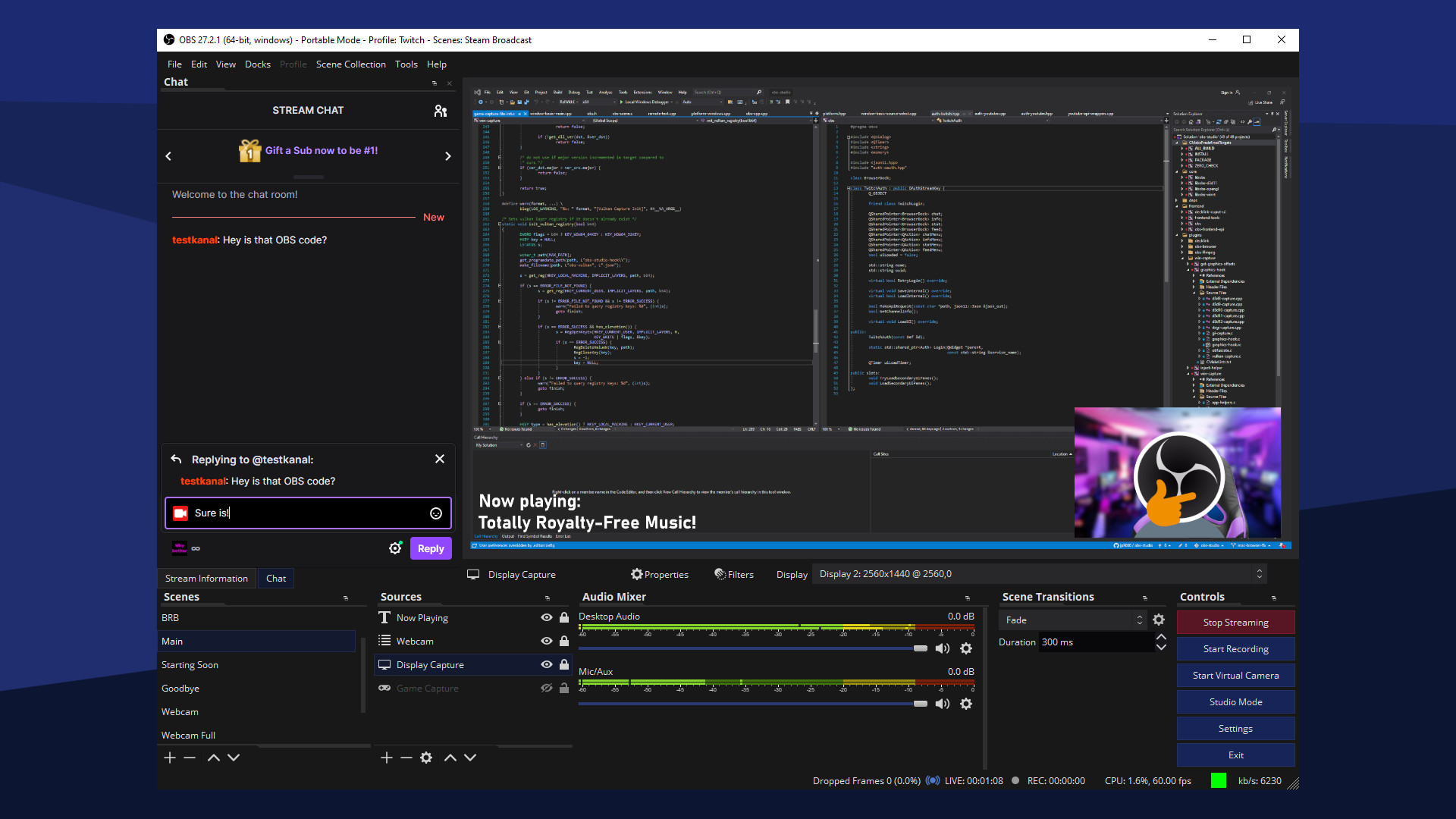
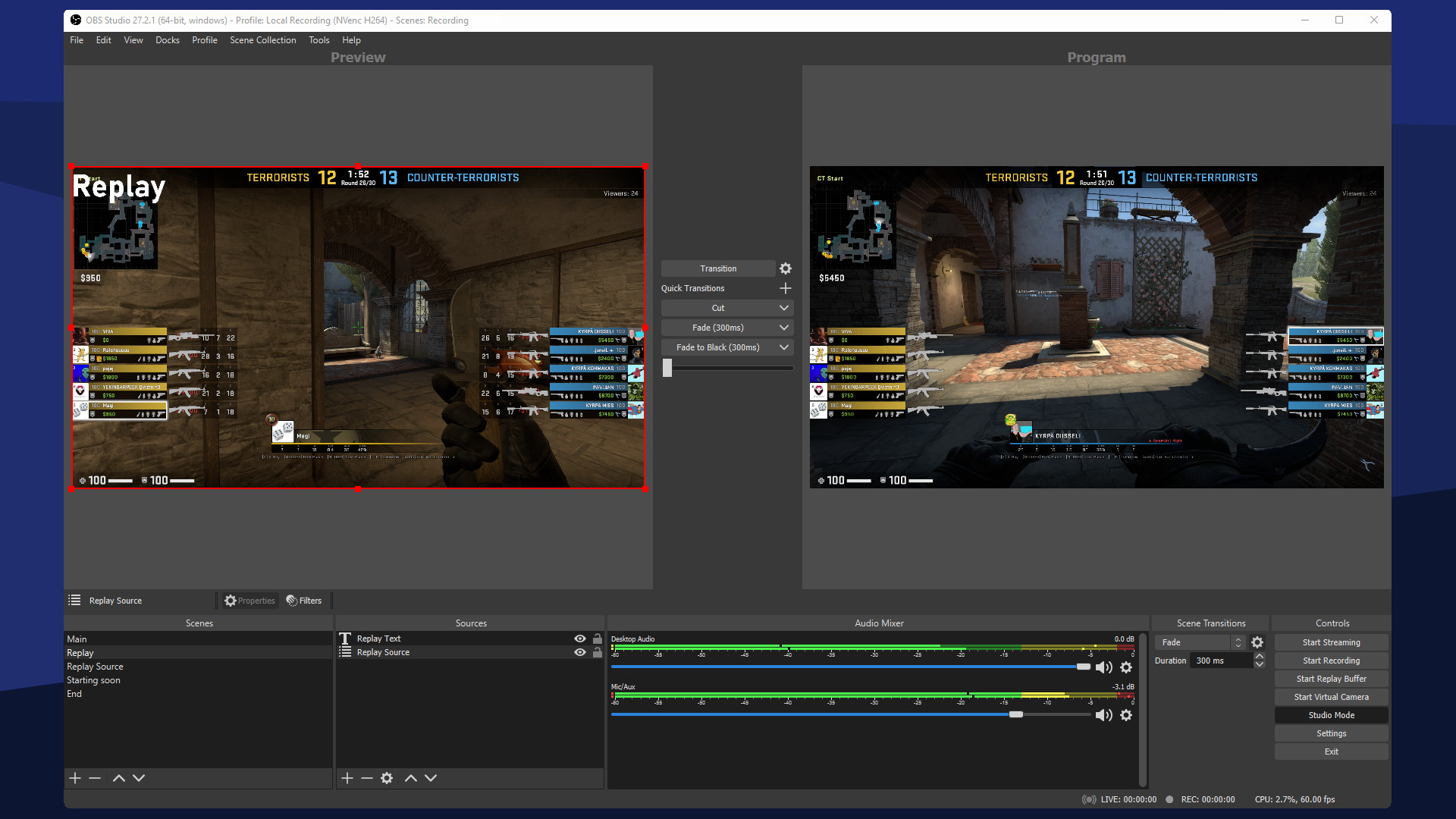
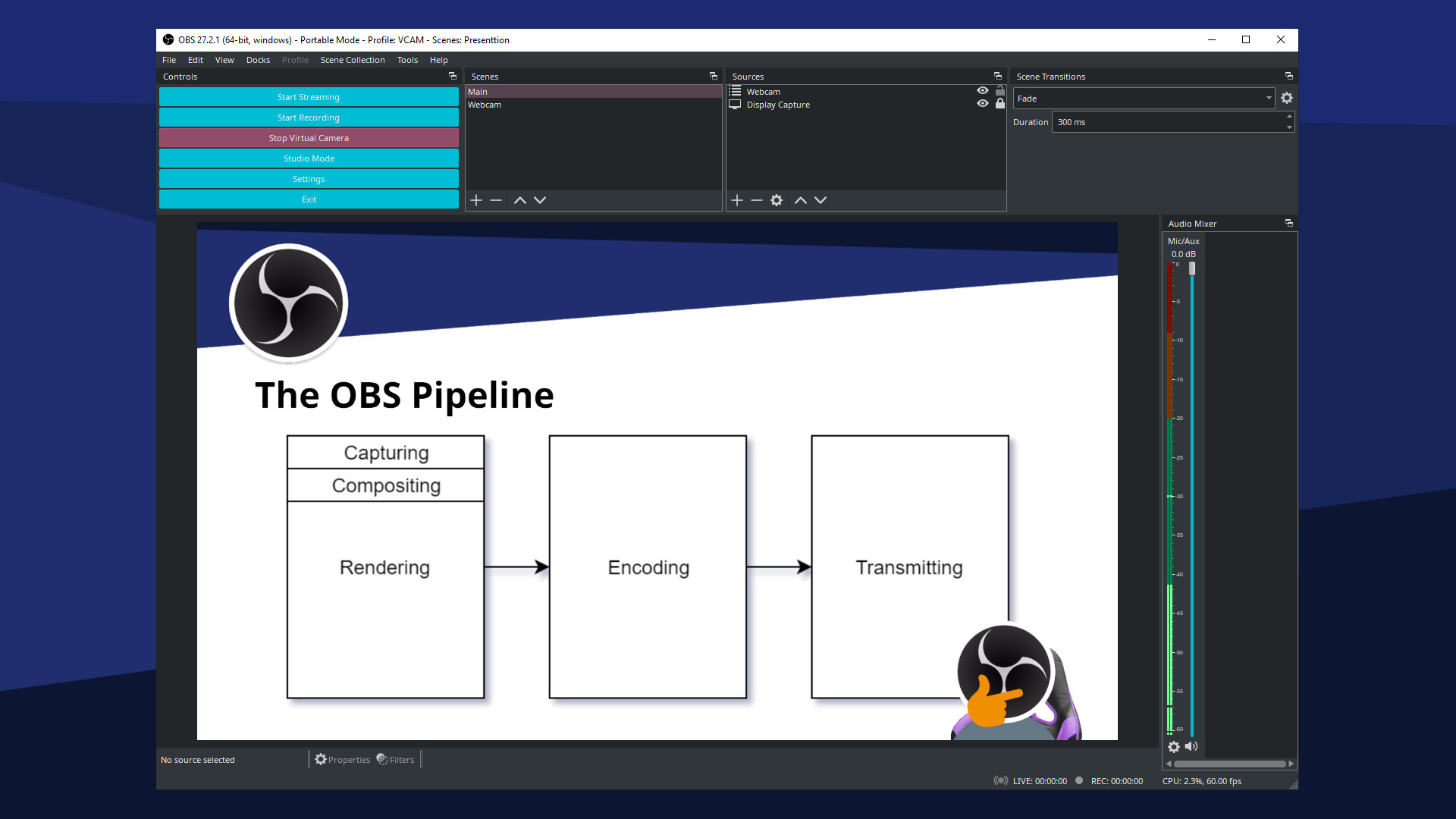
自由、开源的视频录制与实况直播软件
更新记录
OBS Studio 32.1.1 Hotfix
• Fixed missing audio mixer tooltips
• Fixed audio mixer minimum width being too large
• Fixed audio mixer sorting weight for global and pinned sources
• Fixed disabled sources appearing in audio mixer
• Fixed missing toolbar actions for audio mixer
• Fixed incorrect colors in audio mixer
• Fixed audio deduplication incorrectly applying when an audio outputcapture source is set to monitor only
• Fixed audio mixer minimum width being too large
• Fixed audio mixer sorting weight for global and pinned sources
• Fixed disabled sources appearing in audio mixer
• Fixed missing toolbar actions for audio mixer
• Fixed incorrect colors in audio mixer
• Fixed audio deduplication incorrectly applying when an audio outputcapture source is set to monitor only
OBS Studio 32.1
32.1 New Features
• Overhauled the Audio Mixer
• Adjusted the horizontal layout
• Adjusted the vertical layout
• Added button to swap layouts to the toolbar
• Changed the default layout to vertical
• Added button to toggle audio monitoring
• Sources in the preview are now shown while in Studio Mode
• Added ability to pin audio sources
• Pinned sources are always displayed
• Global audio sources are always pinned
• Added ability to display sources set to hide
• Added ability to display sources that are not in the current scene
• Added WebRTC Simulcast Support
• Added missing undo/redo actions for scene items
• Scale filtering, blending mode, blending method, deinterlacing mode and deinterlacing field order
• Added partial support for Canvases to obs-websocket
32.1 Changes
• Improved security of browser sources using local files
• Improved plugin manager by allowing enabling/disabling missing plugins
• Removed "Source" from source names
• Updated the Edit Transform dialog
• Changed copying a scene item to copy all properties
• Disabled dock animations
• Moved transition preview button to button box
• Rearranged default dock positions
• Increased media source playback slider update rate
• Enabled palette for Light theme audio mixer
• Changed default bitrates to 6000 kbps
32.1 Bug Fixes
• Fixed a crash if some source data was null
• Fixed a crash on Linux when changing profiles or on application shutdown
• Fixed a possible crash on macOS during application shutdown if YouTube docks were active
• Fixed an issue where projector resolutions had decimals
• Fixed sync of Preview/Program size and positioning
• Refactored OBSBasic::Save to only save frontend canvas scenes/groups
• Fixed NAL type for HEVC caption/BPM SEIs
• Fixed an issue where video scaling could be incorrect in multivideo encoder scenarios
• Fixed an issue with chapter markers having incorrect time when using file splitting
• Fixed an issue where some recordings could have black thumbnails
• Fixed an issue where the NVIDIA Blur and Background Blur could have banding or look splotchy
• Fixed an issue where macOS Screen Capture would select an item for capture by default
• Fixed an issue with PipeWire when capturing a device that does not require a framerate
• Fixed an issue where PipeWire Camera framerates listed could be incorrect
• Fixed an issue where HDR video playback in Media Source could be darker than expected
• Fixed an issue that could cause OBS to become unable to change profiles or video settings
• Fixed an issue that could cause transitions to become locked
• Overhauled the Audio Mixer
• Adjusted the horizontal layout
• Adjusted the vertical layout
• Added button to swap layouts to the toolbar
• Changed the default layout to vertical
• Added button to toggle audio monitoring
• Sources in the preview are now shown while in Studio Mode
• Added ability to pin audio sources
• Pinned sources are always displayed
• Global audio sources are always pinned
• Added ability to display sources set to hide
• Added ability to display sources that are not in the current scene
• Added WebRTC Simulcast Support
• Added missing undo/redo actions for scene items
• Scale filtering, blending mode, blending method, deinterlacing mode and deinterlacing field order
• Added partial support for Canvases to obs-websocket
32.1 Changes
• Improved security of browser sources using local files
• Improved plugin manager by allowing enabling/disabling missing plugins
• Removed "Source" from source names
• Updated the Edit Transform dialog
• Changed copying a scene item to copy all properties
• Disabled dock animations
• Moved transition preview button to button box
• Rearranged default dock positions
• Increased media source playback slider update rate
• Enabled palette for Light theme audio mixer
• Changed default bitrates to 6000 kbps
32.1 Bug Fixes
• Fixed a crash if some source data was null
• Fixed a crash on Linux when changing profiles or on application shutdown
• Fixed a possible crash on macOS during application shutdown if YouTube docks were active
• Fixed an issue where projector resolutions had decimals
• Fixed sync of Preview/Program size and positioning
• Refactored OBSBasic::Save to only save frontend canvas scenes/groups
• Fixed NAL type for HEVC caption/BPM SEIs
• Fixed an issue where video scaling could be incorrect in multivideo encoder scenarios
• Fixed an issue with chapter markers having incorrect time when using file splitting
• Fixed an issue where some recordings could have black thumbnails
• Fixed an issue where the NVIDIA Blur and Background Blur could have banding or look splotchy
• Fixed an issue where macOS Screen Capture would select an item for capture by default
• Fixed an issue with PipeWire when capturing a device that does not require a framerate
• Fixed an issue where PipeWire Camera framerates listed could be incorrect
• Fixed an issue where HDR video playback in Media Source could be darker than expected
• Fixed an issue that could cause OBS to become unable to change profiles or video settings
• Fixed an issue that could cause transitions to become locked
OBS Studio 32.0.1 Hotfix
32.0.1 Hotfix Changes
• Fixed a possible crash in 32.0.0 on Windows when opening source properties
• Fixed an issue in 32.0.0 where browser sources would break after switching scenes
• This issue may also have caused increased resource usage.
• Fixed an issue in 32.0.0 with the audio deduplication logic when an Audio Capture Source device is also used for monitoring
• Fixed an issue in 32.0.0 where Multitrack Video settings were unavailable to Custom Services
• Fixed a possible crash in 32.0.0 on Windows when opening source properties
• Fixed an issue in 32.0.0 where browser sources would break after switching scenes
• This issue may also have caused increased resource usage.
• Fixed an issue in 32.0.0 with the audio deduplication logic when an Audio Capture Source device is also used for monitoring
• Fixed an issue in 32.0.0 where Multitrack Video settings were unavailable to Custom Services
OBS Studio 32.0
New Features
• Added a basic plugin manager
• Added opt-in automatic crash log upload for Windows and macOS
• Added Voice Activity Detection (VAD) to NVIDIA RTX Audio Effects,which improves noise suppression for speech, as well as severaloptimizations to NVIDIA Effects
• Added chair removal option for NVIDIA RTX Background Removal,allowing removal of chairs
• Added experimental Metal renderer for Apple Silicon Macs
• Added Hybrid MOV support
• Brings ProRes support on macOS and a more widely supportedHEVC/H.264 + PCM audio option to all platforms
Changes
• OBS Studio will no longer load plugins built for a newer release ofOBS to prevent future compatibility issues
• Added custom OBS widgets in preparation for larger UI updates
• Added preparations for Metal renderer (stay tuned!)
• Changed default bitrate from 2500 to 6000 Kbps
• Changed Hybrid MP4/MOV to be the default containers
• Changed the crash sentinel file location to its own subdirectory
• Improved audio deduplication logic to cover more cases of nestedscenes, groups, and multiple canvases
• Prevent audio duplication when sources are set to "Monitor andOutput" while the monitoring device is also being captured
• Updated the default settings for AMD encoders
• Improved accuracy of chapter markers in Hybrid MP4/MOV
• Re-hid the cursor in edit fields on macOS
• Improved format selection for PipeWire video capture
• Removed workarounds to prevent loading Qt 5 based plugins
• Removed the --disable-shutdown-check launch flag
• Hybrid MP4/MOV is now out of beta and has been made the defaultoutput format for new profiles
Bug Fixes
• Potentially fixed a rare crash on macOS when moving or resizing theOBS window
• Fixed a crash with SRT when using an invalid URL
• Fixed a crash when setting non-default pkt_size with SRT
• Fixed a crash in Media Source when playback starts with certainvideo files
• Fixed a UI deadlock when opening source properties from the Sourceslist when the Windows setting 'Snap mouse to default button in dialogboxes' was enabled by adding a 200ms delay before creating theproperties window
• Fixed a memory leak when trying to output Hybrid MP4 to anon-writeable location
• Fixed rare occurrence of multiview becoming blank
• Fixed SRT reconnection failures
• Fixed overflow texture rendering sRGB-awareness
• Fixed incorrect color range property setting for AMD AV1 encoder
• Fixed Hybrid MP4 file splitting not working correctly in some cases
• Fixed not being able to capture higher than 60fps with macOS ScreenCapture
• Fixed focus not displaying properly in hotkey settings on macOS
• Fixed the scrollbar appearing invisible in Light and Rachni themes
• Fixed HEVC frame priority not being set correctly in some cases,potentially causing playback errors when dropping frames
• Fixed an issue that could result in increases to output latencyafter temporary encoder stalls
• Fixed an issue where Multitrack Video could still be enabled afterswitching from a service that supports it to one that does not
• Fixed an issue where GetGroupList with obs-websocket would returnnothing
• Removed a workaround for older Qt versions that prevented docks fromloading correctly while OBS is maximized
• Added a basic plugin manager
• Added opt-in automatic crash log upload for Windows and macOS
• Added Voice Activity Detection (VAD) to NVIDIA RTX Audio Effects,which improves noise suppression for speech, as well as severaloptimizations to NVIDIA Effects
• Added chair removal option for NVIDIA RTX Background Removal,allowing removal of chairs
• Added experimental Metal renderer for Apple Silicon Macs
• Added Hybrid MOV support
• Brings ProRes support on macOS and a more widely supportedHEVC/H.264 + PCM audio option to all platforms
Changes
• OBS Studio will no longer load plugins built for a newer release ofOBS to prevent future compatibility issues
• Added custom OBS widgets in preparation for larger UI updates
• Added preparations for Metal renderer (stay tuned!)
• Changed default bitrate from 2500 to 6000 Kbps
• Changed Hybrid MP4/MOV to be the default containers
• Changed the crash sentinel file location to its own subdirectory
• Improved audio deduplication logic to cover more cases of nestedscenes, groups, and multiple canvases
• Prevent audio duplication when sources are set to "Monitor andOutput" while the monitoring device is also being captured
• Updated the default settings for AMD encoders
• Improved accuracy of chapter markers in Hybrid MP4/MOV
• Re-hid the cursor in edit fields on macOS
• Improved format selection for PipeWire video capture
• Removed workarounds to prevent loading Qt 5 based plugins
• Removed the --disable-shutdown-check launch flag
• Hybrid MP4/MOV is now out of beta and has been made the defaultoutput format for new profiles
Bug Fixes
• Potentially fixed a rare crash on macOS when moving or resizing theOBS window
• Fixed a crash with SRT when using an invalid URL
• Fixed a crash when setting non-default pkt_size with SRT
• Fixed a crash in Media Source when playback starts with certainvideo files
• Fixed a UI deadlock when opening source properties from the Sourceslist when the Windows setting 'Snap mouse to default button in dialogboxes' was enabled by adding a 200ms delay before creating theproperties window
• Fixed a memory leak when trying to output Hybrid MP4 to anon-writeable location
• Fixed rare occurrence of multiview becoming blank
• Fixed SRT reconnection failures
• Fixed overflow texture rendering sRGB-awareness
• Fixed incorrect color range property setting for AMD AV1 encoder
• Fixed Hybrid MP4 file splitting not working correctly in some cases
• Fixed not being able to capture higher than 60fps with macOS ScreenCapture
• Fixed focus not displaying properly in hotkey settings on macOS
• Fixed the scrollbar appearing invisible in Light and Rachni themes
• Fixed HEVC frame priority not being set correctly in some cases,potentially causing playback errors when dropping frames
• Fixed an issue that could result in increases to output latencyafter temporary encoder stalls
• Fixed an issue where Multitrack Video could still be enabled afterswitching from a service that supports it to one that does not
• Fixed an issue where GetGroupList with obs-websocket would returnnothing
• Removed a workaround for older Qt versions that prevented docks fromloading correctly while OBS is maximized
OBS Studio 31.1.2
• Fixed an issue in OBS Studio 31.1.0 and 31.1.1 causing Multitrack Video to set the Maximum Video Tracks to 10 if the user had set it to "Auto"
• Fixed an issue in OBS Studio 31.1.0 and 31.1.1 causing Browser Source hardware acceleration to fail in the Flatpak version
• Fixed an issue in OBS Studio 31.1.0 and 31.1.1 where progress bars were styled incorrectly
• Fixed an issue in OBS Studio 31.1.0 and 31.1.1 where spacing around scrollbars was incorrect
• Fixed an issue in OBS Studio 31.1.0 and 31.1.1 where Decklink Output did not work
• Fixed a freeze in OBS Studio 31.1.0 and 31.1.1 on Linux when using PipeWire capture with explicit sync
• Fixed an issue where Video Capture Devices on Linux could unexpectedly stop capturing video
• Fixed an issue with PipeWire capture on Linux where video filters could cause gamma shift
• This was done by reverting a fix for white-tinted PipeWire captures in 10-bit or 16-bit color formats, so that issue will return for now.
• Fixed an issue in OBS Studio 31.1.0 and 31.1.1 causing Browser Source hardware acceleration to fail in the Flatpak version
• Fixed an issue in OBS Studio 31.1.0 and 31.1.1 where progress bars were styled incorrectly
• Fixed an issue in OBS Studio 31.1.0 and 31.1.1 where spacing around scrollbars was incorrect
• Fixed an issue in OBS Studio 31.1.0 and 31.1.1 where Decklink Output did not work
• Fixed a freeze in OBS Studio 31.1.0 and 31.1.1 on Linux when using PipeWire capture with explicit sync
• Fixed an issue where Video Capture Devices on Linux could unexpectedly stop capturing video
• Fixed an issue with PipeWire capture on Linux where video filters could cause gamma shift
• This was done by reverting a fix for white-tinted PipeWire captures in 10-bit or 16-bit color formats, so that issue will return for now.
OBS Studio 31.1.1
• Fixed a crash when using YouTube browser docks
• Fixed an issue causing RTMPS streams to fail in some cases
• Fixed an issue causing Media Sources ingesting SRT streams to fail in some cases
• Fixed an issue causing Browser Source hardware acceleration to fail on Linux
• Fixed an issue causing RTMPS streams to fail in some cases
• Fixed an issue causing Media Sources ingesting SRT streams to fail in some cases
• Fixed an issue causing Browser Source hardware acceleration to fail on Linux
OBS Studio 31.1
Important Notices
• The code signing certificate for OBS has been updated. This may impact game capture compatibility with some anti-cheat solutions with this OBS update. If you are a game or anti-cheat developer please see https://obsproject.com/kb/capture-hook-certificate-update for more information.
31.1 New Features
• Added new UI appearance options, font size and density (padding/spacing)
• Added preview zoom controls
• Added support for Multitrack Video to macOS (Apple Silicon)
• Added support for Multitrack Video to Linux
• Added support for additional canvases for Multitrack Video output
• Added AV1 B-frame support for AMF
• Added support for color format/space/range GPU conversion
• Added support for network optimizations and TCP Pacing to Multitrack Video
• Added support for Stream Delay to Multitrack Video
• Added Spatial AQ option for VideoToolbox encoders on macOS 15+
• Added QVBR rate control for VA-API
• Added explicit sync support for PipeWire Screen Capture
• Added support for V4L2 virtual camera on non-Linux environments (e.g., BSD)
31.1 Changes
• Updated game capture hook signatures on Windows
• This update fixes game capture with games from Riot Games that use Vanguard
• Added logging for streaming service recommended settings
• Adjusted appearance of Scene Collection importer
• Adjusted appearance of Sources list
• Adjusted appearance of dock toolbars
• Adjusted Missing Files dialog
• Added support for recursive directory searches up to two levels deep
• Adjusted the size, layout, and other UI aspects of the dialog
• Fixed a bug when locating only a single file that caused the additional files prompt to appear twice
• Reorganized Preview/Source context menu
• Unified appearance of menus
• Improved preview draw performance
• Increased maximum crash report size to 200 KB
• Adjusted Multitrack Video reconnection behavior
• Changed hotkeys on macOS to require Input Monitoring permission instead of Accessibility
• Updated Video Capture Devices and Capture Card Devices on macOS to a unified list-based format selector when not using a preset
• Removed the Exit button from the Controls dock
31.1 Bug Fixes
• Fixed a crash with Media Sources with no video frame size, such as audio files
• Fixed a crash on Windows with Display Capture if no display is available
• Fixed a crash on Windows with Vulkan Direct Display if OBS Studio is installed
• Fixed a crash on Windows when importing a profile with a Unicode path
• Fixed a crash on macOS 13 or older when a Browser Source or Browser Dock was added or loaded
• Fixed a race condition that caused subsequent recordings to fail/hang after an encoder timeout
• Fixed a freeze if an item was cropped further than its original dimensions
• Fixed a possible crash in Multitrack Video output
• Fixed a possible crash when reordering scene items
• Fixed a possible crash when adding a procedure handler
• Fixed a possible crash on shutdown from browser panels on Windows and macOS
• Fixed a possible race condition when loading sources
• Fixed a possible deadlock on Linux when checking if plugins were built against Qt5
• Fixed an issue with Rescale Output allowing invalid resolutions
• Fixed an issue with browser source audio distortion on Windows
• Fixed a possible packet loss issue with WebRTC output
• Fixed R10L format output having bad RGB values
• Fixed lookahead depth value logging for NVENC
• Fixed manifest commit hash comparison in updater
• Fixed CBR spike when using QSV with Intel Battlemage GPUs
• Fixed encoder throughput checks in AMF for older AMD drivers
• Fixed 10-bit and 16-bit PipeWire captures
• Fixed text input field in name dialogs (New/Rename/Duplicate) not being focused by default
• Fixed some buttons not being readable by VoiceOver on macOS
• Fixed V4L2 virtual camera start failure on Linux
• Fixed an issue with AMF where the encoder level was incorrectly set too high
• Fixed an issue with VA-API on AMD in Flatpak builds where the frame height was set incorrectly
• Fixed an issue where the game capture hook could incorrectly report that it was still hooked
• Fixed an issue on Linux and macOS where POSIX pipes could fail silently
• Fixed an issue with V4L2 devices where corrupted frames would terminate capture
• Fixed an issue where settings could become corrupted when updating them in the AJA plugin
• Fixed an issue with Multitrack Video where a stream would disconnect after 48 hours and fail to reconnect
• Fixed an issue on Linux where hotkeys could stop working
• Fixed an issue where FLV/RTMP timestamps were incorrect when b-frames are used
• Fixed an issue where obs-browser cookie folder names could start with spaces
• Fixed an issue where browser error pages could not scroll
• Fixed an issue on macOS where menu items would launch unintended actions when OBS was set to certain languages
• The code signing certificate for OBS has been updated. This may impact game capture compatibility with some anti-cheat solutions with this OBS update. If you are a game or anti-cheat developer please see https://obsproject.com/kb/capture-hook-certificate-update for more information.
31.1 New Features
• Added new UI appearance options, font size and density (padding/spacing)
• Added preview zoom controls
• Added support for Multitrack Video to macOS (Apple Silicon)
• Added support for Multitrack Video to Linux
• Added support for additional canvases for Multitrack Video output
• Added AV1 B-frame support for AMF
• Added support for color format/space/range GPU conversion
• Added support for network optimizations and TCP Pacing to Multitrack Video
• Added support for Stream Delay to Multitrack Video
• Added Spatial AQ option for VideoToolbox encoders on macOS 15+
• Added QVBR rate control for VA-API
• Added explicit sync support for PipeWire Screen Capture
• Added support for V4L2 virtual camera on non-Linux environments (e.g., BSD)
31.1 Changes
• Updated game capture hook signatures on Windows
• This update fixes game capture with games from Riot Games that use Vanguard
• Added logging for streaming service recommended settings
• Adjusted appearance of Scene Collection importer
• Adjusted appearance of Sources list
• Adjusted appearance of dock toolbars
• Adjusted Missing Files dialog
• Added support for recursive directory searches up to two levels deep
• Adjusted the size, layout, and other UI aspects of the dialog
• Fixed a bug when locating only a single file that caused the additional files prompt to appear twice
• Reorganized Preview/Source context menu
• Unified appearance of menus
• Improved preview draw performance
• Increased maximum crash report size to 200 KB
• Adjusted Multitrack Video reconnection behavior
• Changed hotkeys on macOS to require Input Monitoring permission instead of Accessibility
• Updated Video Capture Devices and Capture Card Devices on macOS to a unified list-based format selector when not using a preset
• Removed the Exit button from the Controls dock
31.1 Bug Fixes
• Fixed a crash with Media Sources with no video frame size, such as audio files
• Fixed a crash on Windows with Display Capture if no display is available
• Fixed a crash on Windows with Vulkan Direct Display if OBS Studio is installed
• Fixed a crash on Windows when importing a profile with a Unicode path
• Fixed a crash on macOS 13 or older when a Browser Source or Browser Dock was added or loaded
• Fixed a race condition that caused subsequent recordings to fail/hang after an encoder timeout
• Fixed a freeze if an item was cropped further than its original dimensions
• Fixed a possible crash in Multitrack Video output
• Fixed a possible crash when reordering scene items
• Fixed a possible crash when adding a procedure handler
• Fixed a possible crash on shutdown from browser panels on Windows and macOS
• Fixed a possible race condition when loading sources
• Fixed a possible deadlock on Linux when checking if plugins were built against Qt5
• Fixed an issue with Rescale Output allowing invalid resolutions
• Fixed an issue with browser source audio distortion on Windows
• Fixed a possible packet loss issue with WebRTC output
• Fixed R10L format output having bad RGB values
• Fixed lookahead depth value logging for NVENC
• Fixed manifest commit hash comparison in updater
• Fixed CBR spike when using QSV with Intel Battlemage GPUs
• Fixed encoder throughput checks in AMF for older AMD drivers
• Fixed 10-bit and 16-bit PipeWire captures
• Fixed text input field in name dialogs (New/Rename/Duplicate) not being focused by default
• Fixed some buttons not being readable by VoiceOver on macOS
• Fixed V4L2 virtual camera start failure on Linux
• Fixed an issue with AMF where the encoder level was incorrectly set too high
• Fixed an issue with VA-API on AMD in Flatpak builds where the frame height was set incorrectly
• Fixed an issue where the game capture hook could incorrectly report that it was still hooked
• Fixed an issue on Linux and macOS where POSIX pipes could fail silently
• Fixed an issue with V4L2 devices where corrupted frames would terminate capture
• Fixed an issue where settings could become corrupted when updating them in the AJA plugin
• Fixed an issue with Multitrack Video where a stream would disconnect after 48 hours and fail to reconnect
• Fixed an issue on Linux where hotkeys could stop working
• Fixed an issue where FLV/RTMP timestamps were incorrect when b-frames are used
• Fixed an issue where obs-browser cookie folder names could start with spaces
• Fixed an issue where browser error pages could not scroll
• Fixed an issue on macOS where menu items would launch unintended actions when OBS was set to certain languages
OBS Studio 31.0.1 Hotfix
• Fixed a crash on macOS caused by hand gesture reactions
• Fixed a crash caused by malformed scene collection files
• Fixed a possible crash on Linux when initializing PipeWire screen sharing
• Fixed a possible deadlock and freeze on macOS while exiting OBS
• Fixed an issue with inhibiting screensaver on Linux
• Fixed an issue where migrated NVIDIA Audio Effects filters would not retain their position in the filter order
• Fixed an issue where Scene Collections could have an incorrect base resolution
• Fixed an issue on Linux with Portable Mode causing the config directory to be in the wrong location
• Fixed an issue where an Image Slideshow Source set to Random Playback Mode would stop on the last image
• Fixed a missing string for an NVENC error message
• Changed NVENC to not permit invalid custom options
• Fixed a crash caused by malformed scene collection files
• Fixed a possible crash on Linux when initializing PipeWire screen sharing
• Fixed a possible deadlock and freeze on macOS while exiting OBS
• Fixed an issue with inhibiting screensaver on Linux
• Fixed an issue where migrated NVIDIA Audio Effects filters would not retain their position in the filter order
• Fixed an issue where Scene Collections could have an incorrect base resolution
• Fixed an issue on Linux with Portable Mode causing the config directory to be in the wrong location
• Fixed an issue where an Image Slideshow Source set to Random Playback Mode would stop on the last image
• Fixed a missing string for an NVENC error message
• Changed NVENC to not permit invalid custom options
OBS Studio 31.0
Important Notices
• NVIDIA Kepler (600 and 700 series) GPUs are no longer supported for NVENC.
• NVIDIA users may need to update their GPU drivers to 551.76 (Windows) / 550.54.14 (Linux) or newer.
• The code signing certificate for OBS has been updated. This may impact game capture compatibility with some anti-cheat solutions with this OBS update. If you are a game or anti-cheat developer please see https://obsproject.com/kb/capture-hook-certificate-update for more information.
31.0 New Features
• Added NVIDIA Blur Filter and Background Blur
• Added preview scrollbars and zoom/scale indicator
• Added v210 format support for AJA device capture
• Added Amazon IVS service integration
• Added QSV AV1 Screen Content Coding
• Enabled first-party YouTube Chat features
31.0 Changes
• Updated the browser source/docks CEF (Chromium) to version 127 (6533) on all platforms
• Changed scene items to use relative coordinates
• Existing scene collections will be automatically converted to use relative coordinates if the scene collection has a known output resolution set.
• Split NVIDIA Audio Effects from Noise Suppression
• Existing filters will be automatically migrated.
• Changed the Image Slideshow's Playback Mode property from radio buttons to a dropdown
• Disabled the (currently unsupported) built-in Automatic Scene Switcher when using Wayland on Linux
• Improved error messages for macOS Virtual Camera
• Changed Display and Window capture on Windows to not capture the first found display or window
• Changed display and window capture on Linux to not capture implicitly
• Added a warning to Window Capture when trying to capture WinUI 3 applications with BitBlt
• Refactored the NVENC implementation with various improvements
• SDK 12.2 features, such as split encoding, are now supported.
• Additional features from old SDKs are supported:
• B-Frames as reference
• Target Quality VBR mode (CQVBR)
• A custom options field has been added to allow setting more options that don't warrant their own UI elements.
• Improved screensaver inhibit functions on Linux in Flatpak
• Changed scripts to correctly pass settings to modified callbacks on reload
• Removed legacy QSV code for old devices (Haswell or older)
• Removed legacy QSV code for Windows 7
• Removed default desktop audio device on macOS 13+
• Removed NVIDIA Kepler GPU support for NVENC
• Removed FTL support
• Removed legacy migrations from OBS Studio 28.1 and earlier
• If updating from these older versions, you may wish to update to OBS Studio 30.2 first, and then update to OBS Studio 31.
• Removed support for Ubuntu 22.04
• Removed legacy YouTube chat
• Blocked TikTok Virtual Camera from loading in OBS due to known issues
• Application settings have been split into "app" configuration and "user" configuration, rather than storing everything in global.ini
31.0 Bug Fixes
• Fixed two crashes with the QSV encoder on Linux
• Fixed a crash with a race condition involving multitrack video output reconnect
• Fixed two potential crashes in Linux Window Capture
• Fixed a crash on macOS that could occur if an audio device was disconnected
• Fixed a crash on Windows when capturing D3D12 games
• Fixed a crash on Linux when importing a scene collection created on Windows
• Fixed a crash on Windows when capturing a Vulkan application
• Fixed a deadlock in MP4 muxer
• Fixed a deadlock when shutting down muxer
• Fixed a potential deadlock when stopping an encoder
• Fixed a potential memory error and crash in text parser
• Fixed a couple minor memory leaks
• Fixed a memory leak in PipeWire plugin
• Fixed a memory leak when playing an HDR media file
• Fixed an issue on FreeBSD with handling SSL certificates
• Fixed an issue with pressed button color in the Rachni theme
• Fixed an issue with some missing icons in the System theme
• Fixed an SRT listener bug where the socket was not closed properly
• Fixed an issue where the current scene collection could be erased to default when trying to switch to a different scene collection that's corrupted or invalid
• Fixed a buffer overrun in UTF-8 text conversion
• Fixed an issue that could cause bitrate spikes in QSV CBR
• Note: This fix only applies to Lunar Lake or newer except Alder Lake N.
• Fixed an issue where the Auto Configuration Wizard could unintentionally enable Enhanced Broadcasting
• Fixed issues with the audio clipping indicators displaying incorrectly on volume meters
• Fixed an issue causing hotkeys to register inconsistently on macOS
• Fixed an issue causing multitrack video output to fail if color format was set to I444
• Fixed an issue where Custom CSS in browser sources no longer worked with certain websites (namely YouTube chat)
• Restored STUN support for WHIP output
• NVIDIA Kepler (600 and 700 series) GPUs are no longer supported for NVENC.
• NVIDIA users may need to update their GPU drivers to 551.76 (Windows) / 550.54.14 (Linux) or newer.
• The code signing certificate for OBS has been updated. This may impact game capture compatibility with some anti-cheat solutions with this OBS update. If you are a game or anti-cheat developer please see https://obsproject.com/kb/capture-hook-certificate-update for more information.
31.0 New Features
• Added NVIDIA Blur Filter and Background Blur
• Added preview scrollbars and zoom/scale indicator
• Added v210 format support for AJA device capture
• Added Amazon IVS service integration
• Added QSV AV1 Screen Content Coding
• Enabled first-party YouTube Chat features
31.0 Changes
• Updated the browser source/docks CEF (Chromium) to version 127 (6533) on all platforms
• Changed scene items to use relative coordinates
• Existing scene collections will be automatically converted to use relative coordinates if the scene collection has a known output resolution set.
• Split NVIDIA Audio Effects from Noise Suppression
• Existing filters will be automatically migrated.
• Changed the Image Slideshow's Playback Mode property from radio buttons to a dropdown
• Disabled the (currently unsupported) built-in Automatic Scene Switcher when using Wayland on Linux
• Improved error messages for macOS Virtual Camera
• Changed Display and Window capture on Windows to not capture the first found display or window
• Changed display and window capture on Linux to not capture implicitly
• Added a warning to Window Capture when trying to capture WinUI 3 applications with BitBlt
• Refactored the NVENC implementation with various improvements
• SDK 12.2 features, such as split encoding, are now supported.
• Additional features from old SDKs are supported:
• B-Frames as reference
• Target Quality VBR mode (CQVBR)
• A custom options field has been added to allow setting more options that don't warrant their own UI elements.
• Improved screensaver inhibit functions on Linux in Flatpak
• Changed scripts to correctly pass settings to modified callbacks on reload
• Removed legacy QSV code for old devices (Haswell or older)
• Removed legacy QSV code for Windows 7
• Removed default desktop audio device on macOS 13+
• Removed NVIDIA Kepler GPU support for NVENC
• Removed FTL support
• Removed legacy migrations from OBS Studio 28.1 and earlier
• If updating from these older versions, you may wish to update to OBS Studio 30.2 first, and then update to OBS Studio 31.
• Removed support for Ubuntu 22.04
• Removed legacy YouTube chat
• Blocked TikTok Virtual Camera from loading in OBS due to known issues
• Application settings have been split into "app" configuration and "user" configuration, rather than storing everything in global.ini
31.0 Bug Fixes
• Fixed two crashes with the QSV encoder on Linux
• Fixed a crash with a race condition involving multitrack video output reconnect
• Fixed two potential crashes in Linux Window Capture
• Fixed a crash on macOS that could occur if an audio device was disconnected
• Fixed a crash on Windows when capturing D3D12 games
• Fixed a crash on Linux when importing a scene collection created on Windows
• Fixed a crash on Windows when capturing a Vulkan application
• Fixed a deadlock in MP4 muxer
• Fixed a deadlock when shutting down muxer
• Fixed a potential deadlock when stopping an encoder
• Fixed a potential memory error and crash in text parser
• Fixed a couple minor memory leaks
• Fixed a memory leak in PipeWire plugin
• Fixed a memory leak when playing an HDR media file
• Fixed an issue on FreeBSD with handling SSL certificates
• Fixed an issue with pressed button color in the Rachni theme
• Fixed an issue with some missing icons in the System theme
• Fixed an SRT listener bug where the socket was not closed properly
• Fixed an issue where the current scene collection could be erased to default when trying to switch to a different scene collection that's corrupted or invalid
• Fixed a buffer overrun in UTF-8 text conversion
• Fixed an issue that could cause bitrate spikes in QSV CBR
• Note: This fix only applies to Lunar Lake or newer except Alder Lake N.
• Fixed an issue where the Auto Configuration Wizard could unintentionally enable Enhanced Broadcasting
• Fixed issues with the audio clipping indicators displaying incorrectly on volume meters
• Fixed an issue causing hotkeys to register inconsistently on macOS
• Fixed an issue causing multitrack video output to fail if color format was set to I444
• Fixed an issue where Custom CSS in browser sources no longer worked with certain websites (namely YouTube chat)
• Restored STUN support for WHIP output
OBS Studio 30.2.3 Hotfix
• Fixed a possible deadlock when using Hybrid MP4
• Fixed a possible deadlock when closing OBS while outputs are active
• Fixed a possible crash when connecting to an RTMP server
• Fixed a possible RTMP disconnect/timeout on Windows systems without IPv6 connectivity when connecting to a dual-stack RTMP server
• Fixed browser source custom CSS injection for sites with 'require-trusted-types-for' CSP (e.g., YouTube)
• Adjusted IPv4/IPv6 address selection to be stricter
• Fixed a memory leak with the volume sliders
• Fixed a possible deadlock when closing OBS while outputs are active
• Fixed a possible crash when connecting to an RTMP server
• Fixed a possible RTMP disconnect/timeout on Windows systems without IPv6 connectivity when connecting to a dual-stack RTMP server
• Fixed browser source custom CSS injection for sites with 'require-trusted-types-for' CSP (e.g., YouTube)
• Adjusted IPv4/IPv6 address selection to be stricter
• Fixed a memory leak with the volume sliders
OBS Studio 30.2.1 Hotfix
• Fixed a possible crash when loading scene data
• Fixed an issue with CoreAudio AAC timestamps causing a stream to fail
• Fixed an issue with obs-websocket not reading Virtual Camera availability correctly
• Fixed an issue with obs-websocket settings not saving correctly
• Fixed an issue causing the legacy AMF encoder to no longer be available after updating OBS
• Fixed an issue where attempting to run OBS with the OpenGL renderer on Windows would fail
• Fixed read-only QTextEdit background color
• Fixed source tree icon spacing
• Adjusted sizing of Classic audio meter elements [Warchamp7
• Fixed an issue with CoreAudio AAC timestamps causing a stream to fail
• Fixed an issue with obs-websocket not reading Virtual Camera availability correctly
• Fixed an issue with obs-websocket settings not saving correctly
• Fixed an issue causing the legacy AMF encoder to no longer be available after updating OBS
• Fixed an issue where attempting to run OBS with the OpenGL renderer on Windows would fail
• Fixed read-only QTextEdit background color
• Fixed source tree icon spacing
• Adjusted sizing of Classic audio meter elements [Warchamp7
OBS Studio 30.2
OBS Studio 30.2 is now available!
This release comes with exciting new features, such as Twitch Enhanced Broadcasting, a new theme system, zero-copy hardware encoding on Linux, and a new “Hybrid MP4” format for crash resiliency, compatibility, and long-awaited support for chapter markers!
30.2 New Features
• Added support for Multitrack Video streaming
• On Twitch, this is known as Enhanced Broadcasting. For more information, see: https://help.twitch.tv/s/article/multiple-encodes
• The supported audio channel configurations are stereo or mono.
• This feature is currently only available on Windows and requires an NVIDIA GTX 900, GTX 10, or RTX 20 series GPU or newer or an AMD RX 6000 series GPU or newer. Support for other operating systems and GPU vendors is planned.
• When this feature is enabled, the following data about your system will be sent to the streaming service when starting a stream:
• OBS version and audio/video settings (Resolution, framerate, audio channels/tracks)
• CPU info (Name, speed, core counts)
• GPU info (Model, memory, driver version, device ID, vendor ID)
• Memory info (Free, total)
• OS info (name, version, arch, emulation)
• Windows info (Gaming feature status: Game Bar, Game DVR, Game Mode, Hardware-accelerated GPU Scheduling)
• Multitrack Video settings (Maximum streaming bandwidth, maximum video tracks)
• Added support for Enhanced RTMP/FLV multi-track audio and video
• Replaces the old metadata-based "VOD Track"
• Added "Hybrid MP4" output format (BETA)
• Combines fault-tolerance of fragmented MP4 with wide compatibility and faster access times of regular MP4. For more information, see: https://obsproject.com/kb/hybrid-mp4
• Supports inserting chapter markers into the file via a hotkey or API. These markers are supported by most video players and editing software, such as DaVinci Resolve
• Added Linux support to the native NVENC encoder
• NVENC AV1 is now supported on Linux
• Added Linux shared texture support to the NVENC encoder
• Added Linux shared texture support to the QuickSync encoder
• Added Linux shared texture support to the VA-API encoder
• Added HEVC support to WebRTC output
• Added Composable Themes system to simplify theme creation, maintenance, and enable future customization options
• Themes now consist of a base theme and variants that can be switched between in the new "Appearance" settings tab
• Old themes will no longer work and will need to be updated to the new system. See the wiki page for details: https://github.com/obsproject/obs-studio/wiki/OBS-Studio-Theme-System
• The legacy System theme is no longer available. If it was used for accessibility reasons with high contrast, enable high contrast in your operating system settings to re-enable the OBS System Theme. OBS can only detect high contrast on Windows and macOS at this time.
30.2 Changes
• Various UI and Theme tweaks
• Audio of multiple instances of a source in a scene/group is now deduplicated
• Deduplication is recursive, but does not apply on groups or nested scenes that are currently playing show/hide transitions, this may be fixed in the future
• Scene Collection specific plugin data is now retained for plugins that are not currently loaded
• Closed-captions are now supported for HEVC and AV1
• Qt Fusion style is now always enforced on Linux
• Combined PipeWire window/display capture into unified "Screen Capture" source to align with other platforms
• Renamed "Screen Capture (XSHM)" as "Display Capture (XSHM)" for consistency with other capture sources
• Set default recording format on macOS to fragmented MOV
• Improved freetype2 text source performance
• File open dialogs now start in the directory of the currently selected file, rather than the default
• Moved warnings in advanced output to bottom of settings window for better visibility
• Various performance improvements for texture encoding
• Prioritize NVDEC decoder on NVIDIA systems
• Support NVDEC decoder for encoded DirectShow sources
• Replaced non-texture NVENC FFmpeg fallback with native implementation
• Log now includes all available encoders
• Reset duration of scene item show/hide transitions when removing the transitions
• Adjusted appearance of volume meters
• Adjusted appearance of multiview borders and labels
• Added support for audio-only and video-only WHIP outputs
• Changed default container in non-macOS OBS Beta builds from Fragmented MP4 to Hybrid MP4
30.2 Bug Fixes
• Fixed packet priority not being set for some AV1 encoders, resulting in outputs never recovering from dropping frames
• Fixed various issues with audio channel layouts in (remuxed) recordings
• Fixed various issues with the native FLV muxer
• Fixed various issues with the RTMP protocol implementation
• Fixed minor errors in HEVC and AVC decoder configuration records
• Fixed change discard confirmation dialog popping up twice when closing source properties
• Fixed QSV AV1 on multi-GPU systems
• Fixed FFmpeg output erroneously checking disk space when not writing to a file
• Fixed auto-config wizard not working without a stream key
• Fixed text alignment with extents
• Fixed encoder properties having nested scroll areas in output settings
• Fixed crash if input video resolution changes when using hardware-accelerated decoding
• Fixed button text being cut off in controls dock
• Fixed undo action for filters showing UUID instead of name
• Fixed not all eligible Patreon supporters being shown in the "About" dialogue
• Fixed copy-pasting show/hide transitions not including duration
• Fixed settings dialog being cut off on low-resolution screens (Yes, this one took four people to figure out)
• Fixed paused indicator text stacking
• Fixed disabled audio sources showing up in advanced audio properties
• Fixed Grid Mode setting not being persisted when enabled through the View menu
• Fixed CoreAudio not handling encoder delay, resulting in audio being 44-48 ms late
• Fixed OBS not handling negative audio timestamps at the start of an output correctly, resulting in Opus and CoreAudio AAC audio being delayed by a few ms
• Fixed VA-API AV1 encoder being unavailable if H.264 is unsupported
• Fixed WebRTC buffer size being too small for recovery with high-bitrate video
• Fixed renaming multiple scenes when hitting Tab key while renaming
This release comes with exciting new features, such as Twitch Enhanced Broadcasting, a new theme system, zero-copy hardware encoding on Linux, and a new “Hybrid MP4” format for crash resiliency, compatibility, and long-awaited support for chapter markers!
30.2 New Features
• Added support for Multitrack Video streaming
• On Twitch, this is known as Enhanced Broadcasting. For more information, see: https://help.twitch.tv/s/article/multiple-encodes
• The supported audio channel configurations are stereo or mono.
• This feature is currently only available on Windows and requires an NVIDIA GTX 900, GTX 10, or RTX 20 series GPU or newer or an AMD RX 6000 series GPU or newer. Support for other operating systems and GPU vendors is planned.
• When this feature is enabled, the following data about your system will be sent to the streaming service when starting a stream:
• OBS version and audio/video settings (Resolution, framerate, audio channels/tracks)
• CPU info (Name, speed, core counts)
• GPU info (Model, memory, driver version, device ID, vendor ID)
• Memory info (Free, total)
• OS info (name, version, arch, emulation)
• Windows info (Gaming feature status: Game Bar, Game DVR, Game Mode, Hardware-accelerated GPU Scheduling)
• Multitrack Video settings (Maximum streaming bandwidth, maximum video tracks)
• Added support for Enhanced RTMP/FLV multi-track audio and video
• Replaces the old metadata-based "VOD Track"
• Added "Hybrid MP4" output format (BETA)
• Combines fault-tolerance of fragmented MP4 with wide compatibility and faster access times of regular MP4. For more information, see: https://obsproject.com/kb/hybrid-mp4
• Supports inserting chapter markers into the file via a hotkey or API. These markers are supported by most video players and editing software, such as DaVinci Resolve
• Added Linux support to the native NVENC encoder
• NVENC AV1 is now supported on Linux
• Added Linux shared texture support to the NVENC encoder
• Added Linux shared texture support to the QuickSync encoder
• Added Linux shared texture support to the VA-API encoder
• Added HEVC support to WebRTC output
• Added Composable Themes system to simplify theme creation, maintenance, and enable future customization options
• Themes now consist of a base theme and variants that can be switched between in the new "Appearance" settings tab
• Old themes will no longer work and will need to be updated to the new system. See the wiki page for details: https://github.com/obsproject/obs-studio/wiki/OBS-Studio-Theme-System
• The legacy System theme is no longer available. If it was used for accessibility reasons with high contrast, enable high contrast in your operating system settings to re-enable the OBS System Theme. OBS can only detect high contrast on Windows and macOS at this time.
30.2 Changes
• Various UI and Theme tweaks
• Audio of multiple instances of a source in a scene/group is now deduplicated
• Deduplication is recursive, but does not apply on groups or nested scenes that are currently playing show/hide transitions, this may be fixed in the future
• Scene Collection specific plugin data is now retained for plugins that are not currently loaded
• Closed-captions are now supported for HEVC and AV1
• Qt Fusion style is now always enforced on Linux
• Combined PipeWire window/display capture into unified "Screen Capture" source to align with other platforms
• Renamed "Screen Capture (XSHM)" as "Display Capture (XSHM)" for consistency with other capture sources
• Set default recording format on macOS to fragmented MOV
• Improved freetype2 text source performance
• File open dialogs now start in the directory of the currently selected file, rather than the default
• Moved warnings in advanced output to bottom of settings window for better visibility
• Various performance improvements for texture encoding
• Prioritize NVDEC decoder on NVIDIA systems
• Support NVDEC decoder for encoded DirectShow sources
• Replaced non-texture NVENC FFmpeg fallback with native implementation
• Log now includes all available encoders
• Reset duration of scene item show/hide transitions when removing the transitions
• Adjusted appearance of volume meters
• Adjusted appearance of multiview borders and labels
• Added support for audio-only and video-only WHIP outputs
• Changed default container in non-macOS OBS Beta builds from Fragmented MP4 to Hybrid MP4
30.2 Bug Fixes
• Fixed packet priority not being set for some AV1 encoders, resulting in outputs never recovering from dropping frames
• Fixed various issues with audio channel layouts in (remuxed) recordings
• Fixed various issues with the native FLV muxer
• Fixed various issues with the RTMP protocol implementation
• Fixed minor errors in HEVC and AVC decoder configuration records
• Fixed change discard confirmation dialog popping up twice when closing source properties
• Fixed QSV AV1 on multi-GPU systems
• Fixed FFmpeg output erroneously checking disk space when not writing to a file
• Fixed auto-config wizard not working without a stream key
• Fixed text alignment with extents
• Fixed encoder properties having nested scroll areas in output settings
• Fixed crash if input video resolution changes when using hardware-accelerated decoding
• Fixed button text being cut off in controls dock
• Fixed undo action for filters showing UUID instead of name
• Fixed not all eligible Patreon supporters being shown in the "About" dialogue
• Fixed copy-pasting show/hide transitions not including duration
• Fixed settings dialog being cut off on low-resolution screens (Yes, this one took four people to figure out)
• Fixed paused indicator text stacking
• Fixed disabled audio sources showing up in advanced audio properties
• Fixed Grid Mode setting not being persisted when enabled through the View menu
• Fixed CoreAudio not handling encoder delay, resulting in audio being 44-48 ms late
• Fixed OBS not handling negative audio timestamps at the start of an output correctly, resulting in Opus and CoreAudio AAC audio being delayed by a few ms
• Fixed VA-API AV1 encoder being unavailable if H.264 is unsupported
• Fixed WebRTC buffer size being too small for recovery with high-bitrate video
• Fixed renaming multiple scenes when hitting Tab key while renaming
OBS Studio 30.2 Beta is live!
A beta build for OBS Studio version 30.2 is now available! This is a minor release, with a number of new features and enhancements, as well as the usual round of bug fixes.
Find the the full patch notes for OBS Studio 30.2 Beta 3 here: github.com/obsproject/obs-studio/releases/tag/30.2.0-beta3
You can now opt-into the beta by adding the "OBS Studio Beta" app to your library, this will allow you to keep the stable release installed side-by-side and give you a clean installation to play with.
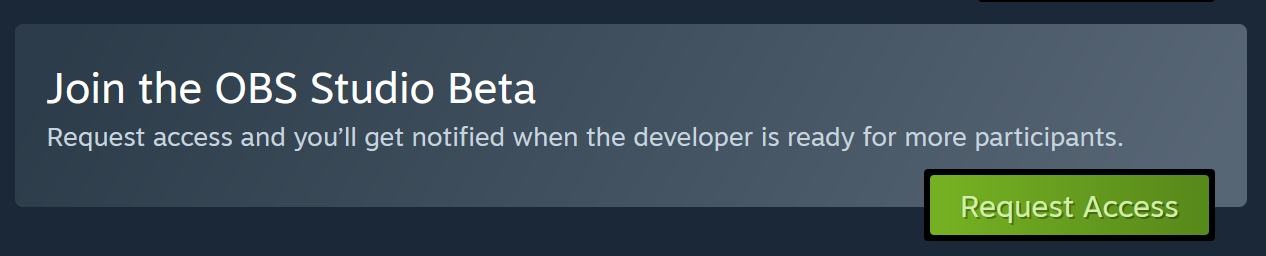
To add the beta to your library go to the OBS Studio store page and click "Request Access", you will be given access immediately:
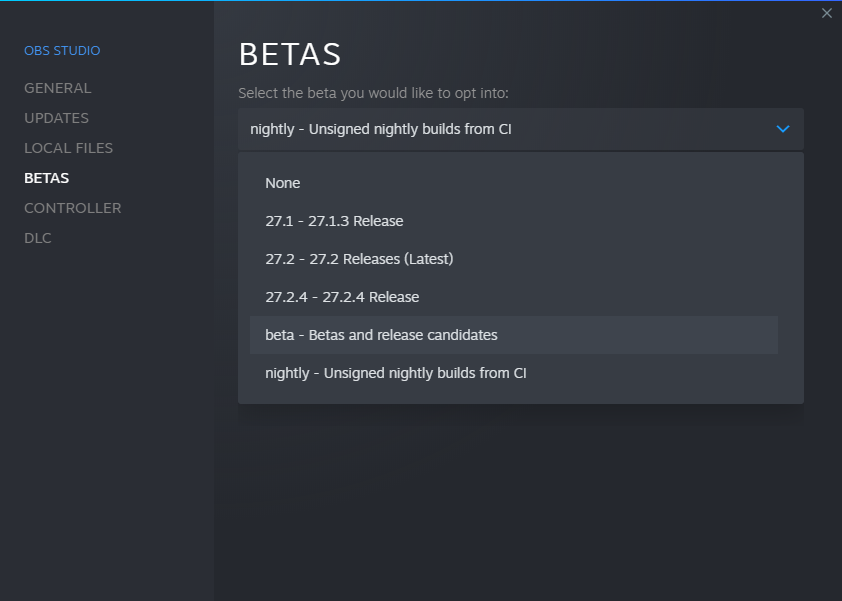
If you instead wish to update your regular OBS Studio Steam install to the beta open the "Properties" window, navigate to the "Betas" tab and select the "beta" option in the dropdown:
(If you're not seeing the "beta" option yet try restarting your Steam client)
We need your help tracking down as many bugs as you can find before we make a full release! Please give the build a try and let us know here or in the #beta-testing channel on Discord: https://obsproject.com/discord
Find the the full patch notes for OBS Studio 30.2 Beta 3 here: github.com/obsproject/obs-studio/releases/tag/30.2.0-beta3
You can now opt-into the beta by adding the "OBS Studio Beta" app to your library, this will allow you to keep the stable release installed side-by-side and give you a clean installation to play with.
To add the beta to your library go to the OBS Studio store page and click "Request Access", you will be given access immediately:
If you instead wish to update your regular OBS Studio Steam install to the beta open the "Properties" window, navigate to the "Betas" tab and select the "beta" option in the dropdown:
(If you're not seeing the "beta" option yet try restarting your Steam client)
We need your help tracking down as many bugs as you can find before we make a full release! Please give the build a try and let us know here or in the #beta-testing channel on Discord: https://obsproject.com/discord
OBS Studio 30.1.2 Hotfix
• Fixed NVENC failing with old drivers/devices
• Reverted: Changed default recording format to fMP4/fMOV for stable releases
• Reverted: Changed default recording format to fMP4/fMOV for stable releases
OBS Studio 30.1.1 Hotfix
• Fixed a crash on macOS 11 when starting OBS
• Fixed missing HDR metadata for certain encoders
• Fixed broken hardware decoding of remote streams in Media Sources
• Fixed broken file output from remuxing a file with PCM audio
• Fixed an issue where macOS Audio Capture or macOS Screen Capture sources could stop capturing
• Fixed an issue on Windows causing Virtual Camera and 32-bit Game Capture to fail
• Fixed an issue on Linux which caused QSV encoders to be enabled on systems with no Intel GPUs
• Backported xdg-data metadata updates
• Fixed missing HDR metadata for certain encoders
• Fixed broken hardware decoding of remote streams in Media Sources
• Fixed broken file output from remuxing a file with PCM audio
• Fixed an issue where macOS Audio Capture or macOS Screen Capture sources could stop capturing
• Fixed an issue on Windows causing Virtual Camera and 32-bit Game Capture to fail
• Fixed an issue on Linux which caused QSV encoders to be enabled on systems with no Intel GPUs
• Backported xdg-data metadata updates
讨论板块
游戏服务器
暂无服务器