恐鬼症
Phasmophobia
-30%
¥68.00
¥47.60
🏆
0
本站关注度
👥 关注玩家:0 人
🔥 当前在线:12,183 · 📈 历史最高:12,183 · 💰 史低价:¥47.60
Phasmophobia is a 4 player online co-op psychological horror. Paranormal activity is on the rise and it’s up to you and your team to use all the ghost-hunting equipment at your disposal in order to gather as much evidence as you can.
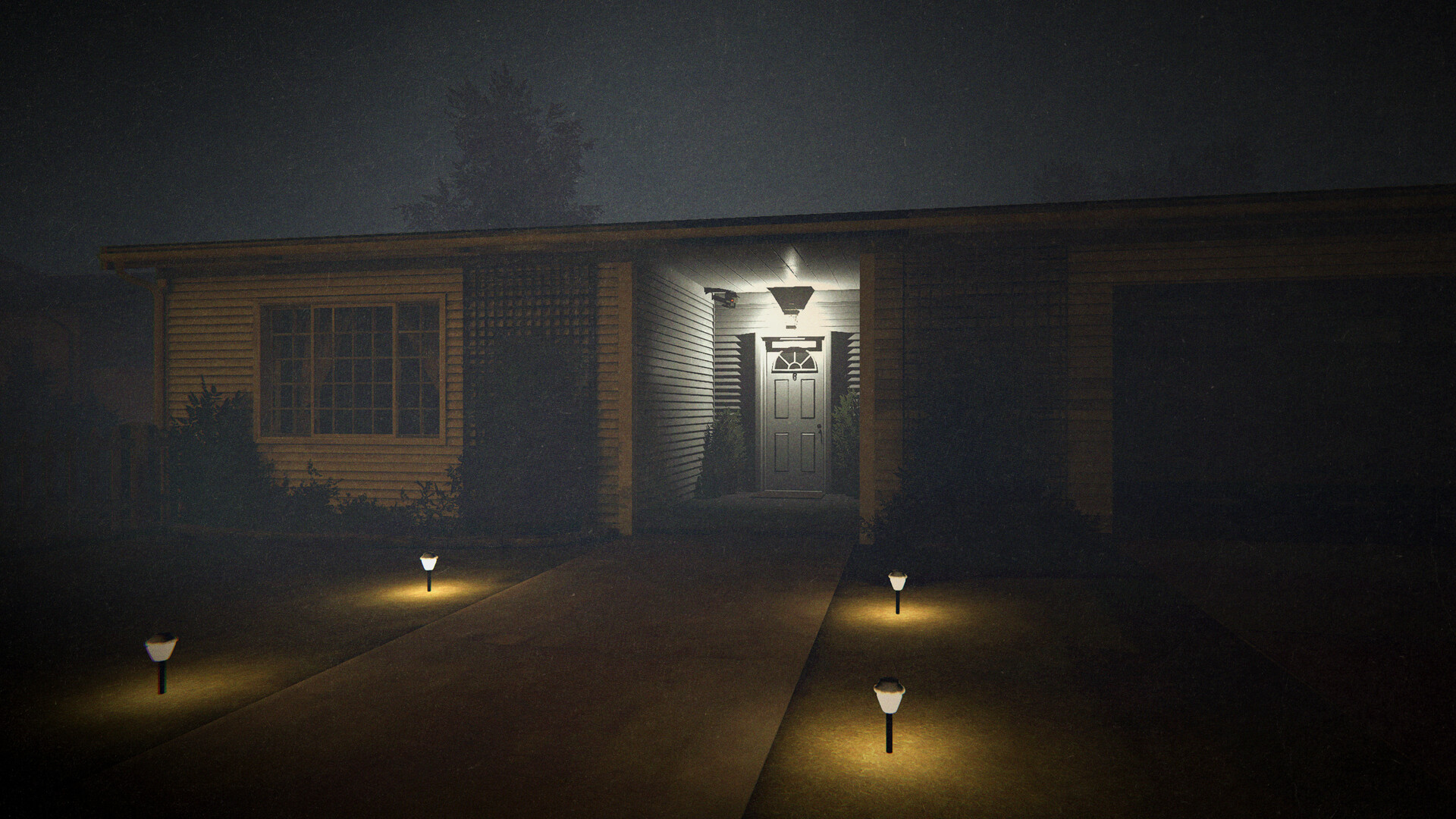
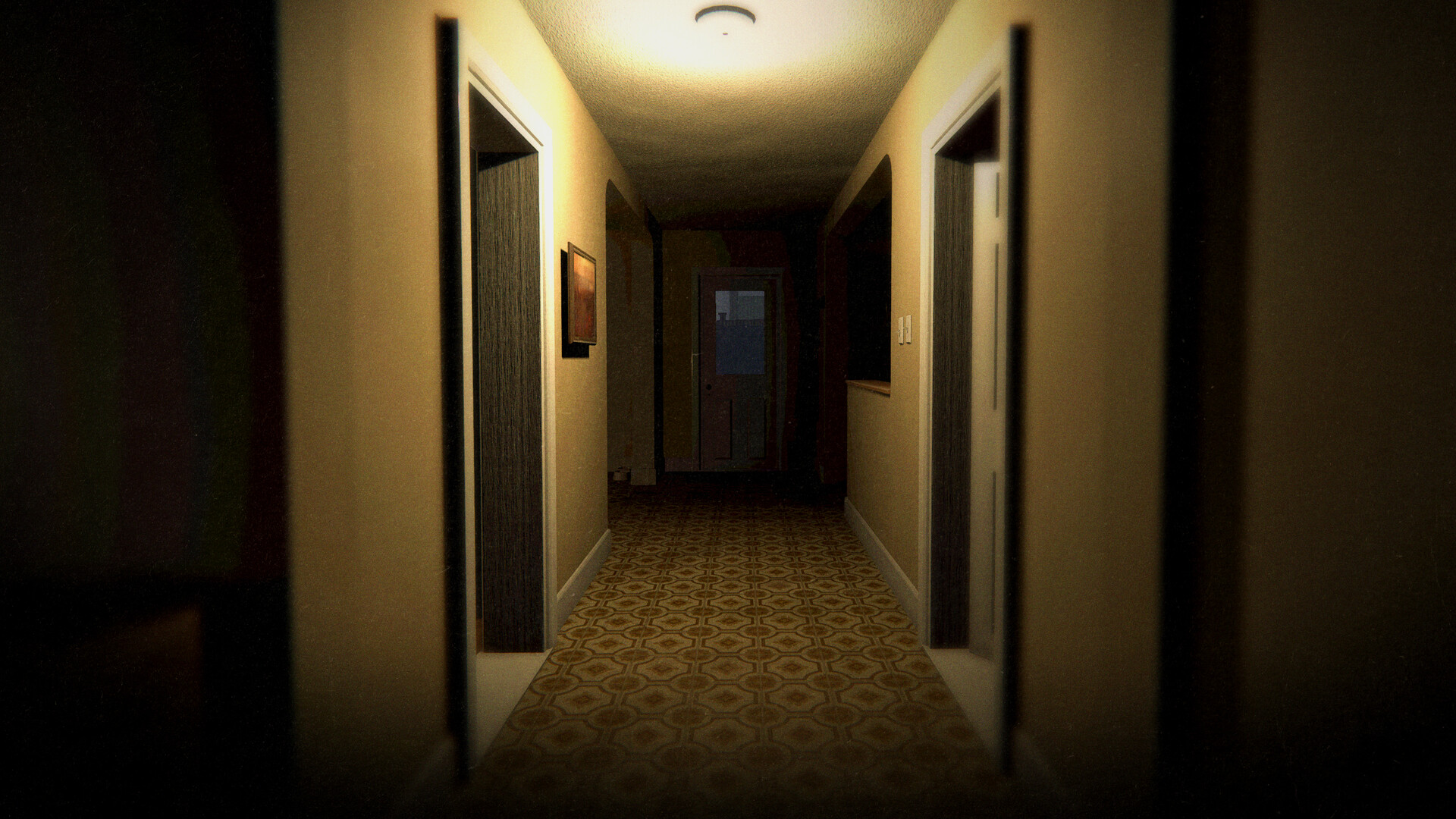
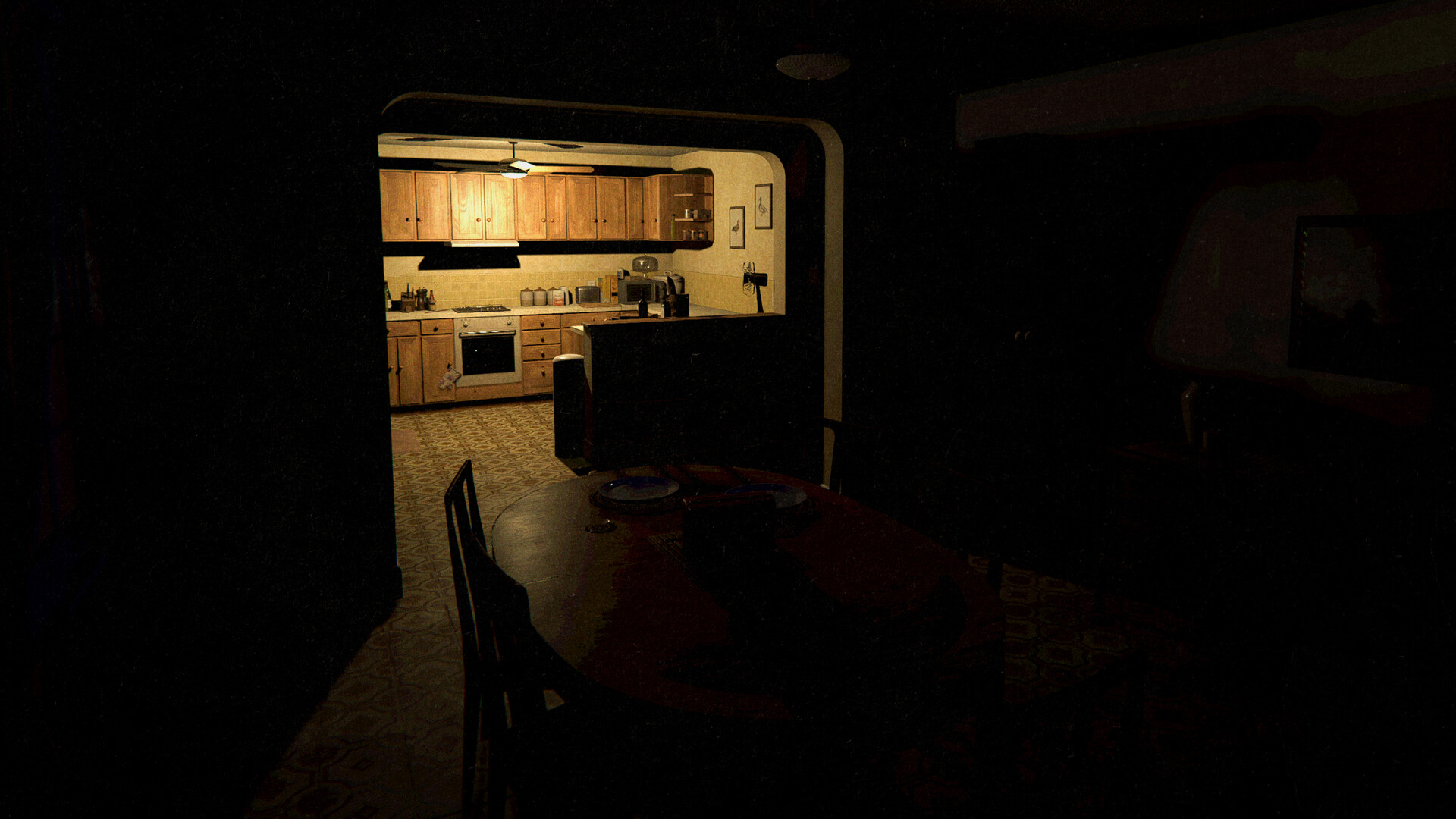
游戏预览
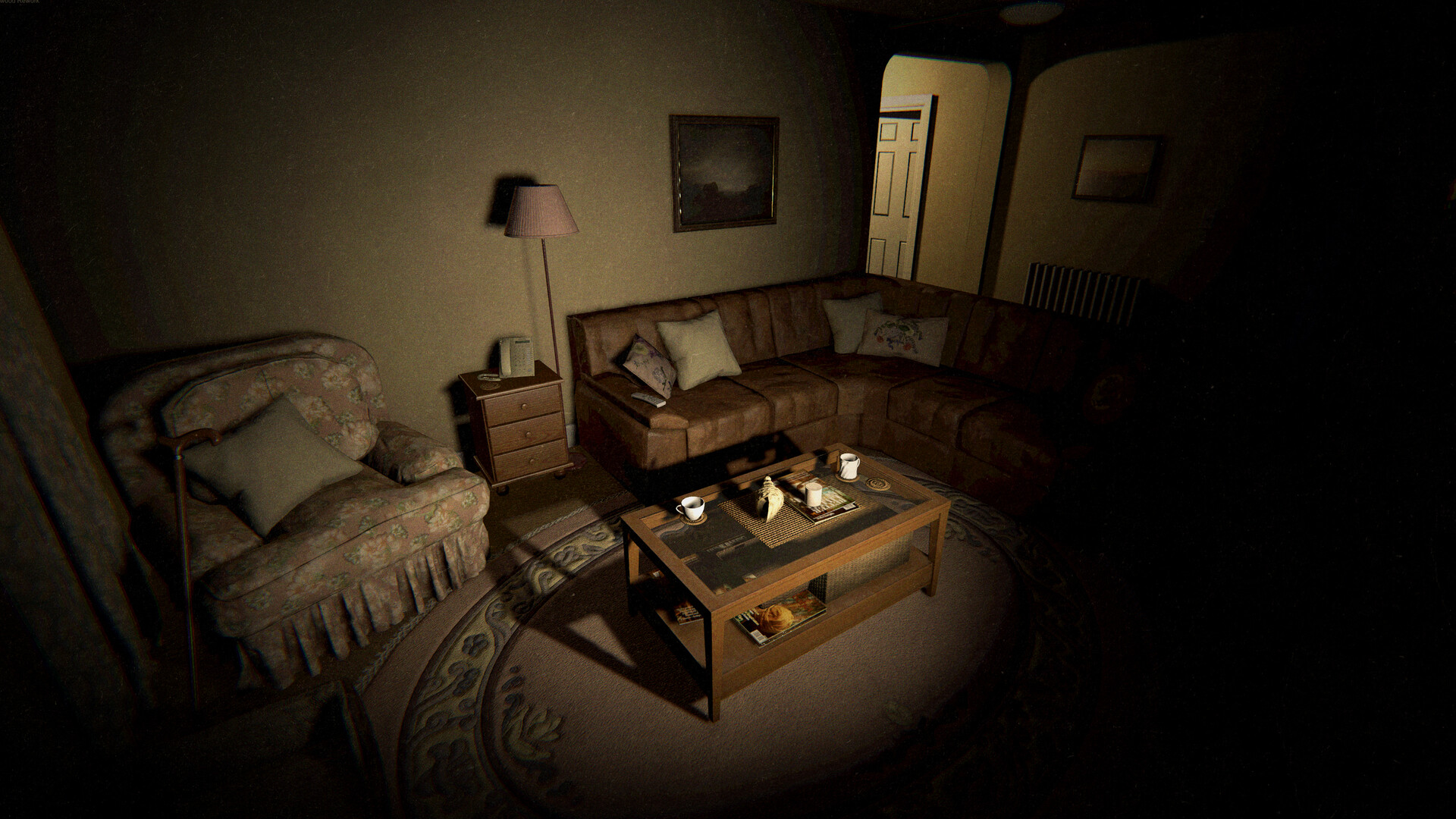

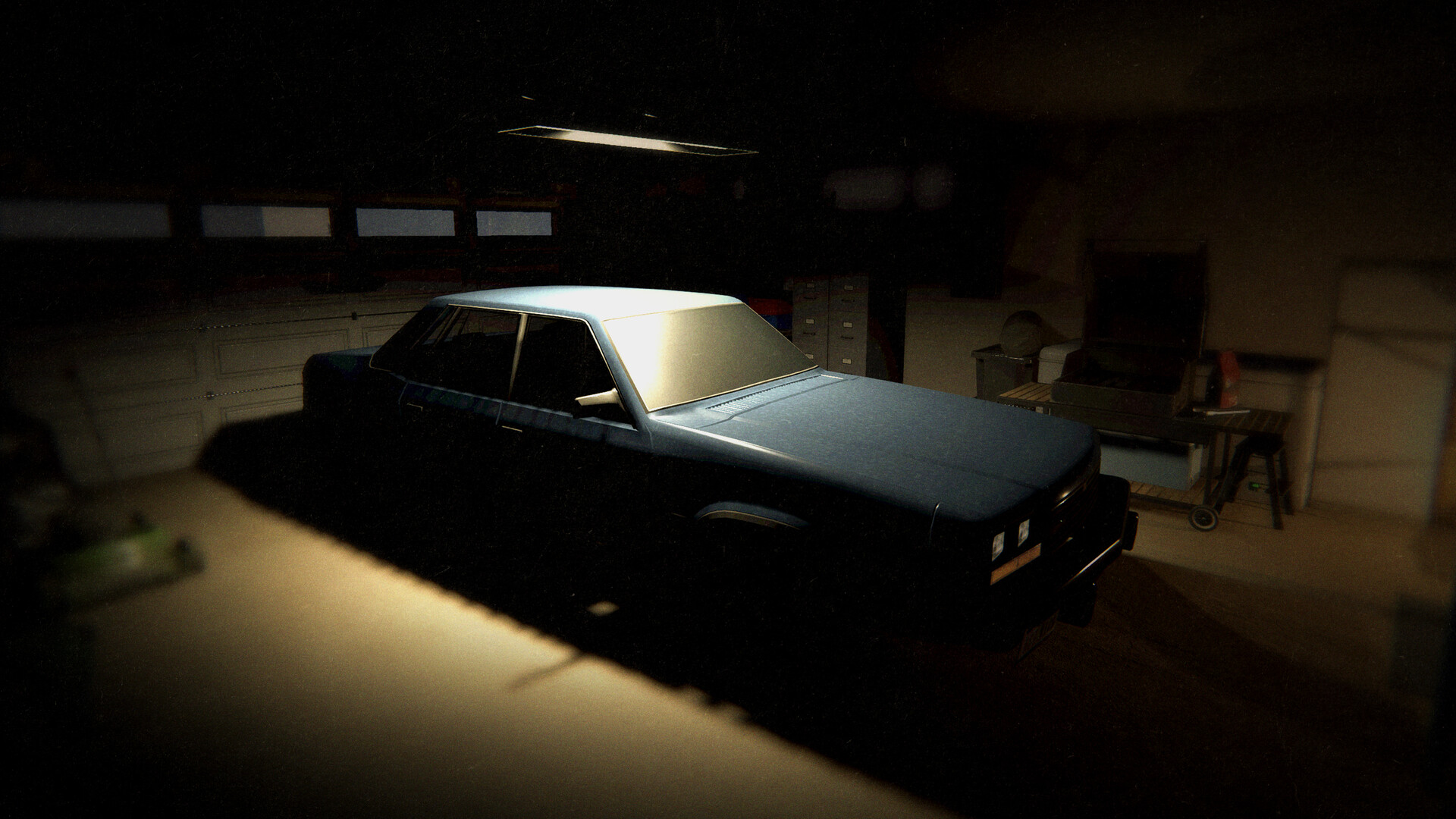
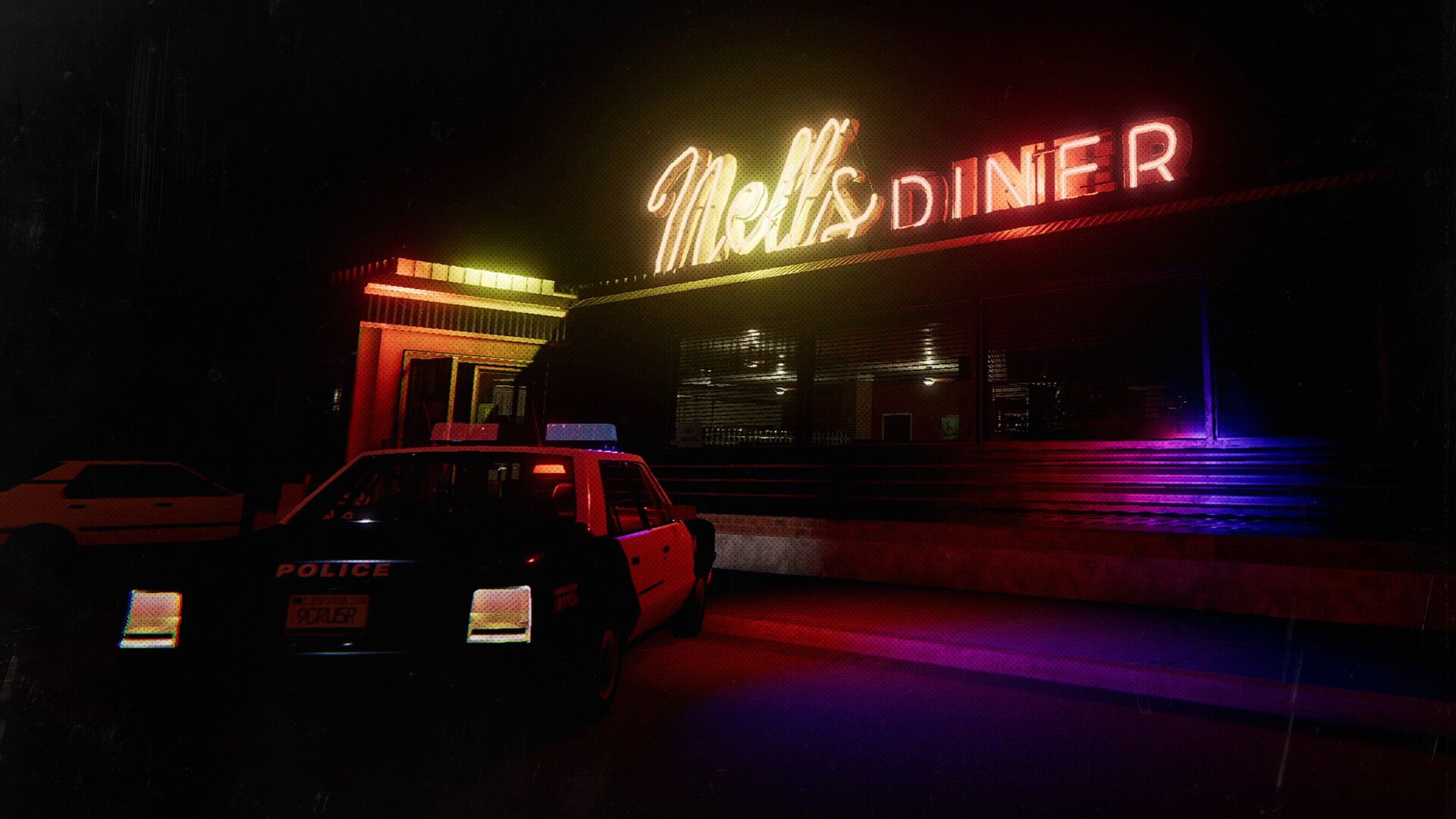

配置要求
最低配置
- 系统
- Windows 10 64Bit
- CPU
- Intel Core i5-4590 / AMD Ryzen 5 2600
- 内存
- 8 GB RAM
- 显卡
- NVIDIA GTX 970 / AMD Radeon R9 390
- 存储
- 21 GB available space
推荐配置
- 系统
- Windows 10 64Bit
- CPU
- Intel Core i5-10600 / AMD Ryzen 5 3600
- 内存
- 8 GB RAM
- 显卡
- NVIDIA RTX 2060 / AMD Radeon RX 5700
- 存储
- 21 GB available space
在线人数趋势(最近 7 天)
在线人数(7 天)
价格历史(90天)
游戏简介
Phasmophobia is a 4 player online co-op psychological horror. Paranormal activity is on the rise and it’s up to you and your team to use all the ghost-hunting equipment at your disposal in order to gather as much evidence as you can.
更新记录
Phasmophobia Quality of Life Preview #2
Welcome back, Ghost Hunters.
Following on from our recent preview of the Quality of Life update launching on July 21st, we wanted to share some further details including the newer features - including another look at the reworked 13 Willow Street.
The New
As part of the Quality of Life update, we’re introducing a handful of new gameplay features that aim to improve the overall experience of playing Phasmophobia.
Read the below for some details on these additions.
•
Adding keybinds for Equipment slots. PC players will be able to switch Equipment with the 1, 2, 3 and 4 keys. These keys can be rebound.
•
This addition will only be available for PC players.
•
Adding a keybind to be able to inspect the Watch at any time.
•
This will be defaulted to Left DPAD on a controller and H on keyboard. Players can rebind this via Options > Controls.
•
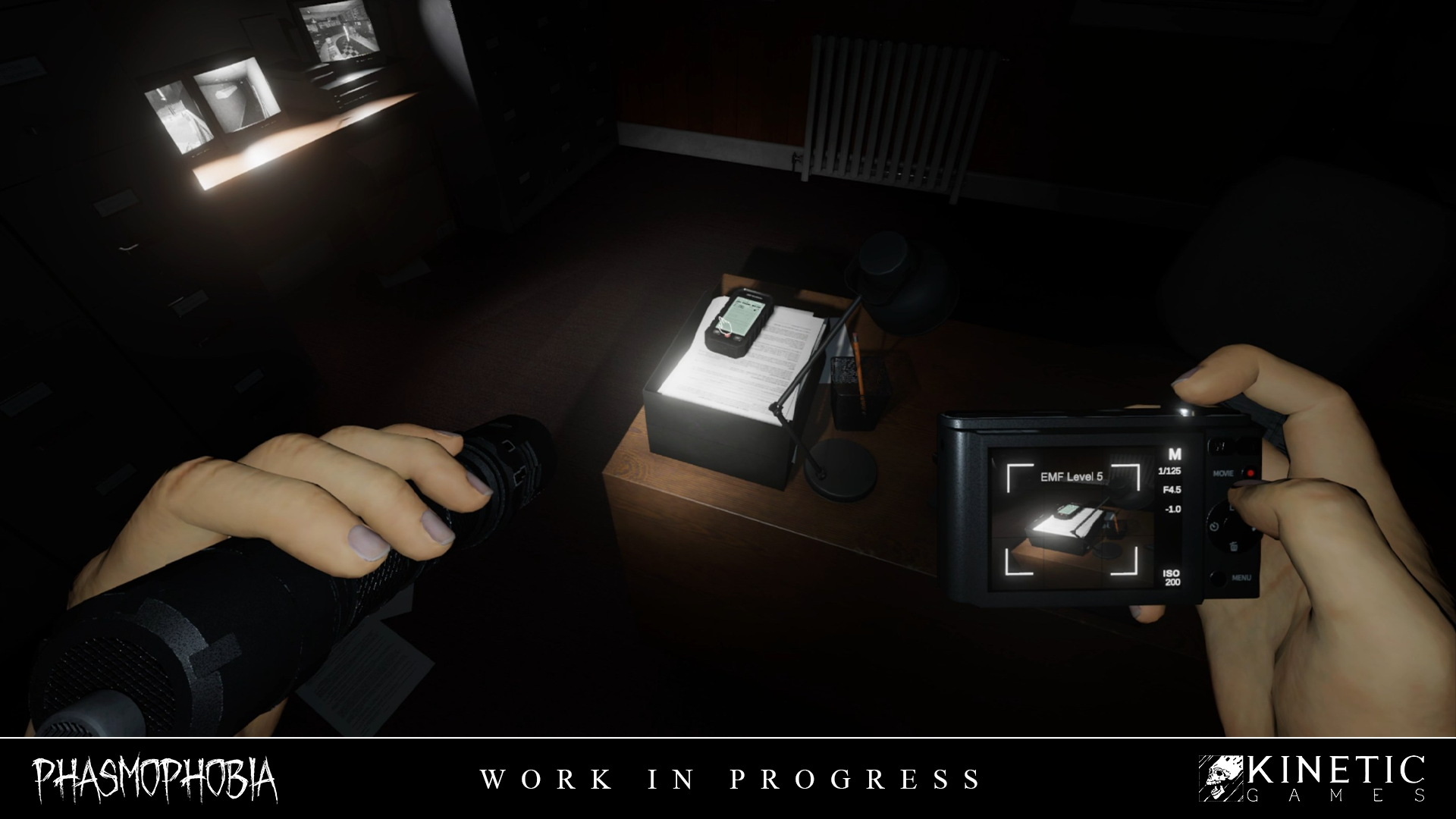
A separate Photo can now be taken capturing an EMF Level 5 reading.
•
Photo Cameras will now feature the same highlight frame as Video Cameras.
•
On screen indicator only on Tier 2 and 3 Photo Cameras, while Tier 1 will have the light change colour.
•
When capturing Media, if multiple are present, the evidence that provides the biggest reward or is Unique will be prioritised.
•
New Ghost: the ██████████
•
Players will have a higher chance of getting this Ghost in their contracts for the first few weeks following release.
•
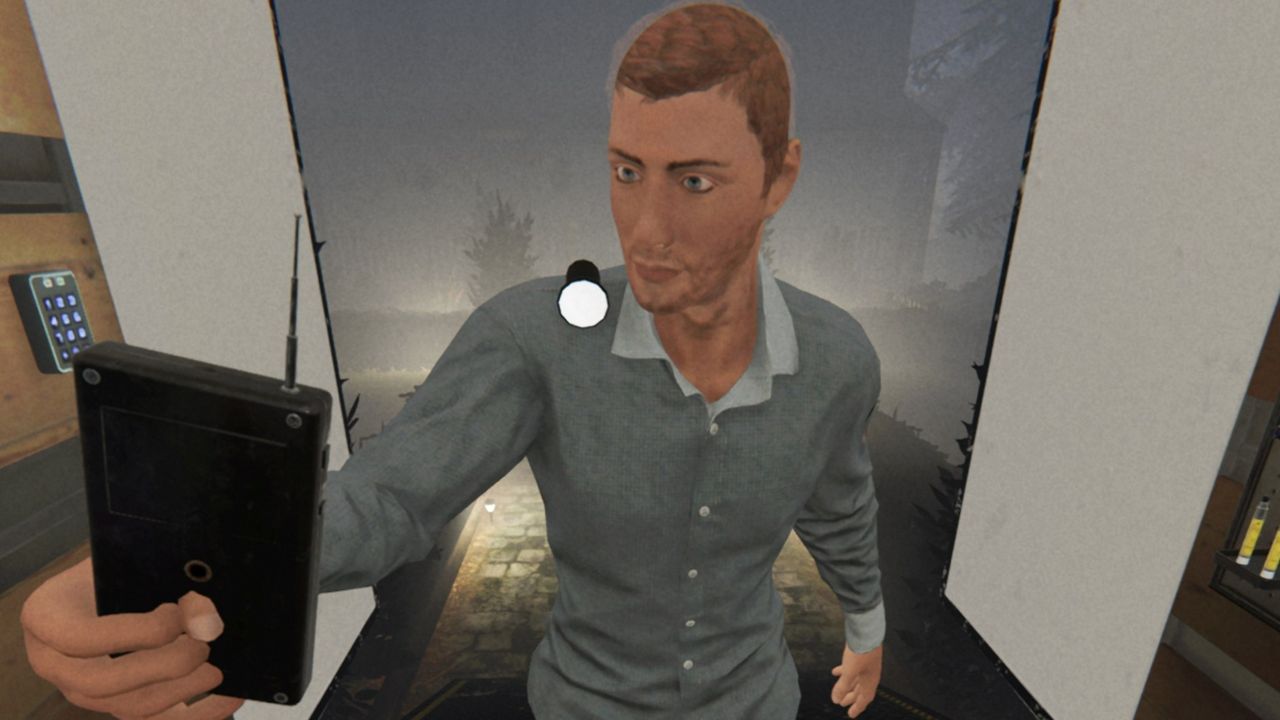
Added new walking animations and turning animations to fix several issues:
•
Character legs will no longer use procedural IK and will instead use animations.
•
The character body will no longer animate with the walking animations which caused held items to move while walking.
•
Improvements to the overall VR character:
•
New character animations.
•
Improvements to the belt to improve usability.
•
The character will now turn instantly depending on where you are looking instead of at set angles.
•
The next quality of life update will bring a completely new VR character rig with further improvements:
•
Further improvements to the belt's usability.
•
Improvements to crouching.
•
Improved character animations.
•
Held items will no longer sway when walking.
•
The character's position will accurately represent your real life body position.
13 Willow Street
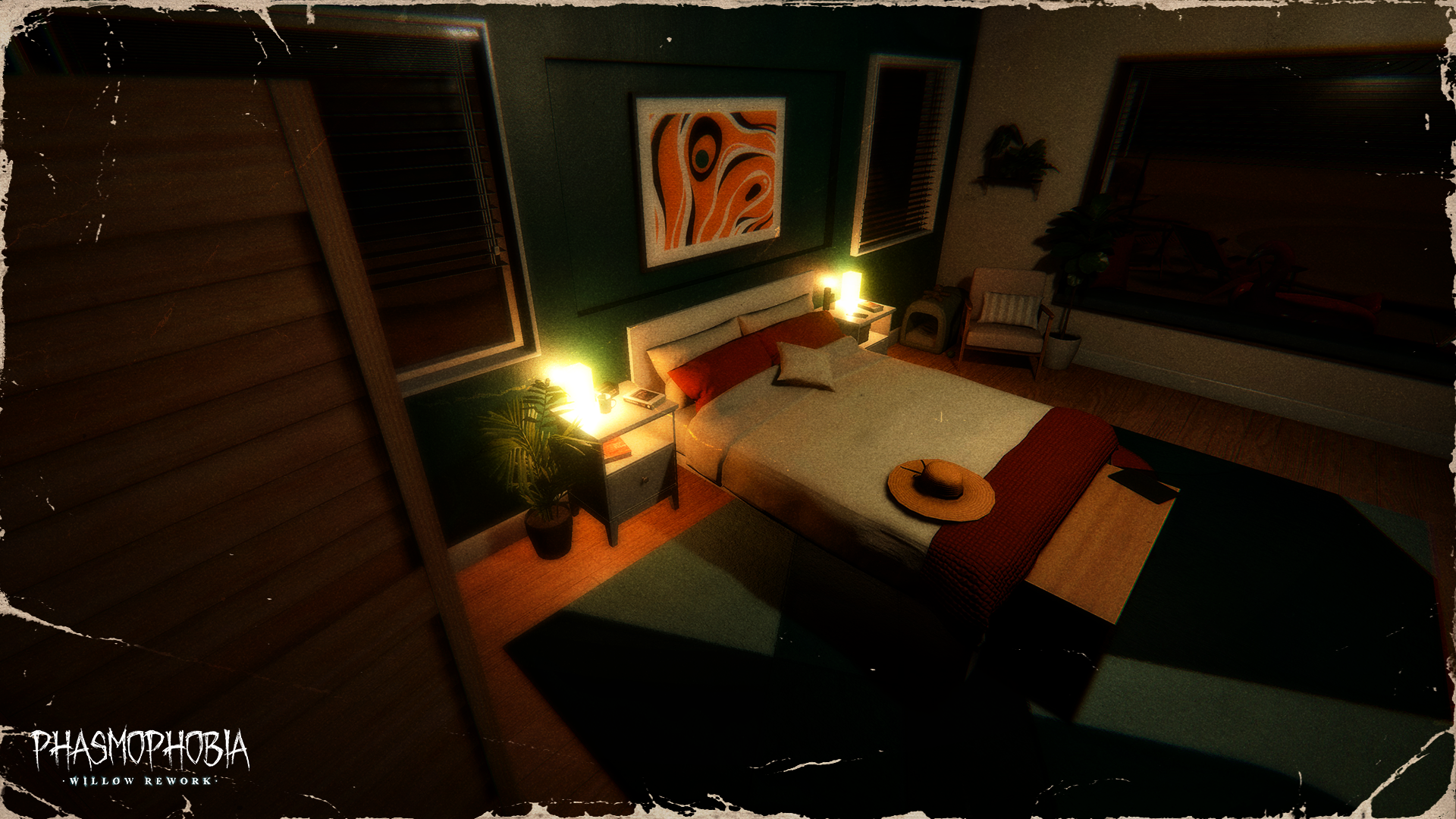
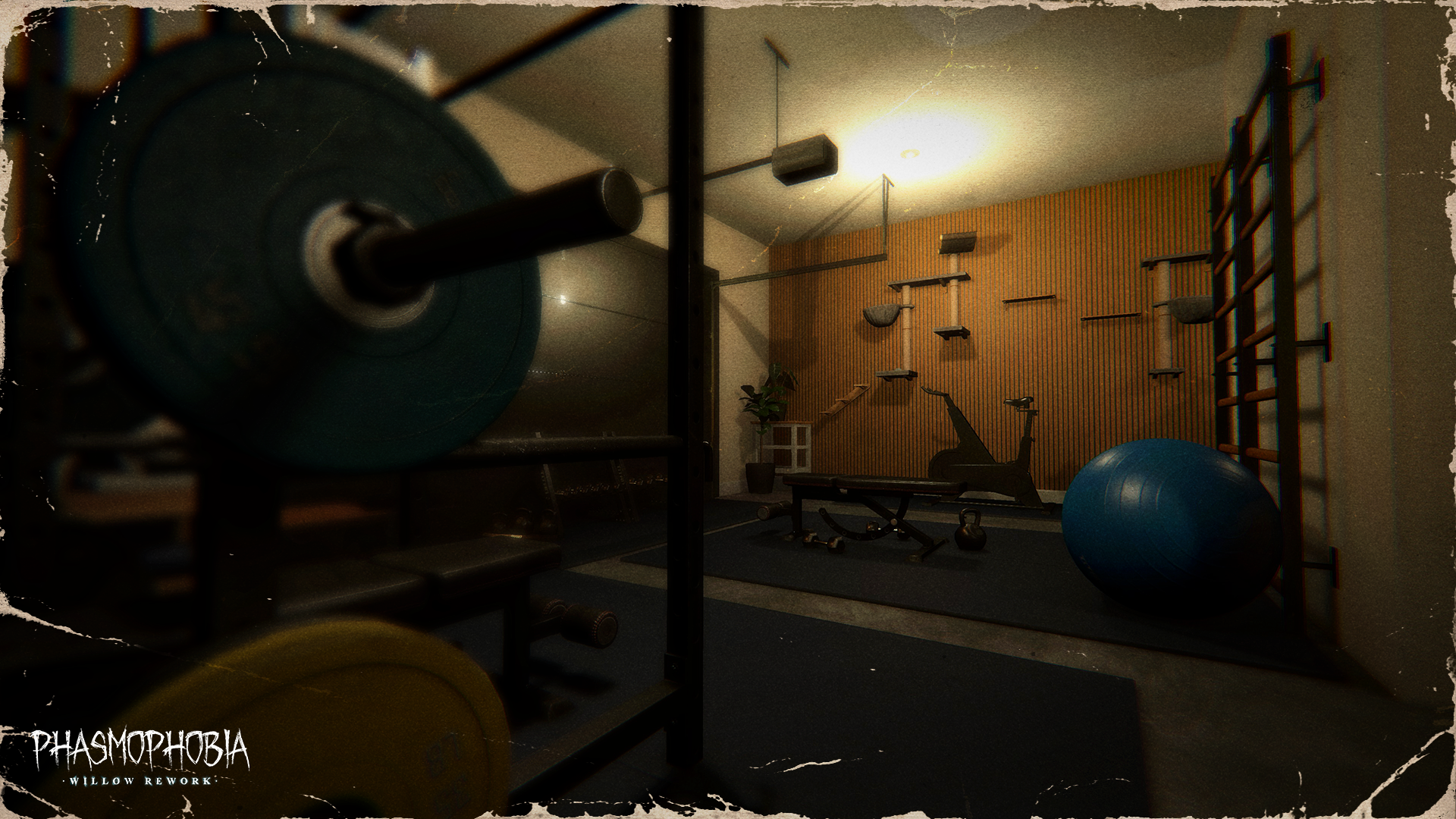
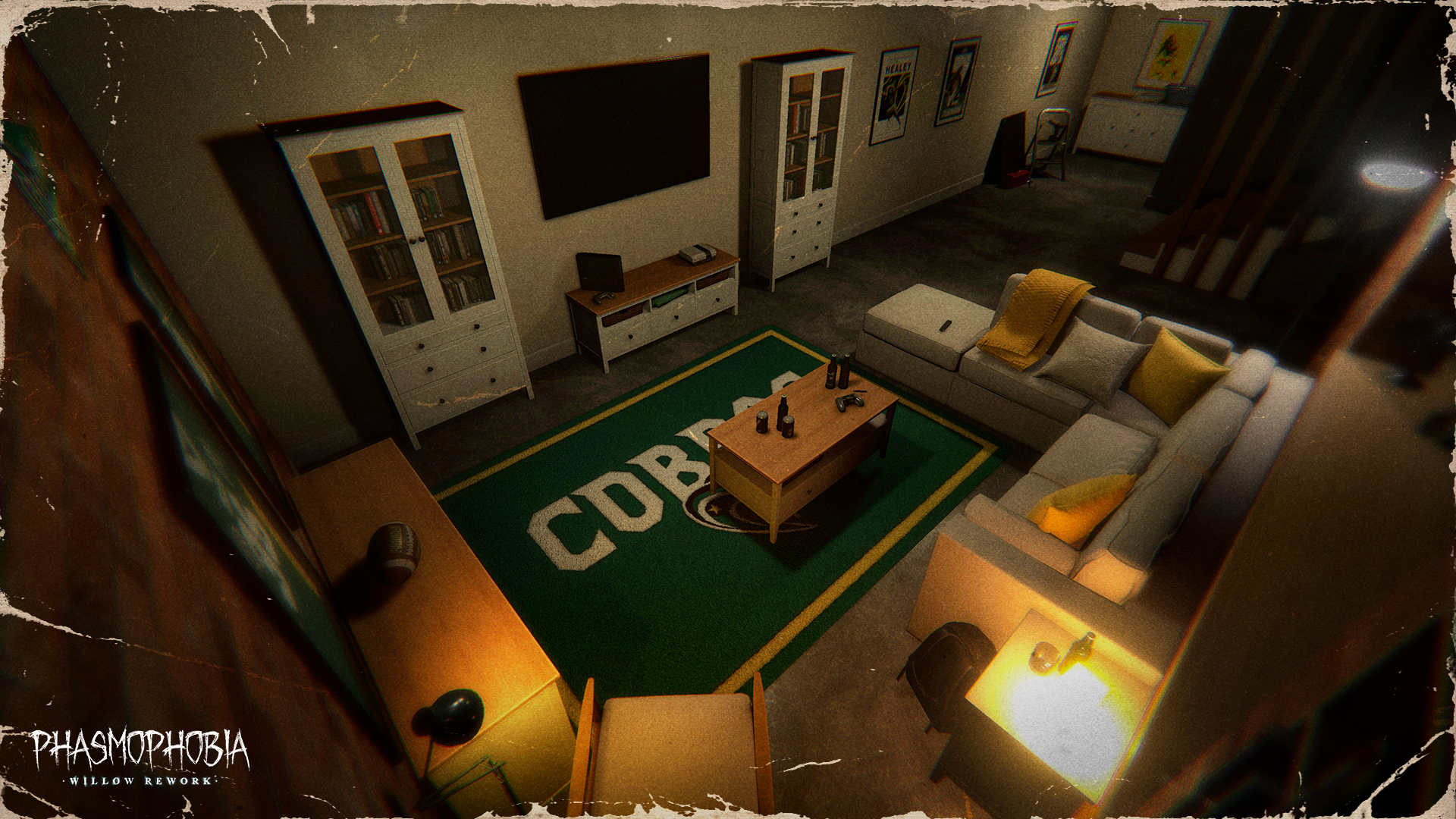
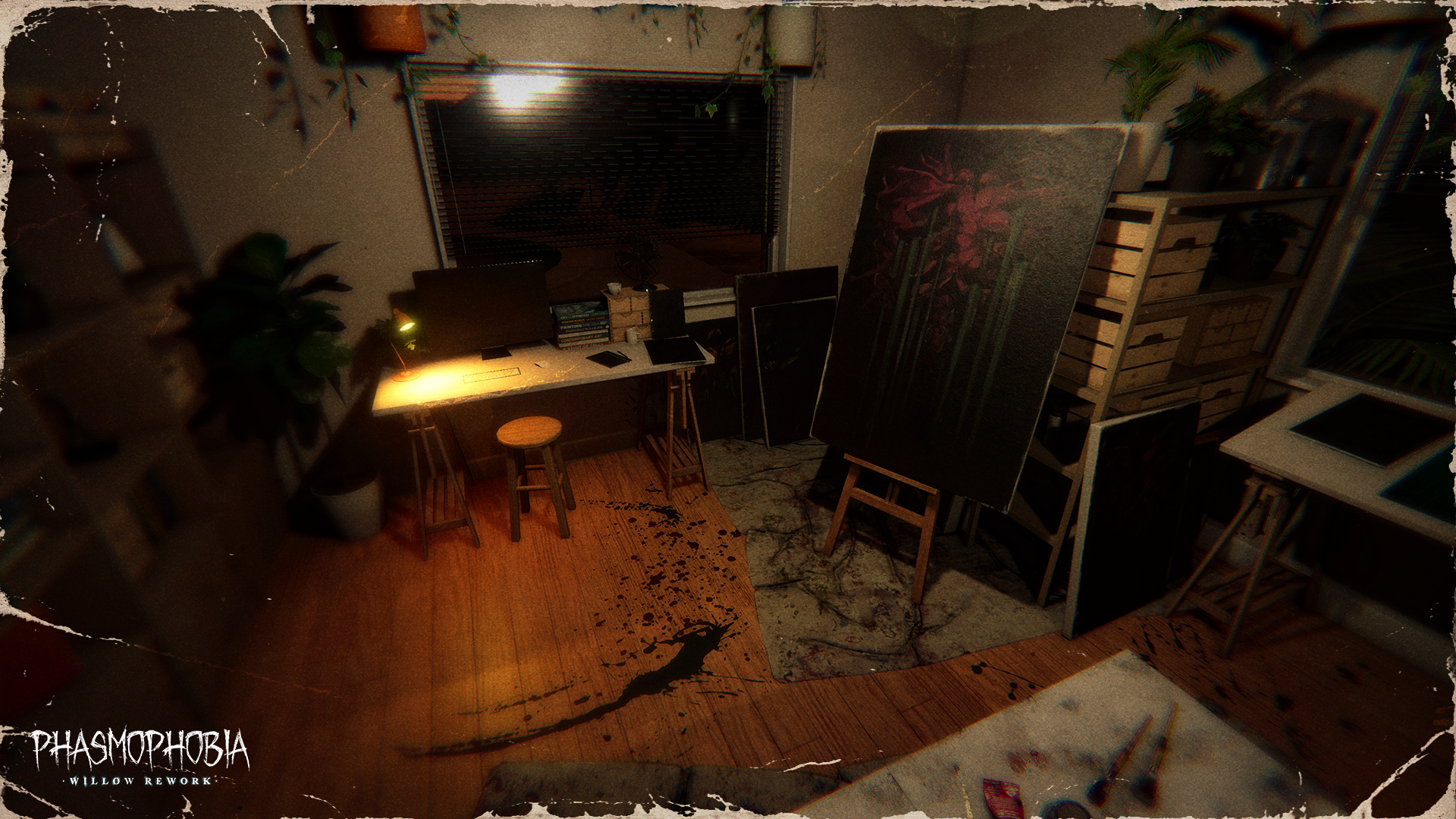
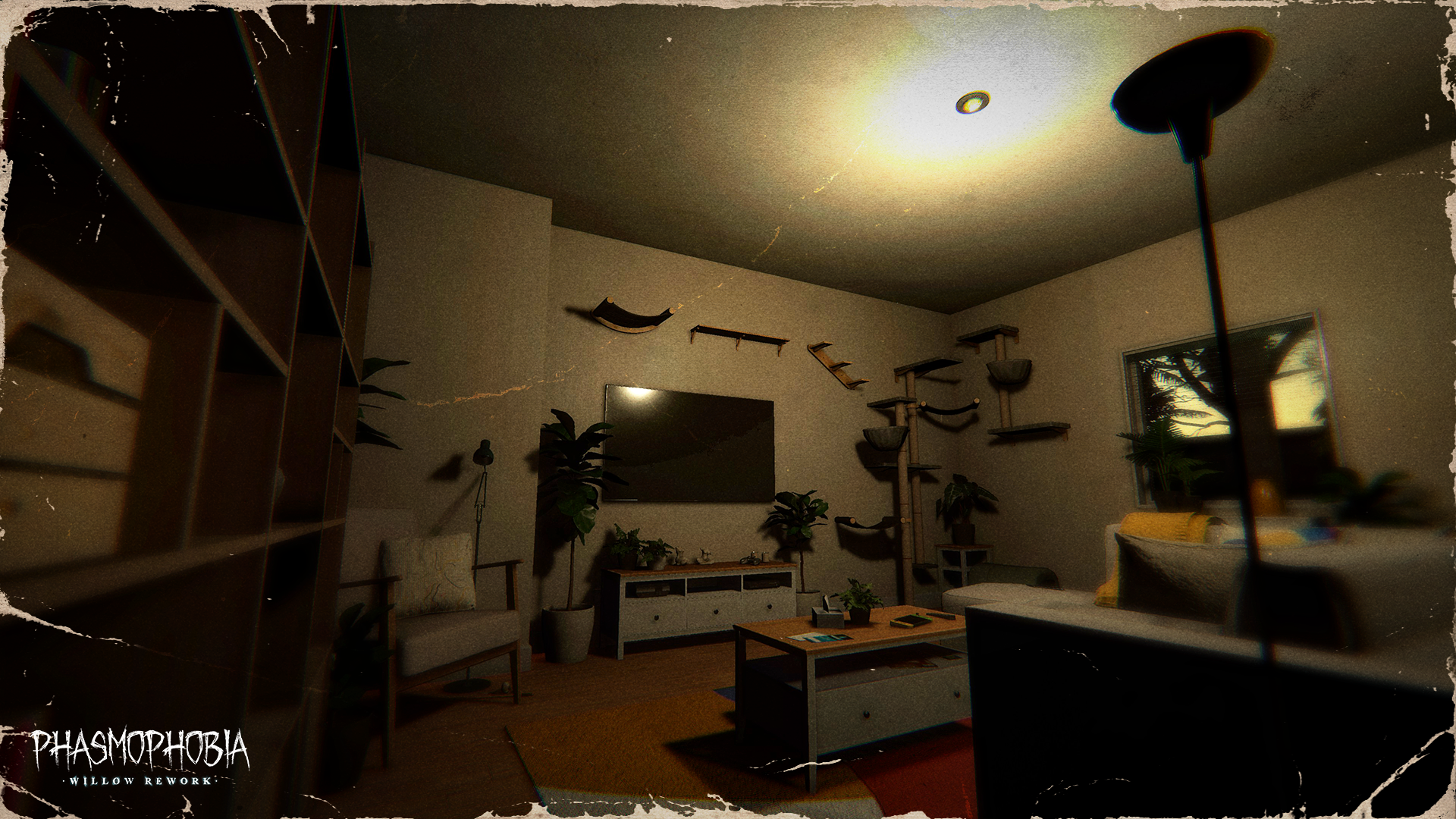
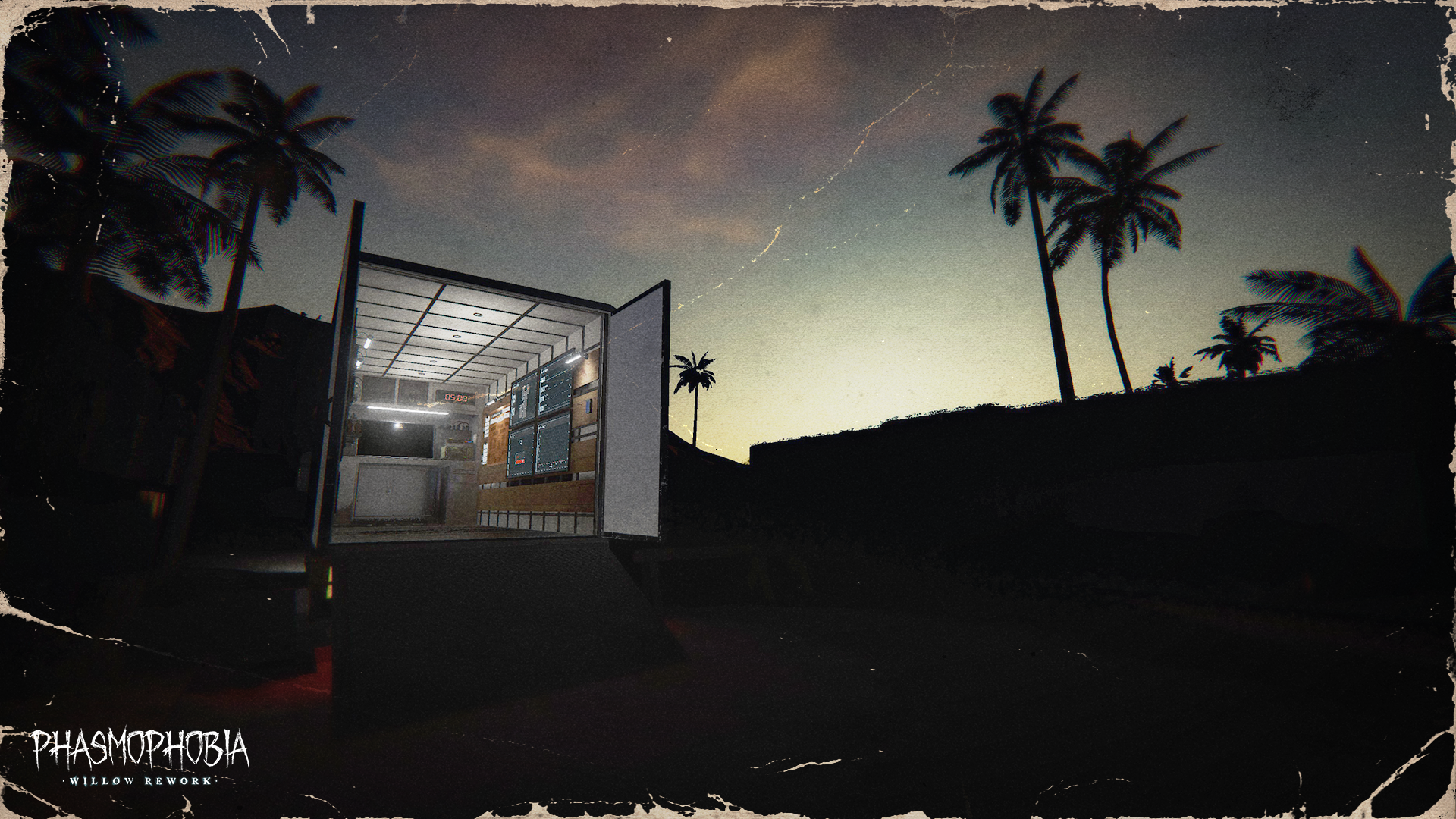
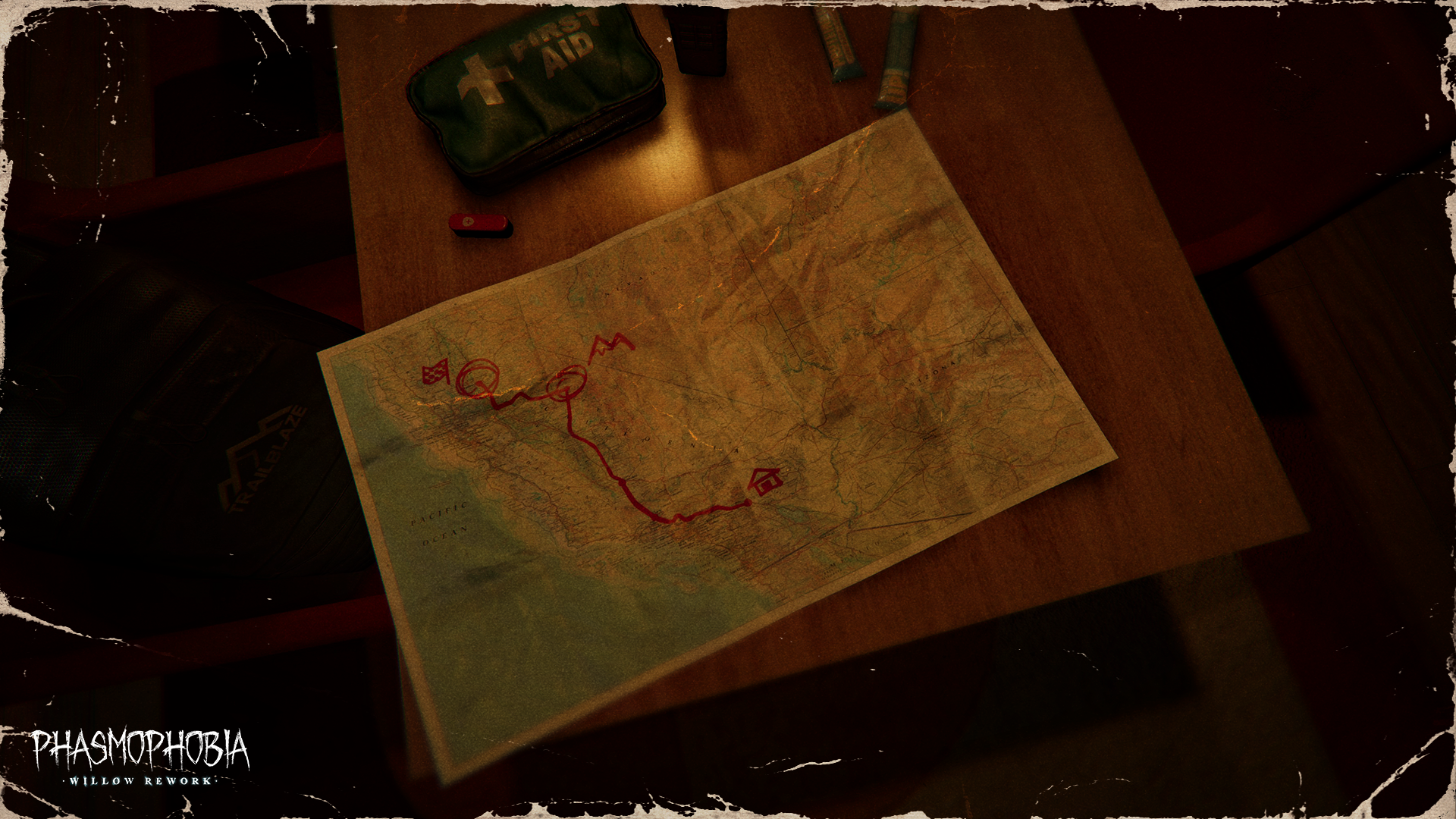
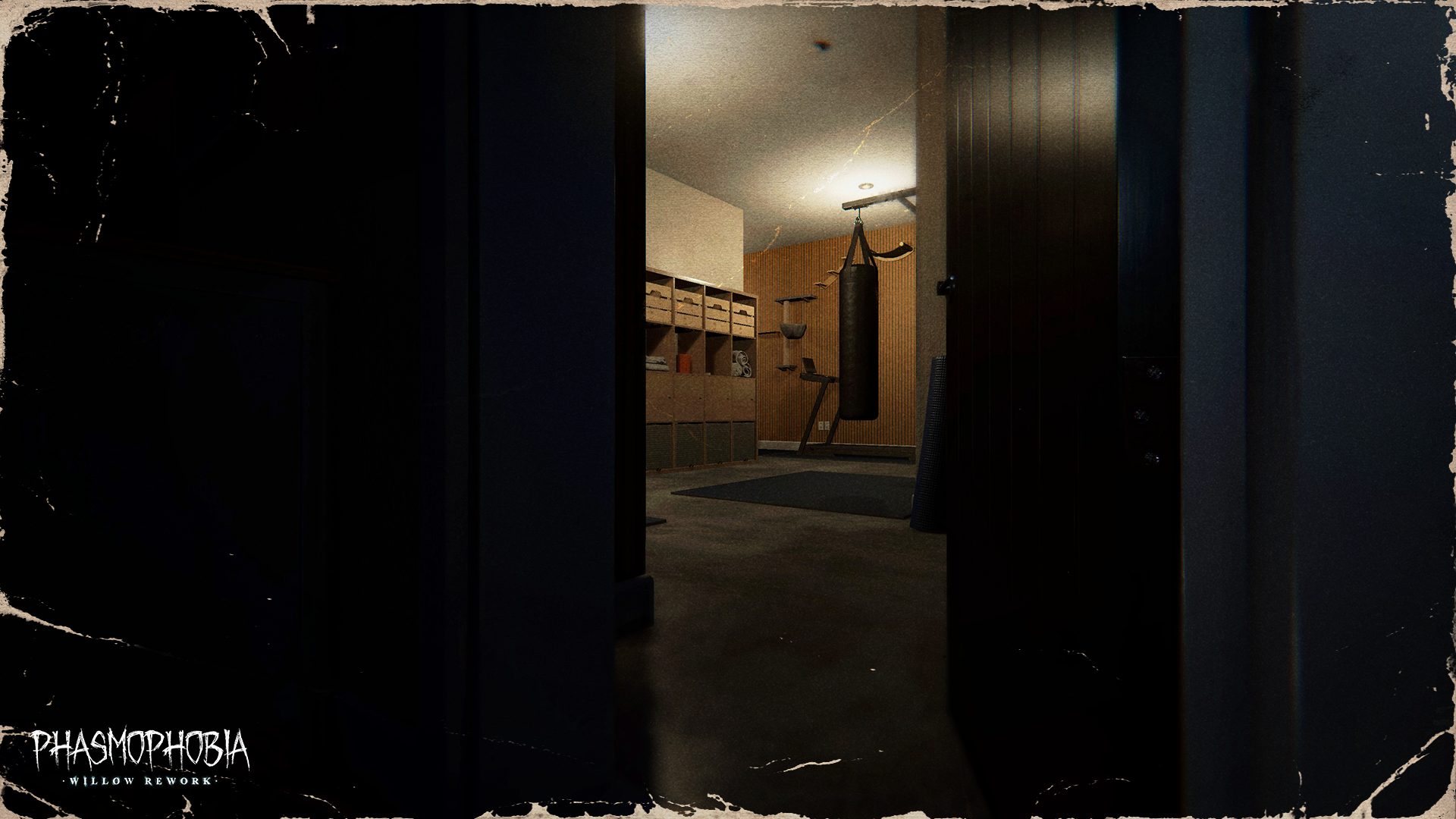
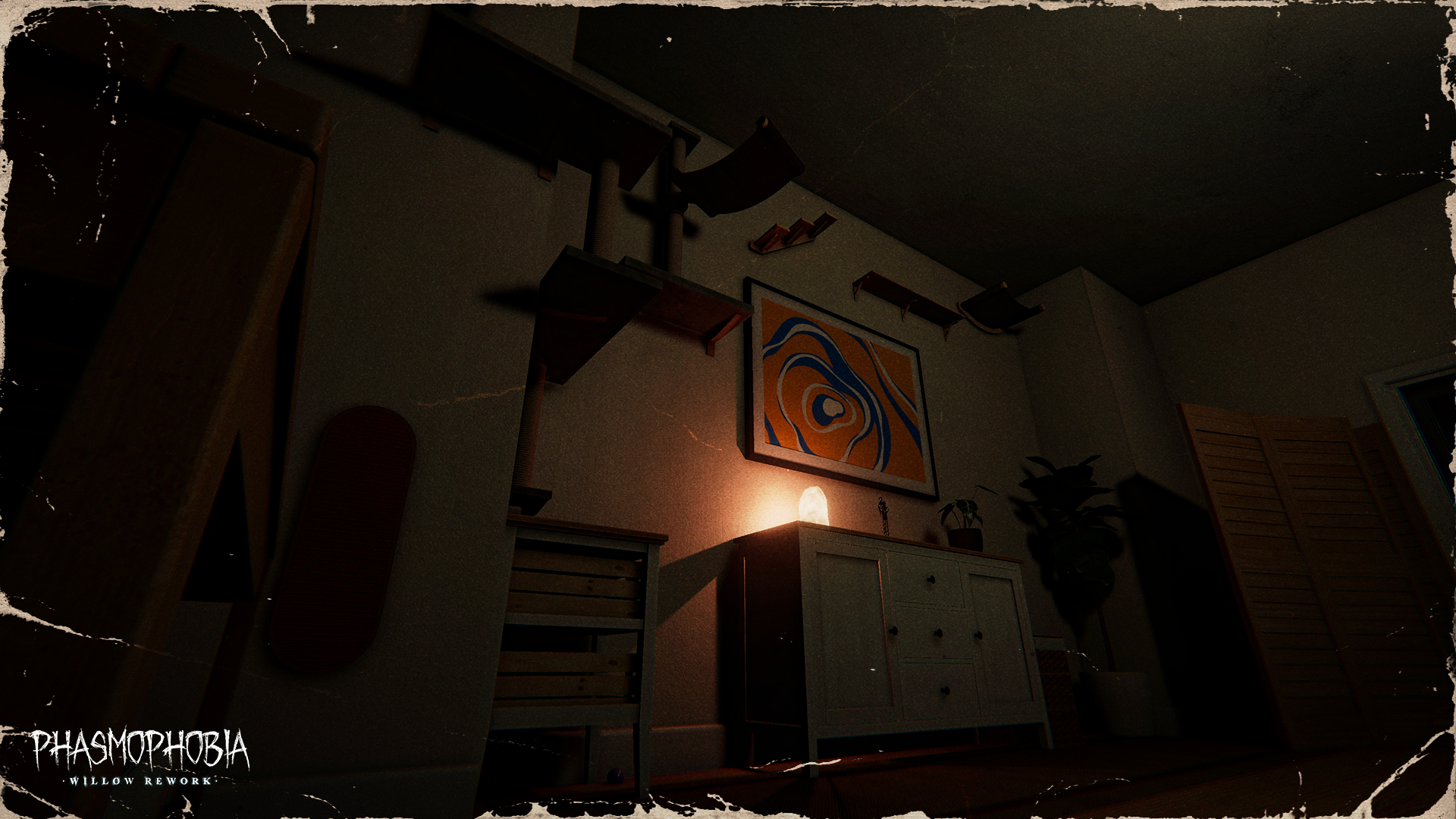
As with all our reworked maps, 13 Willow Street will retain its overall original layout with a few minor changes. The core of these reworks has always been bringing the visuals up to our standards while letting each location speak for itself. As much as we love the original versions of these maps, giving them their own identities and stories has been something we’ve always wanted to achieve and we’re excited that we’ve been able to.
Following 6 Tanglewood Drive, we know that 13 Willow Street holds a special place in a Ghost Hunter’s heart. We’ve kept that at the forefront while developing the rework, making sure that those first few steps inside feel new but familiar, and entice you to explore during each and every contract.
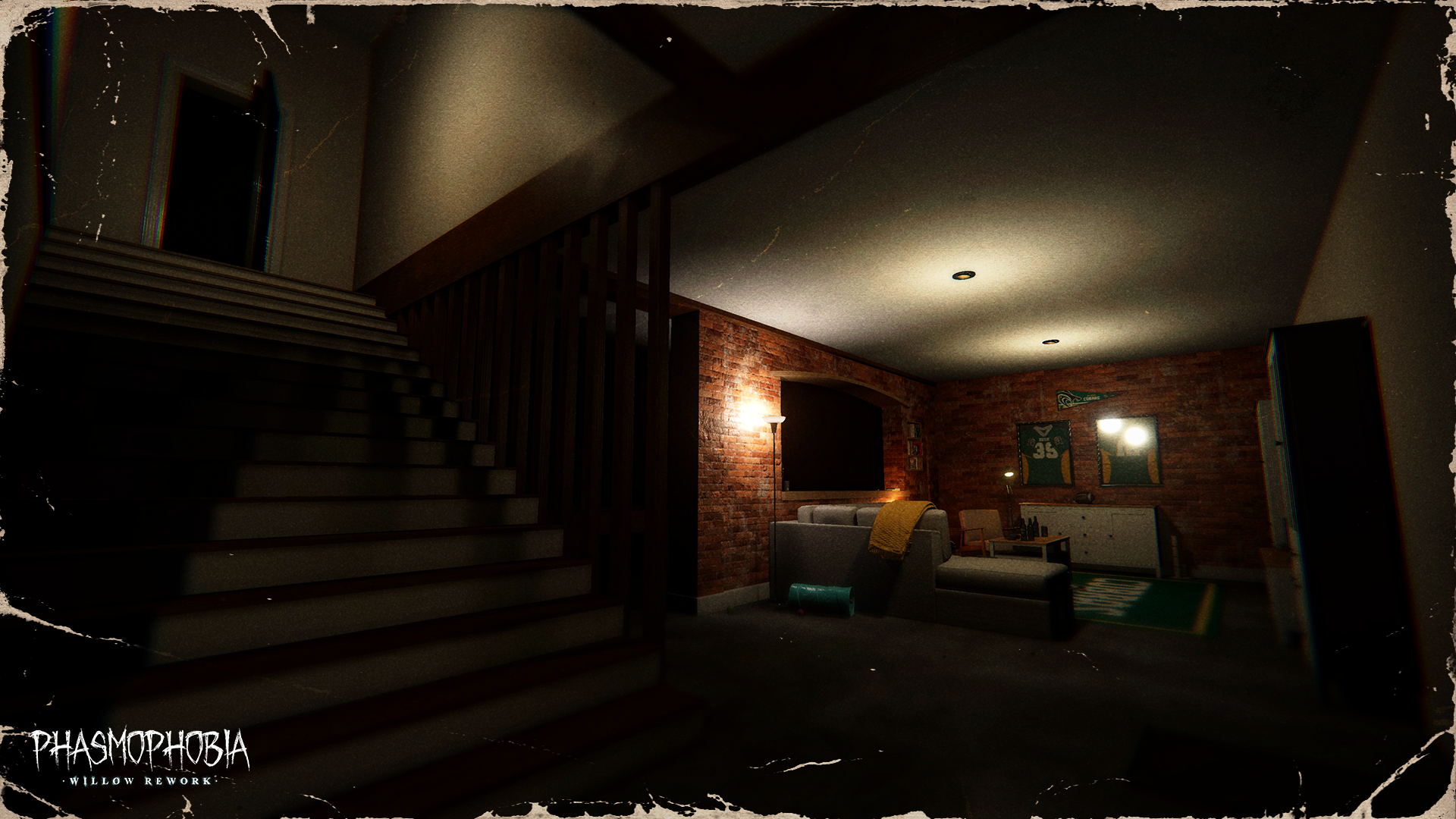
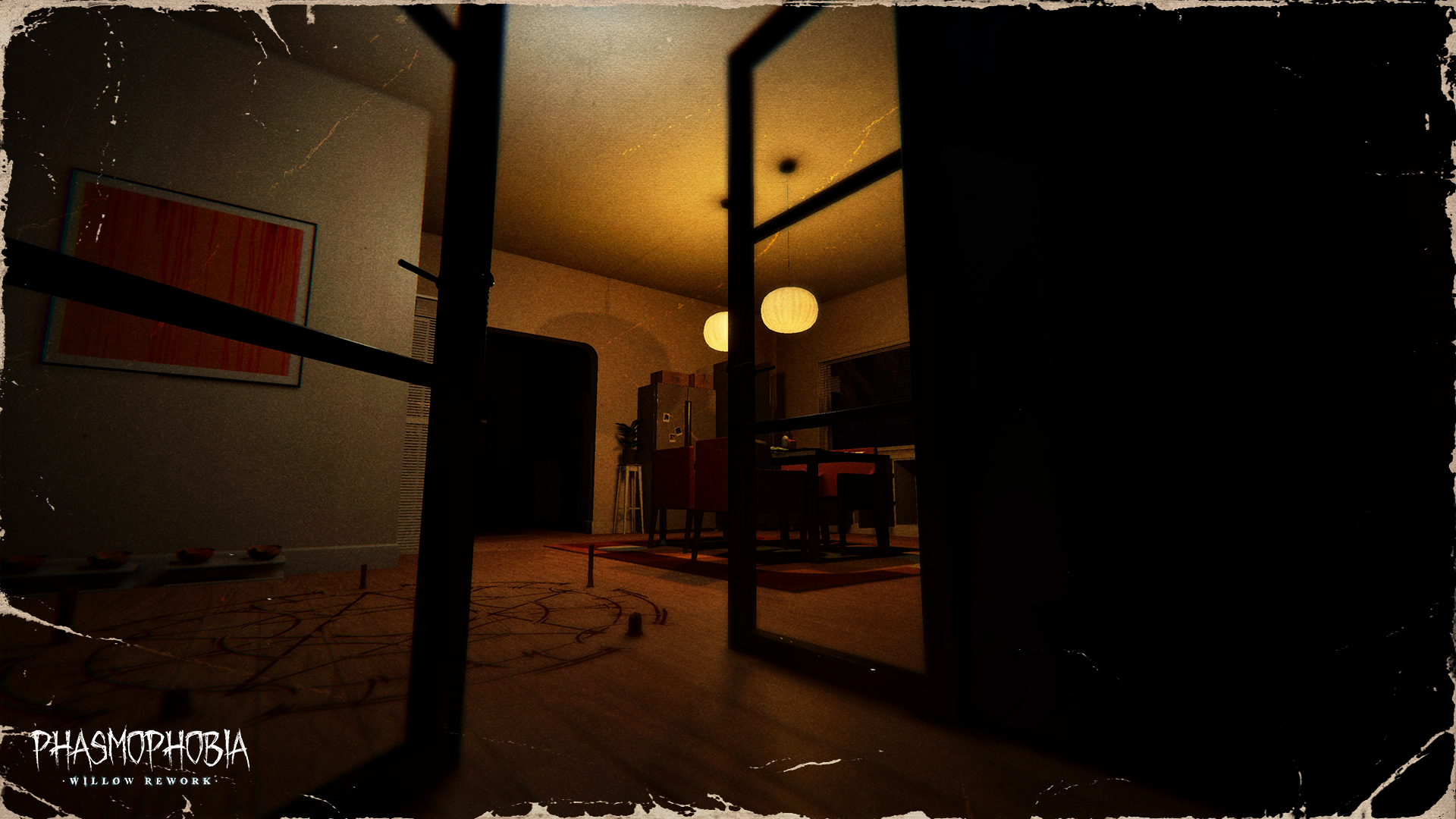
Check out the screenshots below for a look inside 13 Willow Street.
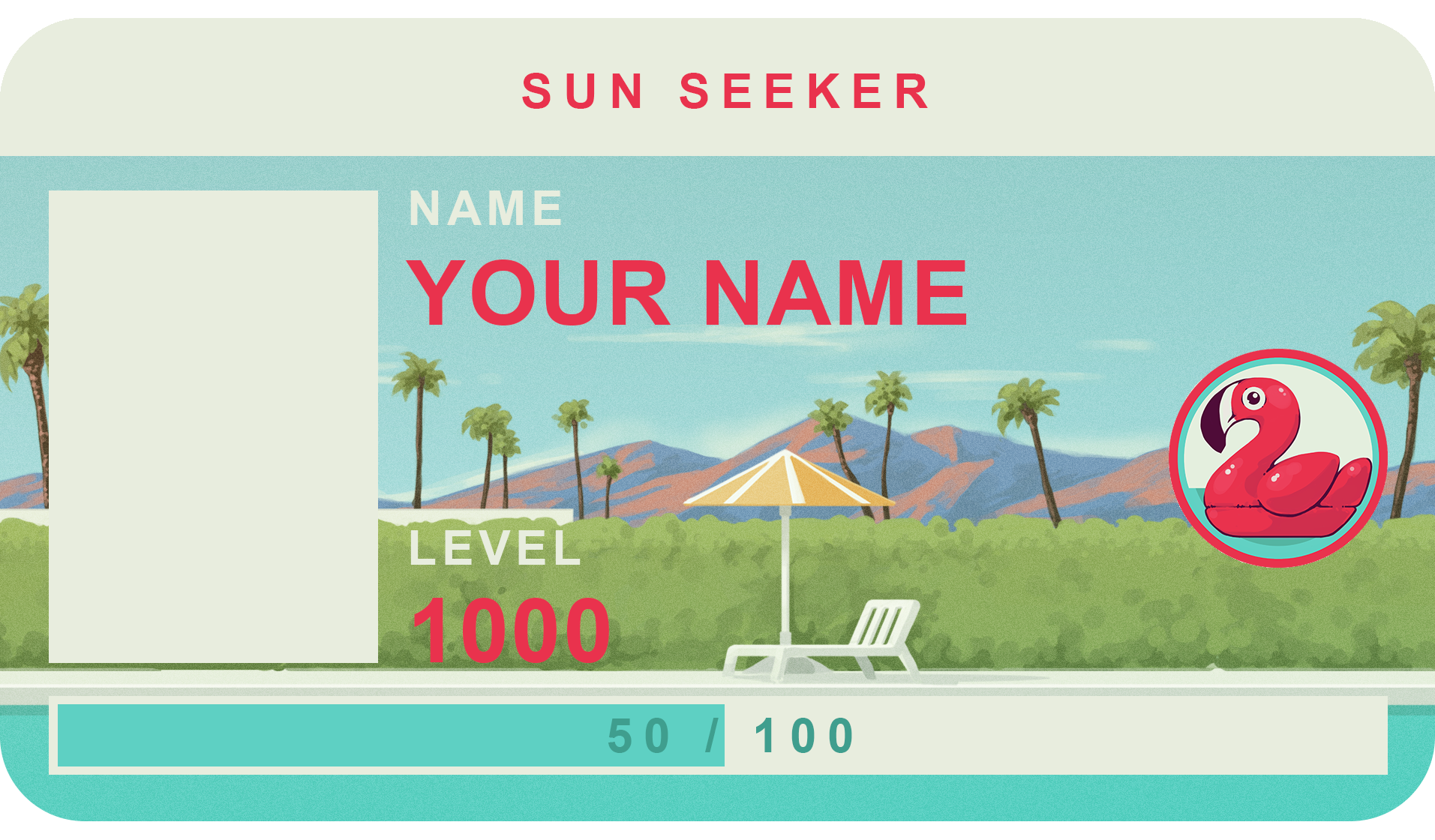
13 Willow Street will launch alongside the Quality of Life update on July 21st, 2026 for all platforms. Stay tuned to our social channels and our official Discord server for exact release timings. As is tradition with a new map, a new ID Card and Badge will be available upon completion of the map’s challenge. By correctly identifying 50 ghosts (and surviving) Ghost Hunters will earn the Sun Seeker set, as seen below.
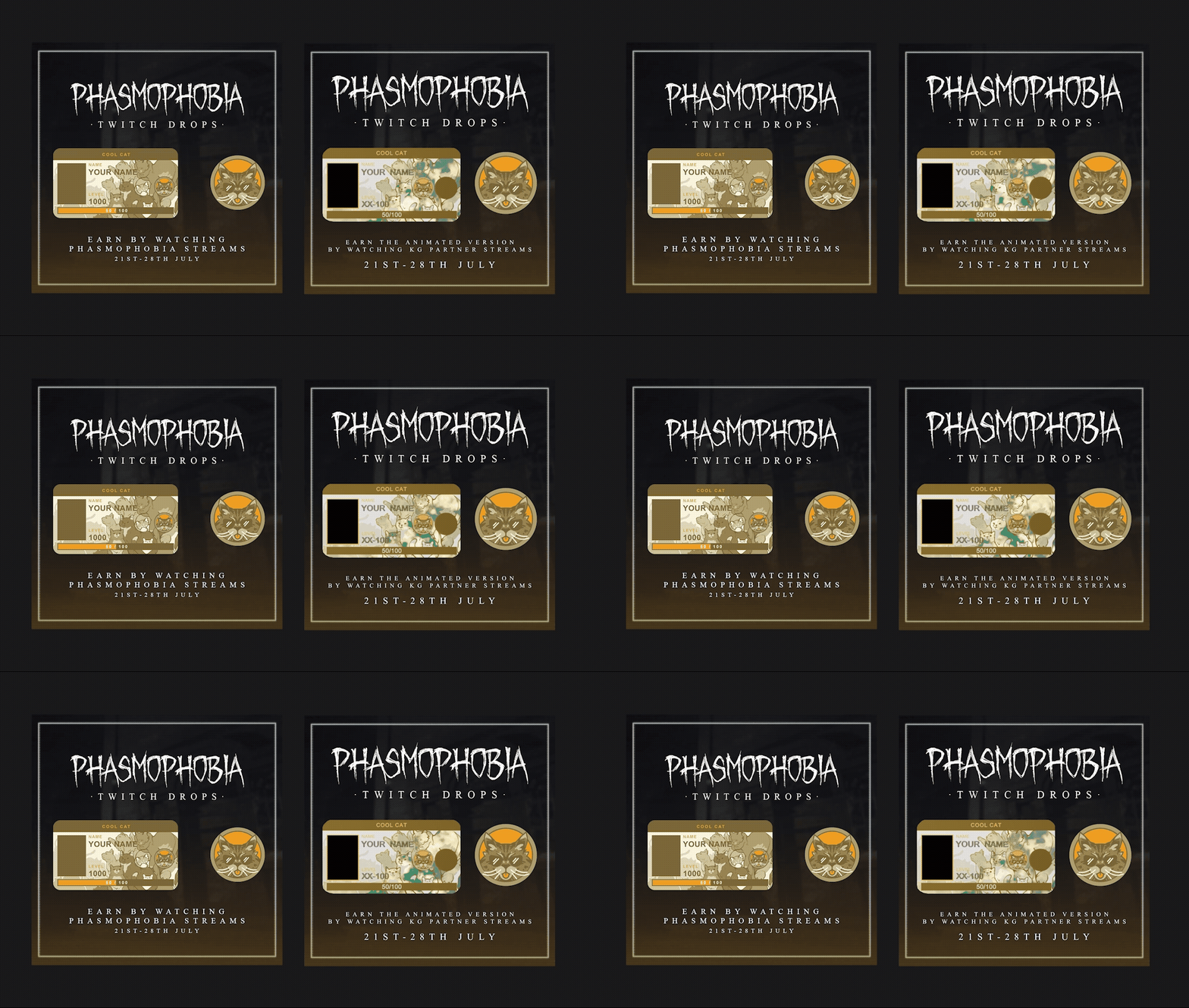
We’ll also be running a new Twitch Drops campaign for the first week after launch. Players will be able to earn the animated and static versions of the Cool Cat ID Card and Badge between 21st July - 28th July by watching a total of 2 hours of Phasmophobia streams.
The animated version will be exclusively available via Kinetic Games Partner channels.
We’re looking forward to getting this update out to you next week and will be keeping an eye on every bit of feedback sent to us on social, in Discord or otherwise.
Following on from our recent preview of the Quality of Life update launching on July 21st, we wanted to share some further details including the newer features - including another look at the reworked 13 Willow Street.
The New
As part of the Quality of Life update, we’re introducing a handful of new gameplay features that aim to improve the overall experience of playing Phasmophobia.
Read the below for some details on these additions.
•
Adding keybinds for Equipment slots. PC players will be able to switch Equipment with the 1, 2, 3 and 4 keys. These keys can be rebound.
•
This addition will only be available for PC players.
•
Adding a keybind to be able to inspect the Watch at any time.
•
This will be defaulted to Left DPAD on a controller and H on keyboard. Players can rebind this via Options > Controls.
•
A separate Photo can now be taken capturing an EMF Level 5 reading.
•
Photo Cameras will now feature the same highlight frame as Video Cameras.
•
On screen indicator only on Tier 2 and 3 Photo Cameras, while Tier 1 will have the light change colour.
•
When capturing Media, if multiple are present, the evidence that provides the biggest reward or is Unique will be prioritised.
•
New Ghost: the ██████████
•
Players will have a higher chance of getting this Ghost in their contracts for the first few weeks following release.
•
Added new walking animations and turning animations to fix several issues:
•
Character legs will no longer use procedural IK and will instead use animations.
•
The character body will no longer animate with the walking animations which caused held items to move while walking.
•
Improvements to the overall VR character:
•
New character animations.
•
Improvements to the belt to improve usability.
•
The character will now turn instantly depending on where you are looking instead of at set angles.
•
The next quality of life update will bring a completely new VR character rig with further improvements:
•
Further improvements to the belt's usability.
•
Improvements to crouching.
•
Improved character animations.
•
Held items will no longer sway when walking.
•
The character's position will accurately represent your real life body position.
13 Willow Street
As with all our reworked maps, 13 Willow Street will retain its overall original layout with a few minor changes. The core of these reworks has always been bringing the visuals up to our standards while letting each location speak for itself. As much as we love the original versions of these maps, giving them their own identities and stories has been something we’ve always wanted to achieve and we’re excited that we’ve been able to.
Following 6 Tanglewood Drive, we know that 13 Willow Street holds a special place in a Ghost Hunter’s heart. We’ve kept that at the forefront while developing the rework, making sure that those first few steps inside feel new but familiar, and entice you to explore during each and every contract.
Check out the screenshots below for a look inside 13 Willow Street.
13 Willow Street will launch alongside the Quality of Life update on July 21st, 2026 for all platforms. Stay tuned to our social channels and our official Discord server for exact release timings. As is tradition with a new map, a new ID Card and Badge will be available upon completion of the map’s challenge. By correctly identifying 50 ghosts (and surviving) Ghost Hunters will earn the Sun Seeker set, as seen below.
We’ll also be running a new Twitch Drops campaign for the first week after launch. Players will be able to earn the animated and static versions of the Cool Cat ID Card and Badge between 21st July - 28th July by watching a total of 2 hours of Phasmophobia streams.
The animated version will be exclusively available via Kinetic Games Partner channels.
We’re looking forward to getting this update out to you next week and will be keeping an eye on every bit of feedback sent to us on social, in Discord or otherwise.
Phasmophobia Quality of Life Update Preview
Welcome back, Ghost Hunters.
Today we’re going to give you more detail on the upcoming Quality of Life update launching alongside the 13 Willow Street rework on July 21st, 2026.
As mentioned in our recent blogpost, the Quality of Life update itself has been split into two due to the sheer number of fixes & improvements we’ll be implementing. This first update is the bigger of the two, but you can expect the second part in late August.
The below list focuses on changes and fixes coming with this month’s update while the next update will contain further improvements.
While there’s a lot in the below list, it’s not everything that’ll be launching for Phasmophobia on July 21st, with the update bringing with it new keybinds, including PC players being able to use 1, 2, 3 and 4 for changing inventory slots, a couple of improvements for evidence collection and of course, the reworked 13 Willow Street. We’ll detail all of these in a blog the week before launch.
Changes
•
The character hand animations for grabbing, dropping, moving doors and hovering over interactable or grabbable objects have been removed to speed up gameplay.
•
The item drop animation will still play for others in the session, but will not be visible by the Player.
•
Cosmetics that are no longer able to be earned will not be visible.
•
The camera zoom in the Customisation shop will now focus on the selected part of the character.
•
On Sunny Meadows, the Ghost will now only lock the doors to a wing if both it and a player are inside that wing.
•
Eye Adaptation will now adjust the lighting quicker when opening and closing the Journal.
•
Console players will now have the ability to enable/disable Eye Adaptation.
•
The Obake’s shapeshift will now count towards the Ghost video objective.
•
You can now capture any Media for the Apocalypse challenge, instead of only a photo.
•
Recording the Ghost Orbs in the Tutorial is now required, instead of only getting it inside the video camera’s screen.
•
Improved the lighting around the player, allowing for better visibility in darker areas.
•
Added an icon to the Player ID Card to show if that player is speaking.
•
Adjusted the visuals on the PSVR2 player list popup
•
Event board map leaflets are now spread over multiple pages
•
Players can now cancel Use animations by pressing the Use button during the animation, allowing for equipment to be quickly toggled without waiting for the animation to finish
•
The Journal has now been moved closer for easier readability.
•
The Journal animation is now significantly faster.
•
Character legs will now use animations, instead of procedurally generated animations when moving
•
Improved the detection of photo evidence.
•
Higher priority unique photos will always take priority.
•
Unique photos will always take priority over duplicates.
•
VR - The character will now rotate instantly to match the head rotation when looking straight ahead. When looking down, the character rotation will only turn when an angle threshold has been met to allow easier use of the belt.
•
VR - The Journal will now be instantly opened upon use.
General Fixes
•
Fixed an issue where players could be seen through the walls of the Truck when viewing the CCTV.
•
Fixed an issue that caused Voice Recognition to not work if switching from ‘Voice’ to ‘System’.
•
Fixed an issue where the cursor would not appear after completing a contract when using a controller.
•
Improved network stability to reduce disconnects.
Player Character Fixes
•
Fixed an issue where binding Crouch to X (PlayStation controllers) or A (Xbox controller) prevented players from using the Journal.
•
Fixed an issue that caused dead player’s eyes to appear incorrect.
•
Fixed an issue that caused the ID Card to be displayed in front of the character model in the Customisation shop.
•
Fixed an issue that caused players to become stuck and unable to continue playing after being revived.
•
Fixed an issue that caused cosmetic settings to be reset if a Player joins or leaves a lobby.
•
Fixed an issue in Nell’s Diner that caused the player to become stuck in the corner of the Freezer Room.
•
Fixed an issue that allowed infinite sprinting while closing the Journal.
•
Fixed an issue that caused issues with the character model’s right arm when holding certain pieces of Equipment.
•
Fixed an issue that caused the cursor to become invisible in the Customisation shop if the left and right mouse buttons were clicked alternatively.
•
Fixed various visual inconsistencies and errors with character models, cosmetics, equipment and more.
•
Fixed an issue that caused the audio from the Customisation shop’s UI to be louder than intended.
•
Fixed an issue that caused a player’s Journal to visually jitter when they swap Equipment.
Equipment Fixes
•
Fixed an issue that caused the Flashlight to turn invisible when picking up another item.
•
Fixed an issue that caused the light from a Flashlight to be visible after death.
•
Fixed an issue that caused Equipment to become invisible.
•
Fixed an issue that caused the Tier 1 and 3 Firelights to be placed unlit if placed during the lighting animation.
•
Fixed an issue that caused Equipment to toggle off if dropped while holding the Use button.
•
Fixed an issue that caused Equipment sounds to become muffled for player’s picking them up after another player dropped them.
•
Fixed an issue that caused the Flashlight to be unusable if picked up during a placement animation.
•
Fixed an issue that prevented players from placing the Flashlight back in the Truck.
•
Fixed an issue that caused the screen to become blurry after enabling Night Vision when using the CCTV unit in the Truck.
•
Fixed an issue that caused the Tier 3 Incense to not animate correctly when activated.
•
Fixed an issue that caused a second Salt to be placed if the Player opened the Journal during the placement animation.
•
Fixed an issue that caused the Sound Recorder visuals and audio to play when not in the player’s hand.
•
Fixed an issue that caused the Spirit Box to become unusable if the player switched to text recognition after picking the Spirit Box up.
•
Fixed an issue that caused the Tier 1 Head Gear to be tilted when in use.
•
Fixed an issue that caused the Flashlight to appear in-hand when equipping 2 handed Cursed Possessions such as the Haunted Mirror.
•
Fixed an issue that could lock the player if they dropped the Photo Camera during it’s placement animation.
•
Fixed an issue that caused certain Equipment to be Used after switching to a different piece of Equipment.
•
Fixed an issue that caused text prompts for the Ouija Board to not work if the player switched from Voice Recognition while using the board.
•
Fixed an issue that prevented a moving Ouija Board to not be recordable by Video Cameras.
•
Fixed an issue that prevented a burning Crucifix to not be recordable by the Sound Recorder.
•
Fixed an issue that caused a second Salt to be placed if the Player opened the Journal during the placement animation.
•
Fixed an issue that caused inconsistencies with Incense used/unused visuals.
•
Fixed an issue that could cause Cursed Possessions to become invisible if dropped during a pick-up animation.
•
Fixed an issue that caused the Haunted Mirror to be blocked by other objects when in Use.
•
Fixed an issue that allowed players to light the Summoning Circle when at 0 Sanity.
•
Fixed an issue that caused the player to be softlocked if using a Crucifix at the start of a Hunt.
•
Fixed an issue that allowed the player to cancel the Ouija Board answer by either dropping or picking up the board if using text recognition.
Ghost Fixes
•
Fixed an issue that caused all Ghost types to be able to mimic the Yurei’s door ability.
•
Fixed an issue that prevented the Ghost from interacting with doors it had already interacted with during a Ghost Event.
•
Fixed an issue that caused the Kormos to be able to hear players during the grace period after a Hunt.
•
Fixed an issue that allowed the Kormos to hear players during a Hunt, despite the player having used Incense.
•
Fixed an issue that caused the Kormos to go to the incorrect floor after detecting a player.
•
Fixed an issue that allowed the Kormos to kill players through walls or from a greater distance than intended.
•
Fixed an issue that allowed the Phantom to perform its ability on Dead players or players outside.
Location Fixes
•
Fixed an issue that caused the setup timer to not count down if playing on Amateur/Intermediate on Brownstone High School.
•
Fixed an issue on Bleasdale Farmhouse where the door to the hiding spot in the Foyer could be opened even if the hiding spot was blocked.
•
Fixed an issue on Brownstone High School where the side gate could be opened without the key from the Truck.
•
Fixed an issue that caused the washing machines in Sunny Meadows to not be able to be turned on.
•
Fixed an issue that caused the player to be unable to open the gates on Camp Woodwind and Maple Lodge Campsite despite the cursor prompt being visible.
•
Fixed several issues in the Tutorial that caused the player to be unable to exit the Truck or interact with any items.
VR Fixes
With this first Quality of Life update, we’re addressing some immediate issues that VR players are encountering. In our August update, we’ll be implementing a brand new character rig for VR allowing for improved gameplay and animations. We’ll share more details on this in a future blog.
•
VR - Fixed an issue that caused visual jitters for the Video Camera when attached to as Tier 2 or 3 Tripod.
•
VR - Fixed an issue that caused Stamina to not recover while crouched.
•
VR - Fixed an issue that caused Equipment to disappear if the player walks in to a waist-high object.
•
VR - Fixed an issue that allowed players to grab Head Gear off of other player’s heads.
•
VR - Fixed an issue that caused player height inconsistencies in Multiplayer.
•
VR - Implemented a left hand pose when holding the Ouija Board.
•
VR - Fixed an issue that prevented the Tier 3 Igniter Use animation from playing correctly.
•
VR - Fixed an issue that caused the character model’s head to become detached from their body when walking sideways.
•
VR - Fixed an issue that caused the Head Gear to drop to the floor when placed back on the Truck rack.
•
VR - Fixed an issue that allowed players to skip parts of the Tutorial by using teleport movement.
•
VR - Fixed an issue that prevented players from recording evidence whilst holding the Journal.
•
VR - Fixed an issue that caused the VR UI ray to be affected by the hand animations.
•
VR - Fixed an issue that caused the interact animation to player when looking at another Player’s items.
Today we’re going to give you more detail on the upcoming Quality of Life update launching alongside the 13 Willow Street rework on July 21st, 2026.
As mentioned in our recent blogpost, the Quality of Life update itself has been split into two due to the sheer number of fixes & improvements we’ll be implementing. This first update is the bigger of the two, but you can expect the second part in late August.
The below list focuses on changes and fixes coming with this month’s update while the next update will contain further improvements.
While there’s a lot in the below list, it’s not everything that’ll be launching for Phasmophobia on July 21st, with the update bringing with it new keybinds, including PC players being able to use 1, 2, 3 and 4 for changing inventory slots, a couple of improvements for evidence collection and of course, the reworked 13 Willow Street. We’ll detail all of these in a blog the week before launch.
Changes
•
The character hand animations for grabbing, dropping, moving doors and hovering over interactable or grabbable objects have been removed to speed up gameplay.
•
The item drop animation will still play for others in the session, but will not be visible by the Player.
•
Cosmetics that are no longer able to be earned will not be visible.
•
The camera zoom in the Customisation shop will now focus on the selected part of the character.
•
On Sunny Meadows, the Ghost will now only lock the doors to a wing if both it and a player are inside that wing.
•
Eye Adaptation will now adjust the lighting quicker when opening and closing the Journal.
•
Console players will now have the ability to enable/disable Eye Adaptation.
•
The Obake’s shapeshift will now count towards the Ghost video objective.
•
You can now capture any Media for the Apocalypse challenge, instead of only a photo.
•
Recording the Ghost Orbs in the Tutorial is now required, instead of only getting it inside the video camera’s screen.
•
Improved the lighting around the player, allowing for better visibility in darker areas.
•
Added an icon to the Player ID Card to show if that player is speaking.
•
Adjusted the visuals on the PSVR2 player list popup
•
Event board map leaflets are now spread over multiple pages
•
Players can now cancel Use animations by pressing the Use button during the animation, allowing for equipment to be quickly toggled without waiting for the animation to finish
•
The Journal has now been moved closer for easier readability.
•
The Journal animation is now significantly faster.
•
Character legs will now use animations, instead of procedurally generated animations when moving
•
Improved the detection of photo evidence.
•
Higher priority unique photos will always take priority.
•
Unique photos will always take priority over duplicates.
•
VR - The character will now rotate instantly to match the head rotation when looking straight ahead. When looking down, the character rotation will only turn when an angle threshold has been met to allow easier use of the belt.
•
VR - The Journal will now be instantly opened upon use.
General Fixes
•
Fixed an issue where players could be seen through the walls of the Truck when viewing the CCTV.
•
Fixed an issue that caused Voice Recognition to not work if switching from ‘Voice’ to ‘System’.
•
Fixed an issue where the cursor would not appear after completing a contract when using a controller.
•
Improved network stability to reduce disconnects.
Player Character Fixes
•
Fixed an issue where binding Crouch to X (PlayStation controllers) or A (Xbox controller) prevented players from using the Journal.
•
Fixed an issue that caused dead player’s eyes to appear incorrect.
•
Fixed an issue that caused the ID Card to be displayed in front of the character model in the Customisation shop.
•
Fixed an issue that caused players to become stuck and unable to continue playing after being revived.
•
Fixed an issue that caused cosmetic settings to be reset if a Player joins or leaves a lobby.
•
Fixed an issue in Nell’s Diner that caused the player to become stuck in the corner of the Freezer Room.
•
Fixed an issue that allowed infinite sprinting while closing the Journal.
•
Fixed an issue that caused issues with the character model’s right arm when holding certain pieces of Equipment.
•
Fixed an issue that caused the cursor to become invisible in the Customisation shop if the left and right mouse buttons were clicked alternatively.
•
Fixed various visual inconsistencies and errors with character models, cosmetics, equipment and more.
•
Fixed an issue that caused the audio from the Customisation shop’s UI to be louder than intended.
•
Fixed an issue that caused a player’s Journal to visually jitter when they swap Equipment.
Equipment Fixes
•
Fixed an issue that caused the Flashlight to turn invisible when picking up another item.
•
Fixed an issue that caused the light from a Flashlight to be visible after death.
•
Fixed an issue that caused Equipment to become invisible.
•
Fixed an issue that caused the Tier 1 and 3 Firelights to be placed unlit if placed during the lighting animation.
•
Fixed an issue that caused Equipment to toggle off if dropped while holding the Use button.
•
Fixed an issue that caused Equipment sounds to become muffled for player’s picking them up after another player dropped them.
•
Fixed an issue that caused the Flashlight to be unusable if picked up during a placement animation.
•
Fixed an issue that prevented players from placing the Flashlight back in the Truck.
•
Fixed an issue that caused the screen to become blurry after enabling Night Vision when using the CCTV unit in the Truck.
•
Fixed an issue that caused the Tier 3 Incense to not animate correctly when activated.
•
Fixed an issue that caused a second Salt to be placed if the Player opened the Journal during the placement animation.
•
Fixed an issue that caused the Sound Recorder visuals and audio to play when not in the player’s hand.
•
Fixed an issue that caused the Spirit Box to become unusable if the player switched to text recognition after picking the Spirit Box up.
•
Fixed an issue that caused the Tier 1 Head Gear to be tilted when in use.
•
Fixed an issue that caused the Flashlight to appear in-hand when equipping 2 handed Cursed Possessions such as the Haunted Mirror.
•
Fixed an issue that could lock the player if they dropped the Photo Camera during it’s placement animation.
•
Fixed an issue that caused certain Equipment to be Used after switching to a different piece of Equipment.
•
Fixed an issue that caused text prompts for the Ouija Board to not work if the player switched from Voice Recognition while using the board.
•
Fixed an issue that prevented a moving Ouija Board to not be recordable by Video Cameras.
•
Fixed an issue that prevented a burning Crucifix to not be recordable by the Sound Recorder.
•
Fixed an issue that caused a second Salt to be placed if the Player opened the Journal during the placement animation.
•
Fixed an issue that caused inconsistencies with Incense used/unused visuals.
•
Fixed an issue that could cause Cursed Possessions to become invisible if dropped during a pick-up animation.
•
Fixed an issue that caused the Haunted Mirror to be blocked by other objects when in Use.
•
Fixed an issue that allowed players to light the Summoning Circle when at 0 Sanity.
•
Fixed an issue that caused the player to be softlocked if using a Crucifix at the start of a Hunt.
•
Fixed an issue that allowed the player to cancel the Ouija Board answer by either dropping or picking up the board if using text recognition.
Ghost Fixes
•
Fixed an issue that caused all Ghost types to be able to mimic the Yurei’s door ability.
•
Fixed an issue that prevented the Ghost from interacting with doors it had already interacted with during a Ghost Event.
•
Fixed an issue that caused the Kormos to be able to hear players during the grace period after a Hunt.
•
Fixed an issue that allowed the Kormos to hear players during a Hunt, despite the player having used Incense.
•
Fixed an issue that caused the Kormos to go to the incorrect floor after detecting a player.
•
Fixed an issue that allowed the Kormos to kill players through walls or from a greater distance than intended.
•
Fixed an issue that allowed the Phantom to perform its ability on Dead players or players outside.
Location Fixes
•
Fixed an issue that caused the setup timer to not count down if playing on Amateur/Intermediate on Brownstone High School.
•
Fixed an issue on Bleasdale Farmhouse where the door to the hiding spot in the Foyer could be opened even if the hiding spot was blocked.
•
Fixed an issue on Brownstone High School where the side gate could be opened without the key from the Truck.
•
Fixed an issue that caused the washing machines in Sunny Meadows to not be able to be turned on.
•
Fixed an issue that caused the player to be unable to open the gates on Camp Woodwind and Maple Lodge Campsite despite the cursor prompt being visible.
•
Fixed several issues in the Tutorial that caused the player to be unable to exit the Truck or interact with any items.
VR Fixes
With this first Quality of Life update, we’re addressing some immediate issues that VR players are encountering. In our August update, we’ll be implementing a brand new character rig for VR allowing for improved gameplay and animations. We’ll share more details on this in a future blog.
•
VR - Fixed an issue that caused visual jitters for the Video Camera when attached to as Tier 2 or 3 Tripod.
•
VR - Fixed an issue that caused Stamina to not recover while crouched.
•
VR - Fixed an issue that caused Equipment to disappear if the player walks in to a waist-high object.
•
VR - Fixed an issue that allowed players to grab Head Gear off of other player’s heads.
•
VR - Fixed an issue that caused player height inconsistencies in Multiplayer.
•
VR - Implemented a left hand pose when holding the Ouija Board.
•
VR - Fixed an issue that prevented the Tier 3 Igniter Use animation from playing correctly.
•
VR - Fixed an issue that caused the character model’s head to become detached from their body when walking sideways.
•
VR - Fixed an issue that caused the Head Gear to drop to the floor when placed back on the Truck rack.
•
VR - Fixed an issue that allowed players to skip parts of the Tutorial by using teleport movement.
•
VR - Fixed an issue that prevented players from recording evidence whilst holding the Journal.
•
VR - Fixed an issue that caused the VR UI ray to be affected by the hand animations.
•
VR - Fixed an issue that caused the interact animation to player when looking at another Player’s items.
Phasmophobia 2026 and Beyond
Welcome back, Ghost Hunters.
Over the last month and a half, we’ve been reading the discussions about Phasmophobia across so many different channels and taking note of the biggest issues, points of concern, questions and more. We are sorry it’s taken a while to respond, but we wanted to make sure that when we did, we had something of substance for you. Hopefully today, with our updated Roadmap and information on what’s to come to Phasmophobia, we can start to build back your trust and have meaningful conversations around the game we all care so deeply about.
We’ll go in to more detail on everything in this blog, but for those of you that would rather just have the headlines, here we go:
•
The rework of 13 Willow Street will launch July 21st, 2026 alongside a Quality of Life update.
•
A further Quality of Life update will launch in August 2026.
•
Our upgrade to Unity 6 will take place in October 2026.
•
An additional Player Character update will launch in November, bringing with it improved animations, character models, UI, more clothing and customisation options.
•
Phasmophobia 1.0, as well as our next new map, will now launch in 2027.
A New Roadmap
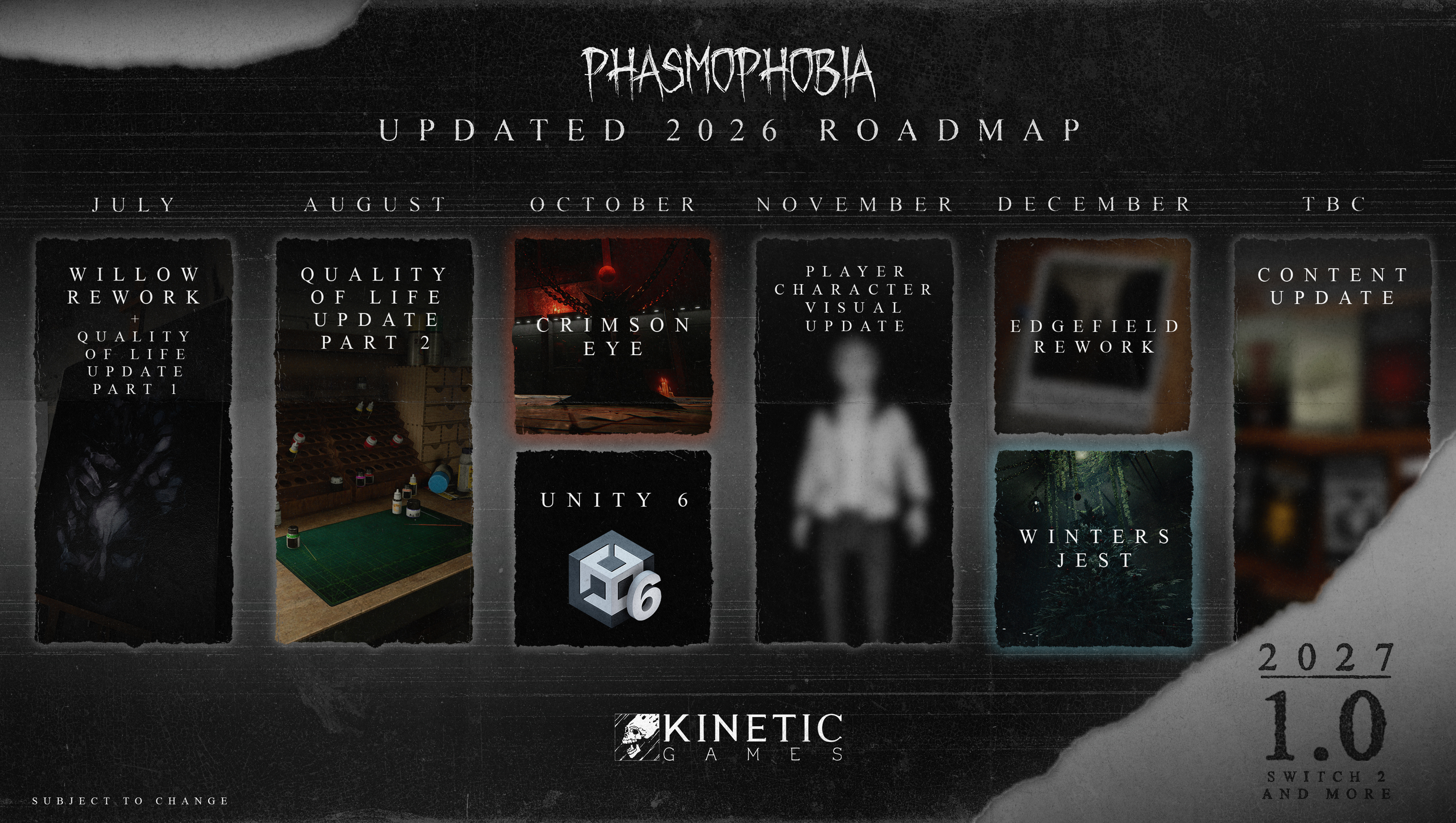
Over the last month, we’ve taken a look at our plans for 2026 and made important decisions and changes to make sure we get things right. Phasmophobia’s new Roadmap, which can be seen below, focuses on bringing the game back in-line with our vision and one that we hope reignites your passion for it.
With a focus on quality of life over new content, our various updates will bring with them hundreds of fixes - starting with our first update in July - as well as bringing the game up- to-date with Unity 6. Our second Player Character update will improve and redo areas such as the animations, character models, UI and introduce a host of new customisation options.
Alongside these various updates, you can expect to see more regular Development Previews that’ll take you deeper into what they’ll contain and the improvements they’ll bring to Phasmophobia.
You may notice that a few things have been removed from the Roadmap for 2026, such as Phasmophobia 1.0 and our new map. While we’ll talk more about the 1.0 delay further down in this blog, we want to reassure you that a new map will be coming to Phasmophobia, just a little later than planned.
For now, let’s go into a little detail on the first update - bringing with it the reworked 13 Willow Street.
Willow Update
Our 13 Willow Street Rework update will launch on 21st July, 2026, bringing with it the reworked map and the first of our Quality of Life updates.
Before we get into the second part, let’s take a look at the new 13 Willow Street.
As with our rework on 6 Tanglewood Drive, this new version of 13 Willow Street retains an almost identical layout to the location currently in-game but features redesigned rooms, new theming and plenty of new interactions and objects to discover. 13 Willow Street will continue our approach to storytelling in Phasmophobia too, with a story waiting to be pieced together. We can’t wait to hear your theories and thoughts.
Quality of Life Updates
Our Quality of Life updates this year will focus on bug fixes, gameplay improvements and the overall stability and playability of the game. Due to the hundreds of bug fixes, changes and new features currently planned for release, we will be releasing two separate Quality of Life updates - the first with the Willow launch and the second in August 2026.
These updates have been built off the back of the feedback we’ve received since the launch of the Player Character Update, as well as changes we’ve wanted to implement for a long time. We’ll provide full patch notes and details at release of the updates, but here’s a few details on some of the improvements:
•
New keybinds for pressing 1,2,3 and 4 for the individual inventory slots for keyboard and mouse only.
•
FOV adjustments for held items to increase item visibility.
•
Eye Adaptation option for console players.
•
Moving the Truck closer to map entrances on Prison and Brownstone High School.
•
Restricted map variants for Point Hope, Brownstone High School and Prison.
•
VR improvements; equipment usability changes, belt improvements, character movement and more.
•
The legacy badge screen will be available in the customisation shop to allow you to customise it whenever you want to.
•
The collected bone will show in the Journal.
•
The ghost type can be selected as a custom difficulty option.
•
The zoom feature in the Customisation Shop will now zoom in on the selected area.
•
Ability to raise the Watch while carrying equipment.
•
Improvements to character animations; leg movements, appearance changes when dead.
•
Equipment switching animation speed increases including making opening and closing the journal almost instant.
•
Improvements to photo detection as well as showing an indicator for what you are taking a photo of, similar to video cameras.
•
Equipment can be instantly used, allowing the animation to be skipped.
These two Quality of Life updates will address most of the issues players are encountering, and aim for them to drastically improve the state of Phasmophobia. Other planned updates, such as our move to Unity 6 later in the year, will further improve the stability and performance of the game.
Phasmophobia 1.0 Launches 2027
Earlier this year, we committed to launching Phasmophobia 1.0 at the end of 2026. Now, following a review of our plans and internal processes, we’re making the decision to move the release of 1.0 to the second half of 2027. The game will be coming to the Nintendo Switch 2 at the same time too.
We know this will come as a disappointment to many, but this is the right decision to ensure we deliver the 1.0 version of Phasmophobia that is true to our vision, high quality standards and provides the experience for players that we’ve always wanted to achieve.
We’re not going to stay quiet though. Beginning in 2027 we’ll be bringing you with us during development through regular streams and other means; showcasing our work, sharing some of the secrets of Phasmophobia 1.0 and much more. While we won’t spoil all of the surprises, we want to be as visible as possible for you, hopefully rebuilding the trust that we’ve understandably lost this year.
That said, let’s not wait until the new year to share something.
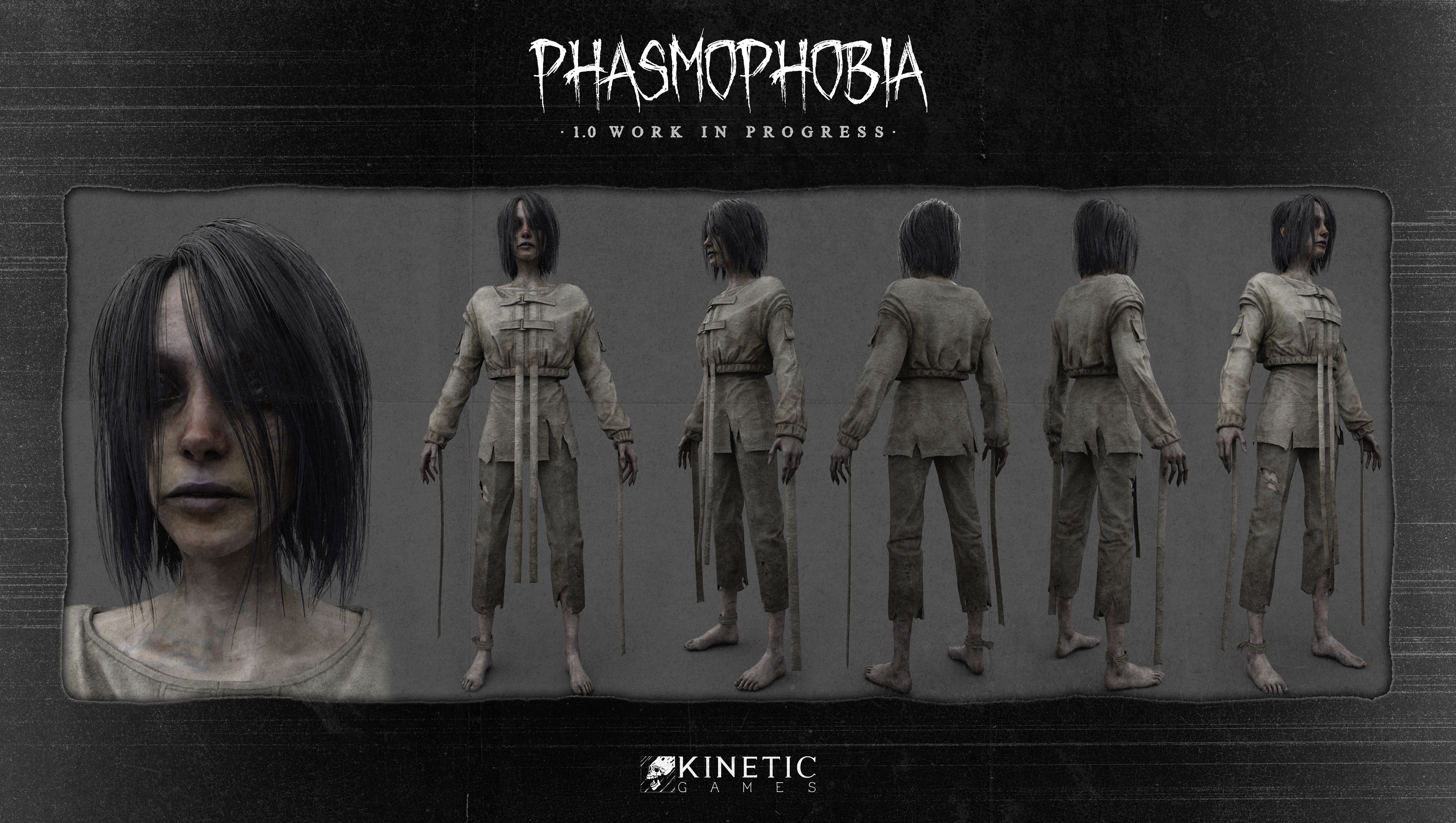
Below is our first look at the improved model for Patient 07, a fan-favourite who - along with all of our ghost models - is getting a much needed glow up in 1.0.
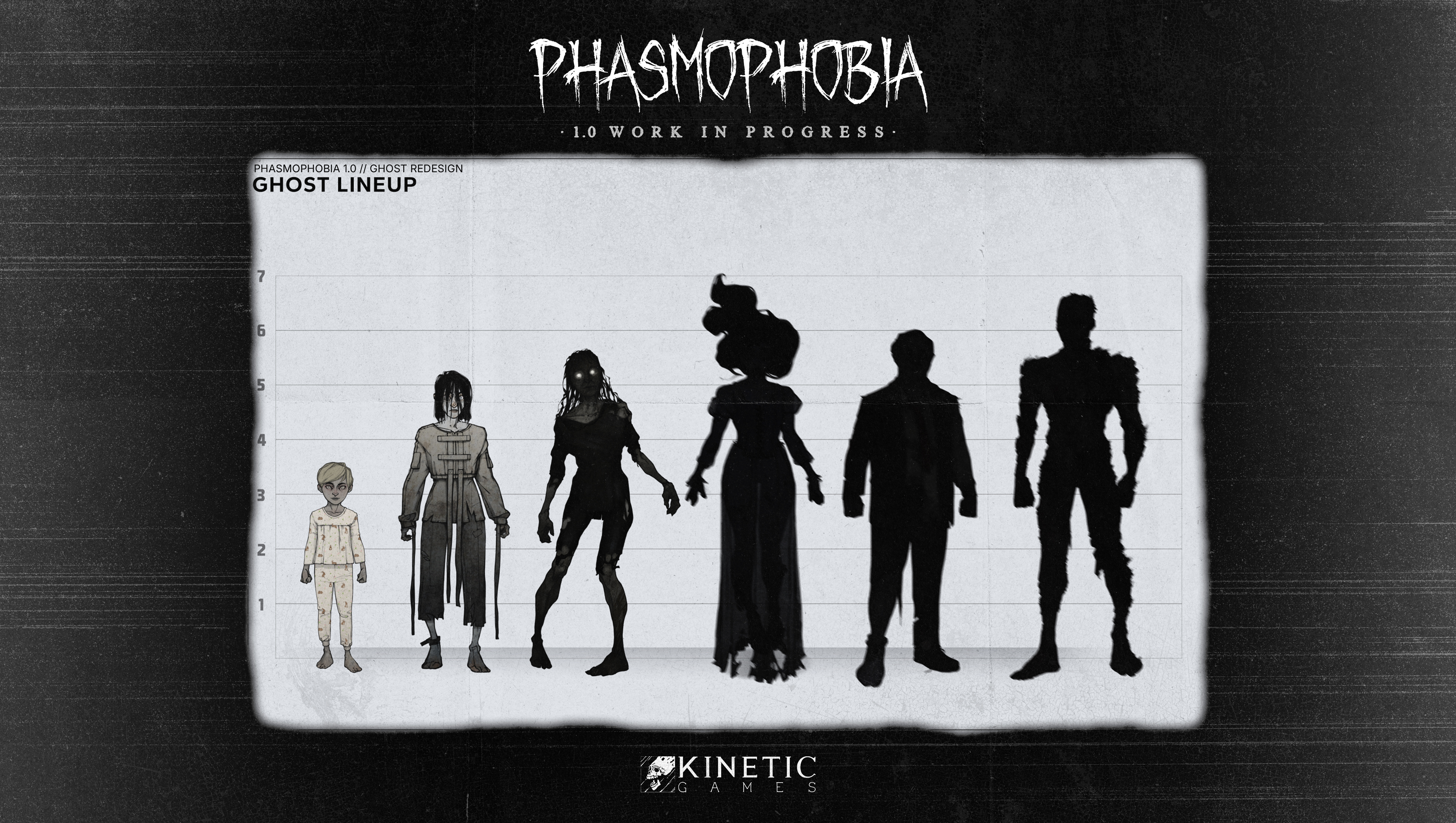
All of our ghost models will be given a new lease of life(?) with this visual upgrade, but will also be providing their own unique experiences for players. What that entails exactly is something we’ll go into more detail with down the line, but we look forward to sharing that with you when we’re ready to.
Another aspect of 1.0 we want to reveal today is the introduction of Conduits. Replacing the Bone as a collectable during each contract, these are unique items paired with a particular ghost model.
A Conduit is an item that ties a ghost to our world, preventing them from moving on. These items will provide new lore to the ghost and the overall world of Phasmophobia.
Perhaps you can piece together some tidbits already?
Rest of the Year
We’ve focused on some of this year’s major updates for Phasmophobia, but as you can see, the Roadmap features more than just these. Following on from our two Quality of Life updates, we’ll be making the jump up to Unity 6 in October.
This Unity 6 update will provide some crucial stability updates as well as a brand new lighting system for Phasmophobia. We’ll also be implementing further accessibility options such as preferences for colour blind players as well as further quality of life improvements and bug fixes. We’ll dive deeper into these changes in a Development Preview later this year, so please do keep an eye out for that.
Our second Player Character update will arrive in November, bringing with it brand new customisation options and cosmetics, an improved Shop UI as well as new animations and graphical improvements for our character models in-game, giving each character much more life and personality than is currently available.
Elsewhere, we’ll see the return of Crimson Eye and Winter’s Jest (sans leaderboards) as well as our third map rework of the year, 42 Edgefield Road. Finally, we’re also planning one extra content update for the game later in 2026 that’ll bring with it changes to our Weekly Challenges ,new Voice Recognition features and more. We will share details on all of our updates when the time is right.
Moving Phasmophobia 1.0 to 2027 allows us the time and resources to get it to the high standard that you all deserve and to rebuild the relationship between Kinetic Games and you, our community. While the news of delays is never a good thing, we do hope that the information we’ve shared with you today helps you understand our decision.
We’re sorry for how Phasmophobia was left following our last update, and we understand your frustration. The Player Character Update did not meet the standards we set for ourselves or the expectations you have for the game. Our next update is the first step in a new direction, and we look forward to sharing it with you on July 21st.
Thank you, Ghost Hunters, for your time reading this blog, your passion and support for Phasmophobia and so much more.
Over the last month and a half, we’ve been reading the discussions about Phasmophobia across so many different channels and taking note of the biggest issues, points of concern, questions and more. We are sorry it’s taken a while to respond, but we wanted to make sure that when we did, we had something of substance for you. Hopefully today, with our updated Roadmap and information on what’s to come to Phasmophobia, we can start to build back your trust and have meaningful conversations around the game we all care so deeply about.
We’ll go in to more detail on everything in this blog, but for those of you that would rather just have the headlines, here we go:
•
The rework of 13 Willow Street will launch July 21st, 2026 alongside a Quality of Life update.
•
A further Quality of Life update will launch in August 2026.
•
Our upgrade to Unity 6 will take place in October 2026.
•
An additional Player Character update will launch in November, bringing with it improved animations, character models, UI, more clothing and customisation options.
•
Phasmophobia 1.0, as well as our next new map, will now launch in 2027.
A New Roadmap
Over the last month, we’ve taken a look at our plans for 2026 and made important decisions and changes to make sure we get things right. Phasmophobia’s new Roadmap, which can be seen below, focuses on bringing the game back in-line with our vision and one that we hope reignites your passion for it.
With a focus on quality of life over new content, our various updates will bring with them hundreds of fixes - starting with our first update in July - as well as bringing the game up- to-date with Unity 6. Our second Player Character update will improve and redo areas such as the animations, character models, UI and introduce a host of new customisation options.
Alongside these various updates, you can expect to see more regular Development Previews that’ll take you deeper into what they’ll contain and the improvements they’ll bring to Phasmophobia.
You may notice that a few things have been removed from the Roadmap for 2026, such as Phasmophobia 1.0 and our new map. While we’ll talk more about the 1.0 delay further down in this blog, we want to reassure you that a new map will be coming to Phasmophobia, just a little later than planned.
For now, let’s go into a little detail on the first update - bringing with it the reworked 13 Willow Street.
Willow Update
Our 13 Willow Street Rework update will launch on 21st July, 2026, bringing with it the reworked map and the first of our Quality of Life updates.
Before we get into the second part, let’s take a look at the new 13 Willow Street.
As with our rework on 6 Tanglewood Drive, this new version of 13 Willow Street retains an almost identical layout to the location currently in-game but features redesigned rooms, new theming and plenty of new interactions and objects to discover. 13 Willow Street will continue our approach to storytelling in Phasmophobia too, with a story waiting to be pieced together. We can’t wait to hear your theories and thoughts.
Quality of Life Updates
Our Quality of Life updates this year will focus on bug fixes, gameplay improvements and the overall stability and playability of the game. Due to the hundreds of bug fixes, changes and new features currently planned for release, we will be releasing two separate Quality of Life updates - the first with the Willow launch and the second in August 2026.
These updates have been built off the back of the feedback we’ve received since the launch of the Player Character Update, as well as changes we’ve wanted to implement for a long time. We’ll provide full patch notes and details at release of the updates, but here’s a few details on some of the improvements:
•
New keybinds for pressing 1,2,3 and 4 for the individual inventory slots for keyboard and mouse only.
•
FOV adjustments for held items to increase item visibility.
•
Eye Adaptation option for console players.
•
Moving the Truck closer to map entrances on Prison and Brownstone High School.
•
Restricted map variants for Point Hope, Brownstone High School and Prison.
•
VR improvements; equipment usability changes, belt improvements, character movement and more.
•
The legacy badge screen will be available in the customisation shop to allow you to customise it whenever you want to.
•
The collected bone will show in the Journal.
•
The ghost type can be selected as a custom difficulty option.
•
The zoom feature in the Customisation Shop will now zoom in on the selected area.
•
Ability to raise the Watch while carrying equipment.
•
Improvements to character animations; leg movements, appearance changes when dead.
•
Equipment switching animation speed increases including making opening and closing the journal almost instant.
•
Improvements to photo detection as well as showing an indicator for what you are taking a photo of, similar to video cameras.
•
Equipment can be instantly used, allowing the animation to be skipped.
These two Quality of Life updates will address most of the issues players are encountering, and aim for them to drastically improve the state of Phasmophobia. Other planned updates, such as our move to Unity 6 later in the year, will further improve the stability and performance of the game.
Phasmophobia 1.0 Launches 2027
Earlier this year, we committed to launching Phasmophobia 1.0 at the end of 2026. Now, following a review of our plans and internal processes, we’re making the decision to move the release of 1.0 to the second half of 2027. The game will be coming to the Nintendo Switch 2 at the same time too.
We know this will come as a disappointment to many, but this is the right decision to ensure we deliver the 1.0 version of Phasmophobia that is true to our vision, high quality standards and provides the experience for players that we’ve always wanted to achieve.
We’re not going to stay quiet though. Beginning in 2027 we’ll be bringing you with us during development through regular streams and other means; showcasing our work, sharing some of the secrets of Phasmophobia 1.0 and much more. While we won’t spoil all of the surprises, we want to be as visible as possible for you, hopefully rebuilding the trust that we’ve understandably lost this year.
That said, let’s not wait until the new year to share something.
Below is our first look at the improved model for Patient 07, a fan-favourite who - along with all of our ghost models - is getting a much needed glow up in 1.0.
All of our ghost models will be given a new lease of life(?) with this visual upgrade, but will also be providing their own unique experiences for players. What that entails exactly is something we’ll go into more detail with down the line, but we look forward to sharing that with you when we’re ready to.
Another aspect of 1.0 we want to reveal today is the introduction of Conduits. Replacing the Bone as a collectable during each contract, these are unique items paired with a particular ghost model.
A Conduit is an item that ties a ghost to our world, preventing them from moving on. These items will provide new lore to the ghost and the overall world of Phasmophobia.
Perhaps you can piece together some tidbits already?
Rest of the Year
We’ve focused on some of this year’s major updates for Phasmophobia, but as you can see, the Roadmap features more than just these. Following on from our two Quality of Life updates, we’ll be making the jump up to Unity 6 in October.
This Unity 6 update will provide some crucial stability updates as well as a brand new lighting system for Phasmophobia. We’ll also be implementing further accessibility options such as preferences for colour blind players as well as further quality of life improvements and bug fixes. We’ll dive deeper into these changes in a Development Preview later this year, so please do keep an eye out for that.
Our second Player Character update will arrive in November, bringing with it brand new customisation options and cosmetics, an improved Shop UI as well as new animations and graphical improvements for our character models in-game, giving each character much more life and personality than is currently available.
Elsewhere, we’ll see the return of Crimson Eye and Winter’s Jest (sans leaderboards) as well as our third map rework of the year, 42 Edgefield Road. Finally, we’re also planning one extra content update for the game later in 2026 that’ll bring with it changes to our Weekly Challenges ,new Voice Recognition features and more. We will share details on all of our updates when the time is right.
Moving Phasmophobia 1.0 to 2027 allows us the time and resources to get it to the high standard that you all deserve and to rebuild the relationship between Kinetic Games and you, our community. While the news of delays is never a good thing, we do hope that the information we’ve shared with you today helps you understand our decision.
We’re sorry for how Phasmophobia was left following our last update, and we understand your frustration. The Player Character Update did not meet the standards we set for ourselves or the expectations you have for the game. Our next update is the first step in a new direction, and we look forward to sharing it with you on July 21st.
Thank you, Ghost Hunters, for your time reading this blog, your passion and support for Phasmophobia and so much more.
Phasmophobia - Hotfix v0.17.1.5
Welcome back, Ghost Hunters.
Today we have released a hotfix for Phasmophobia, addressing two issues raised by the community this week. The update is now available across all platforms.
Patch notes:
•
Fixed an issue that caused players to become softlocked when using the Spirit Box while using a controller.
•
Fixed an issue for Steam players that caused Voice Recognition to not work.
•
If you are encountering issues with Voice Recognition on the "Voice" setting on PC, please ensure that the default microphone assigned on your PC is the microphone specified in your windows settings.
Today we have released a hotfix for Phasmophobia, addressing two issues raised by the community this week. The update is now available across all platforms.
Patch notes:
•
Fixed an issue that caused players to become softlocked when using the Spirit Box while using a controller.
•
Fixed an issue for Steam players that caused Voice Recognition to not work.
•
If you are encountering issues with Voice Recognition on the "Voice" setting on PC, please ensure that the default microphone assigned on your PC is the microphone specified in your windows settings.
Phasmophobia v0.17.1.4 - Patch Notes
Welcome back, Ghost Hunters.
Today we have released our latest update for Phasmophobia, addressing several known issues in the game.
We are aware of the current ongoing issues in-game and are currently implementing fixes and improvements in future updates for Phasmophobia. We’ll be sharing our plans for the rest of 2026 later this month with you all, including a timeline for fixes and updates related to both the Player Character Update and game in general. In the meantime, please continue to provide feedback and bug reports so that our team can investigate as much as possible. You can submit any and all issues via our Support Centre.
New
•
The VR belt has been reimplemented following player feedback. Players will now also be able to switch between having their Journal and Walkie Talkie on the belt or their shoulder.
•
The VR belt will only be visible locally, players who are looking at a VR player will see the equipment on their body instead.
Changes
•
The line of sight ghost speed accelerations implemented in the Player Character Update have been reverted to their original state.
Fixes
•
Fixed an issue that caused players to become softlocked when using the Spirit Box before interacting with the Truck’s CCTV.
•
Fixed an issue that allowed the Kormos to kill players through floors.
•
Fixed an issue that allowed the Kormos to kill players outside.
•
Fixed an issue that caused the Tier 3 Firelight to not work correctly if placed while lit.
•
Fixed an issue where player jackets would appear incorrectly when loading into a Multiplayer lobby.
•
Fixed an issue where pressing ‘Join’ in Multiplayer without having a code entered would cause issues creating lobbies, and remove audio from the game.
•
Fixed an issue where VR players were unable to use Text Input for the Spirit Box, Monkey Paw and Ouija Board.
Known Issues
•
Players across all platforms are experiencing issues with voice recognition/voice chat. A fix is being investigated.
Please note: Following this update, players on Windows 7/8 or other out-of-date Windows installs may need to run Windows Update (and restart) for voice chat to connect. This is due to a recent security certificate update on our voice servers. More info can be found here.
As you continue your investigations in Phasmophobia, if you encounter bugs, issues or simply have feedback for our team, please use our Support Centre to submit your reports.
Today we have released our latest update for Phasmophobia, addressing several known issues in the game.
We are aware of the current ongoing issues in-game and are currently implementing fixes and improvements in future updates for Phasmophobia. We’ll be sharing our plans for the rest of 2026 later this month with you all, including a timeline for fixes and updates related to both the Player Character Update and game in general. In the meantime, please continue to provide feedback and bug reports so that our team can investigate as much as possible. You can submit any and all issues via our Support Centre.
New
•
The VR belt has been reimplemented following player feedback. Players will now also be able to switch between having their Journal and Walkie Talkie on the belt or their shoulder.
•
The VR belt will only be visible locally, players who are looking at a VR player will see the equipment on their body instead.
Changes
•
The line of sight ghost speed accelerations implemented in the Player Character Update have been reverted to their original state.
Fixes
•
Fixed an issue that caused players to become softlocked when using the Spirit Box before interacting with the Truck’s CCTV.
•
Fixed an issue that allowed the Kormos to kill players through floors.
•
Fixed an issue that allowed the Kormos to kill players outside.
•
Fixed an issue that caused the Tier 3 Firelight to not work correctly if placed while lit.
•
Fixed an issue where player jackets would appear incorrectly when loading into a Multiplayer lobby.
•
Fixed an issue where pressing ‘Join’ in Multiplayer without having a code entered would cause issues creating lobbies, and remove audio from the game.
•
Fixed an issue where VR players were unable to use Text Input for the Spirit Box, Monkey Paw and Ouija Board.
Known Issues
•
Players across all platforms are experiencing issues with voice recognition/voice chat. A fix is being investigated.
Please note: Following this update, players on Windows 7/8 or other out-of-date Windows installs may need to run Windows Update (and restart) for voice chat to connect. This is due to a recent security certificate update on our voice servers. More info can be found here.
As you continue your investigations in Phasmophobia, if you encounter bugs, issues or simply have feedback for our team, please use our Support Centre to submit your reports.
Phasmophobia - Double XP & Rewards
Ghost Hunters,
Between May 22nd, 2026 and May 25th, 2026 you will receive double XP and rewards for any contracts you complete in Phasmophobia.
We hope you enjoy.
Between May 22nd, 2026 and May 25th, 2026 you will receive double XP and rewards for any contracts you complete in Phasmophobia.
We hope you enjoy.
Phasmophobia - Hotfix v0.17.1.3
Welcome back, Ghost Hunters.
Today we have released an additional hotfix for Phasmophobia that is available now for all platforms.
Fixes
•
Fixed an issue that was causing a crash for players loading in to event maps.
Today we have released an additional hotfix for Phasmophobia that is available now for all platforms.
Fixes
•
Fixed an issue that was causing a crash for players loading in to event maps.
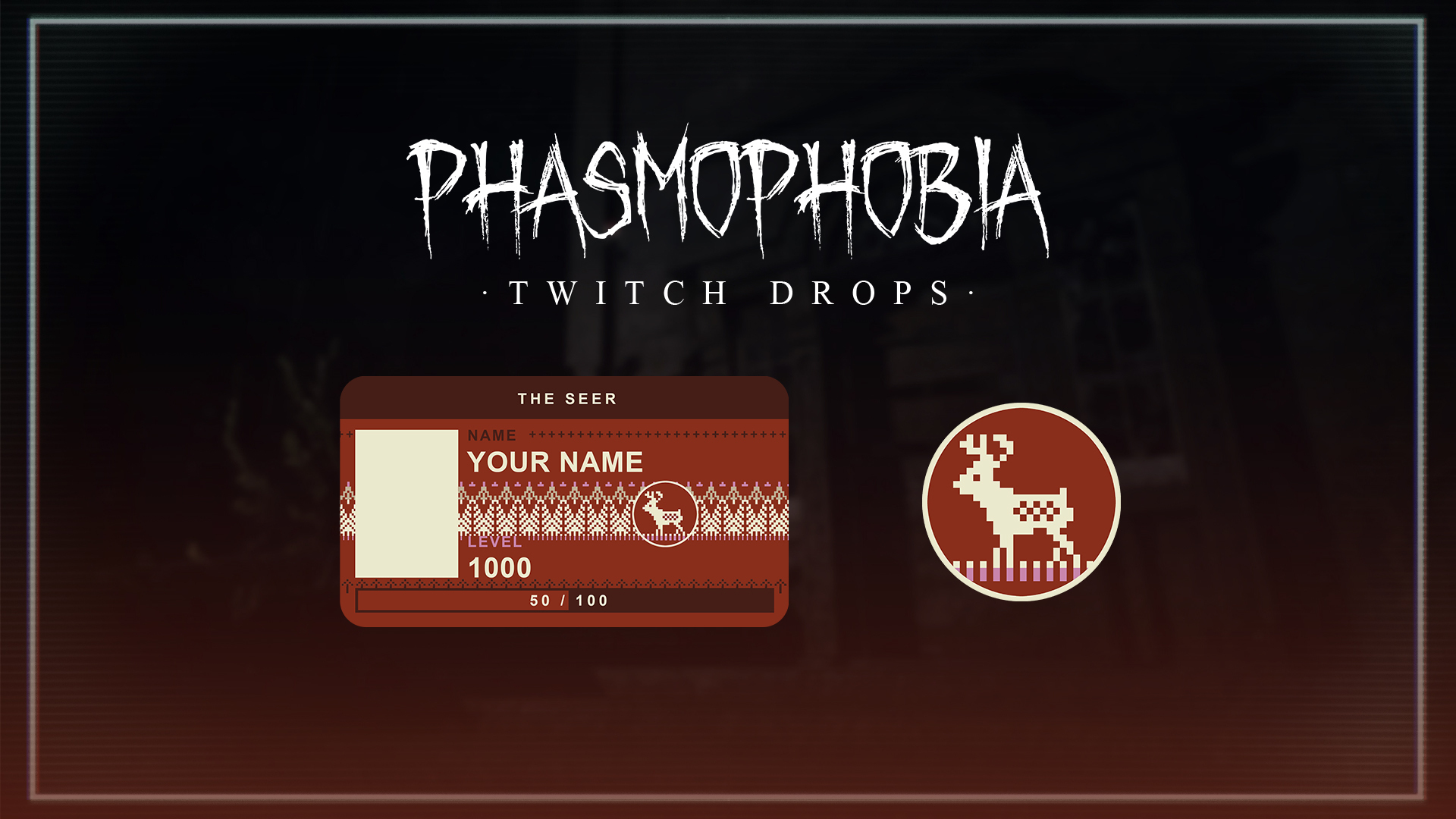
Phasmophobia by Alan Wake - Twitch Drop
Be a part of the story with The Seer ID Card & Badge.
Our Phasmophobia by Alan Wake Twitch Drop will be available from 12PM BST May 19th - 12PM BST May 26th.
Earn the Animated variant via Kinetic Games Partner streams, and the Standard via any Phasmophobia streams during the campaign. The total watch time to earn the Drops is 2 hours.
Our Phasmophobia by Alan Wake Twitch Drop will be available from 12PM BST May 19th - 12PM BST May 26th.
Earn the Animated variant via Kinetic Games Partner streams, and the Standard via any Phasmophobia streams during the campaign. The total watch time to earn the Drops is 2 hours.
Phasmophobia - Hotfix v0.17.1.2
Welcome back, Ghost Hunters.
Today we have released an additional hotfix for Phasmophobia that is available now for all platforms.
Patch notes:
Fixes
•
Fixed an issue that was causing a crash across all platforms.
Today we have released an additional hotfix for Phasmophobia that is available now for all platforms.
Patch notes:
Fixes
•
Fixed an issue that was causing a crash across all platforms.
Phasmophobia - Hotfix v0.17.1.1
Welcome back, Ghost Hunters.
Today we have released a small hotfix for Phasmophobia, addressing feedback from the community following our latest update.
Patch notes can be found below.
Fixes
•
Fixed an issue that caused held equipment/items to visually stutter when moving.
•
Fixed several issues that lead to game crashes.
•
Fixed an issue that caused the Kormos to detect dead players and attempt to kill them.
•
Fixed an issue where the Kormos could detect sound from dead players.
•
Fixed an issue where the Coffee World tent names were incorrect.
•
Other fixes and improvements.
Known Issues
•
Players can become locked when interacting with the Truck's CCTV screen while using a Spirit Box.
Today we have released a small hotfix for Phasmophobia, addressing feedback from the community following our latest update.
Patch notes can be found below.
Fixes
•
Fixed an issue that caused held equipment/items to visually stutter when moving.
•
Fixed several issues that lead to game crashes.
•
Fixed an issue that caused the Kormos to detect dead players and attempt to kill them.
•
Fixed an issue where the Kormos could detect sound from dead players.
•
Fixed an issue where the Coffee World tent names were incorrect.
•
Other fixes and improvements.
Known Issues
•
Players can become locked when interacting with the Truck's CCTV screen while using a Spirit Box.
'We want to start today by apologising': Phasmophobia is fixing issues with its Player Character update after a slew of complaints
Phasmophobia's latest update, which was pushed out prior to the Alan Wake collab that starts today, has not been received well by fans. So much so that the devs have issued an apology to players alongside a promise to fix the issues this update brought...
Read more.
Read more.
Phasmophobia by Alan Wake - v0.17.1.0
Welcome bacK Ghost Hunters, a new story has been written.
Today we are excited tO release Phasmophobia by Alan Wake, our fiRst in-gaMe collaboratiOn event, created in partnerShip with Remedy Games.
With the update now rolling out Across all platformS, we're excited for you to experience What's in store.
Below, you'll find our lAuNch trailer alonG with the patch notes.
New
•
Phasmophobia by Alan Wake: A writer, a story, a mystery. Uncover the secrets of the Dark Place in our one-time in-game event that brings the world of Alan Wake 2 to Phasmophobia. Unlock player cosmetics, solve the riddles of the Dark Place and much more.
•
Added a 5 second delay after you die to allow you to select a ghost in the Journal. (Singleplayer only)
Changes
•
Salt will now get instantly placed at the start of the animation instead of the end.
•
Most equipment hold poses have been changed to fix several visual issues including wrists, elbows, arms and the equipment's position on the screen.
•
The T3 Sanity Medication animation will no longer play in Multiplayer.
•
The Tier 1 Igniter is now open so you can see how many matches are left.
•
Removed the inventory swapping animation to allow for instant swapping of held equipment.
•
Prestige cosmetics are now free after they are unlocked based on your Prestige level.
Fixes
Character Model Fixes
•
Fixed an issue that caused the heads of character models to look incorrect when the player looks up and down.
•
Fixed an issue that caused problems with the character rig upon being revived while crouched.
•
Fixed an issue that caused character models to fall down incorrectly upon death.
•
Fixed an issue that caused Non-VR player character’s feet to clip below the ground when standing still.
•
The player characters feet will no longer float in some areas.
•
Fixed the characters walking animation when below 50% player speed.
•
Fixed an issue that caused character model mouths to be open when the player moves to the right.
Ghost Fixes
•
Fixed an issue that prevented the Yurei from fully closing doors.
•
Fixed an issue that caused the Raiju to flicker lights outside of Hunts.
•
Fixed an issue on 42 Edgefield Road that caused the Ghost to get stuck in multiple rooms and not be able to reach players in the garage lockers.
•
Fixed an issue where Ghosts in the Grafton Farmhouse Attic would wander too often outside their room.
Environment Fixes
•
Fixed an issue that caused doors to move incorrectly when holding the Tarot Cards.
•
Fixed an issue that caused doors to be blocked by other players.
•
Fixed an issue that prevented some doors on Bleasdale Farmhouse from opening correctly.
•
Fixed an issue that caused doors to become detached from their hinges.
•
Fixed an issue that caused Sunny Meadows Restricted to load into the full Sunny Meadows location.
•
Fixed an issue that caused two boomboxes to be displayed in the lobby.
•
Fixed several issues that caused inconsistencies with the animations when grabbing objects.
Equipment Fixes
•
Fixed an issue that caused held equipment to stutter when turning.
•
Fixed an issue that caused Head Gear to be misaligned while crouching.
•
Fixed an issue that prevented players from being seen on the CCTV through Tier 1 Head Gear.
•
Fixed an issue that caused the Tier 1 Firelight being blown out to be heard throughout the map.
•
Fixed an issue that caused the Tier 2 Photo Camera audio to play when using other equipment.
•
Fixed several issues that prevented the Tier 2 and 3 Firelight from working correctly.
•
Fixed an issue that caused the CCTV screen to be displayed on a Video Camera when first grabbed.
•
Fixed an issue that caused usability issues with the Head Gear after toggling night vision on/off on a Video Camera.
•
Fixed an issue related to the above that caused the Tripod to become invisible.
•
Fixed an issue that caused the Ouija Board planchette to float.
•
Fixed an issue that caused the watch’s timer to desync upon death and revival.
•
Fixed an issue that caused the Ouija Board and Haunted Mirror to drop on their sides.
•
Fixed an issue that caused the wrong Tarot Card to be seen by other players when drawn by the player using them.
•
Fixed several visual issues when grabbing an Igniter while holding a Flashlight.
•
Fixed an issue that caused Flashlights to become invisible when being dropped to pick up another item.
•
Fixed an issue that caused the Flashlight to appear when holding the Journal and pressing using the Flashlight.
•
Fixed an issue that caused Spirit Box responses to be heard incorrectly
•
Fixed an issue that caused a still image to be displayed on the Tier 3 Video Camera when leaving the Van.
•
Fixed an issue that caused the wrong exterior doors to lock on Bleasdale Farmhouse.
VR Fixes
•
Fixed an issue that prevented VR players from opening the upstairs hallway left side closet door.
•
Fixed an issue where VR Players had to grab objects twice to pick them up.
•
Fixed an issue that caused Head Gear to disappear from the player’s hands when grabbed.
•
Fixed an issue that caused a VR player’s screen to spin when dying or reviving if immersive animations are enabled.
•
Fixed an issue where the audio of a VR player dying could be heard across the map.
•
Fixed an issue that caused objects to appear incorrect in a player’s hand.
•
Fixed an issue that caused items dropped by a VR player after they die to not appear for other players.
Other Fixes
•
Fixed an issue that prevented Voice Chat from working when the player was Dead.
•
Fixed an issue that would cause the Journal to remain in the player’s hand while Dead, if it was opened while dying.
•
Fixed an issue that caused misaligned text with photo names in the Journal.
•
Fixed an issue that caused the light from a Dead player’s Journal from being visible to players that are alive.
•
Fixed an issue with the Journal that made it difficult to navigate between pages and tabs.
•
Fixed an issue that prevented the “Welcome Back” audio from playing.
•
Fixed an issue that prevented the ‘’Doors Starting Open’’ custom difficulty setting from working correctly.
•
Fixed an issue that caused players to hear Dead players opening and closing their Journals.
•
Fixed an issue that caused a soft lock if Alt + Tab was used during the death animation.
•
Fixed an issue that prevented the Legacy Badge menu options from being selected.
•
Fixed an issue that caused the journal objectives tick colour to be incorrect.
•
Fixed an issue that caused door sounds to play when not moving and be heard across the map.
•
Fixed an issue that caused the ID Card foil animation to not render correctly.
•
Various other fixes and improvements.
Known Issues
•
Visual issues may be experienced using the Angel Lamp while holding an EMF Reader.
•
Page dropping audio may be heard while solving Nursery Rhyme riddles in Multiplayer.
•
Photos taken with the Tier 1 Photo Camera by a player may appear incorrect in another player's Journal.
•
A slight delay in the EMF Reader animation, but no effect on gameplay (console only).
•
Slight visual issues with various equipment animations.
•
Slight visual issues with host's ID Card if another player leaves a lobby.
•
Tier 1 Spirit Box may become invisible on Oh Deer Diner if held while interacting with the Truck's CCTV.
Today we are excited tO release Phasmophobia by Alan Wake, our fiRst in-gaMe collaboratiOn event, created in partnerShip with Remedy Games.
With the update now rolling out Across all platformS, we're excited for you to experience What's in store.
Below, you'll find our lAuNch trailer alonG with the patch notes.
New
•
Phasmophobia by Alan Wake: A writer, a story, a mystery. Uncover the secrets of the Dark Place in our one-time in-game event that brings the world of Alan Wake 2 to Phasmophobia. Unlock player cosmetics, solve the riddles of the Dark Place and much more.
•
Added a 5 second delay after you die to allow you to select a ghost in the Journal. (Singleplayer only)
Changes
•
Salt will now get instantly placed at the start of the animation instead of the end.
•
Most equipment hold poses have been changed to fix several visual issues including wrists, elbows, arms and the equipment's position on the screen.
•
The T3 Sanity Medication animation will no longer play in Multiplayer.
•
The Tier 1 Igniter is now open so you can see how many matches are left.
•
Removed the inventory swapping animation to allow for instant swapping of held equipment.
•
Prestige cosmetics are now free after they are unlocked based on your Prestige level.
Fixes
Character Model Fixes
•
Fixed an issue that caused the heads of character models to look incorrect when the player looks up and down.
•
Fixed an issue that caused problems with the character rig upon being revived while crouched.
•
Fixed an issue that caused character models to fall down incorrectly upon death.
•
Fixed an issue that caused Non-VR player character’s feet to clip below the ground when standing still.
•
The player characters feet will no longer float in some areas.
•
Fixed the characters walking animation when below 50% player speed.
•
Fixed an issue that caused character model mouths to be open when the player moves to the right.
Ghost Fixes
•
Fixed an issue that prevented the Yurei from fully closing doors.
•
Fixed an issue that caused the Raiju to flicker lights outside of Hunts.
•
Fixed an issue on 42 Edgefield Road that caused the Ghost to get stuck in multiple rooms and not be able to reach players in the garage lockers.
•
Fixed an issue where Ghosts in the Grafton Farmhouse Attic would wander too often outside their room.
Environment Fixes
•
Fixed an issue that caused doors to move incorrectly when holding the Tarot Cards.
•
Fixed an issue that caused doors to be blocked by other players.
•
Fixed an issue that prevented some doors on Bleasdale Farmhouse from opening correctly.
•
Fixed an issue that caused doors to become detached from their hinges.
•
Fixed an issue that caused Sunny Meadows Restricted to load into the full Sunny Meadows location.
•
Fixed an issue that caused two boomboxes to be displayed in the lobby.
•
Fixed several issues that caused inconsistencies with the animations when grabbing objects.
Equipment Fixes
•
Fixed an issue that caused held equipment to stutter when turning.
•
Fixed an issue that caused Head Gear to be misaligned while crouching.
•
Fixed an issue that prevented players from being seen on the CCTV through Tier 1 Head Gear.
•
Fixed an issue that caused the Tier 1 Firelight being blown out to be heard throughout the map.
•
Fixed an issue that caused the Tier 2 Photo Camera audio to play when using other equipment.
•
Fixed several issues that prevented the Tier 2 and 3 Firelight from working correctly.
•
Fixed an issue that caused the CCTV screen to be displayed on a Video Camera when first grabbed.
•
Fixed an issue that caused usability issues with the Head Gear after toggling night vision on/off on a Video Camera.
•
Fixed an issue related to the above that caused the Tripod to become invisible.
•
Fixed an issue that caused the Ouija Board planchette to float.
•
Fixed an issue that caused the watch’s timer to desync upon death and revival.
•
Fixed an issue that caused the Ouija Board and Haunted Mirror to drop on their sides.
•
Fixed an issue that caused the wrong Tarot Card to be seen by other players when drawn by the player using them.
•
Fixed several visual issues when grabbing an Igniter while holding a Flashlight.
•
Fixed an issue that caused Flashlights to become invisible when being dropped to pick up another item.
•
Fixed an issue that caused the Flashlight to appear when holding the Journal and pressing using the Flashlight.
•
Fixed an issue that caused Spirit Box responses to be heard incorrectly
•
Fixed an issue that caused a still image to be displayed on the Tier 3 Video Camera when leaving the Van.
•
Fixed an issue that caused the wrong exterior doors to lock on Bleasdale Farmhouse.
VR Fixes
•
Fixed an issue that prevented VR players from opening the upstairs hallway left side closet door.
•
Fixed an issue where VR Players had to grab objects twice to pick them up.
•
Fixed an issue that caused Head Gear to disappear from the player’s hands when grabbed.
•
Fixed an issue that caused a VR player’s screen to spin when dying or reviving if immersive animations are enabled.
•
Fixed an issue where the audio of a VR player dying could be heard across the map.
•
Fixed an issue that caused objects to appear incorrect in a player’s hand.
•
Fixed an issue that caused items dropped by a VR player after they die to not appear for other players.
Other Fixes
•
Fixed an issue that prevented Voice Chat from working when the player was Dead.
•
Fixed an issue that would cause the Journal to remain in the player’s hand while Dead, if it was opened while dying.
•
Fixed an issue that caused misaligned text with photo names in the Journal.
•
Fixed an issue that caused the light from a Dead player’s Journal from being visible to players that are alive.
•
Fixed an issue with the Journal that made it difficult to navigate between pages and tabs.
•
Fixed an issue that prevented the “Welcome Back” audio from playing.
•
Fixed an issue that prevented the ‘’Doors Starting Open’’ custom difficulty setting from working correctly.
•
Fixed an issue that caused players to hear Dead players opening and closing their Journals.
•
Fixed an issue that caused a soft lock if Alt + Tab was used during the death animation.
•
Fixed an issue that prevented the Legacy Badge menu options from being selected.
•
Fixed an issue that caused the journal objectives tick colour to be incorrect.
•
Fixed an issue that caused door sounds to play when not moving and be heard across the map.
•
Fixed an issue that caused the ID Card foil animation to not render correctly.
•
Various other fixes and improvements.
Known Issues
•
Visual issues may be experienced using the Angel Lamp while holding an EMF Reader.
•
Page dropping audio may be heard while solving Nursery Rhyme riddles in Multiplayer.
•
Photos taken with the Tier 1 Photo Camera by a player may appear incorrect in another player's Journal.
•
A slight delay in the EMF Reader animation, but no effect on gameplay (console only).
•
Slight visual issues with various equipment animations.
•
Slight visual issues with host's ID Card if another player leaves a lobby.
•
Tier 1 Spirit Box may become invisible on Oh Deer Diner if held while interacting with the Truck's CCTV.
Phasmophobia v0.17.1.0 - Patch Notes
Welcome back, Ghost Hunters.
We want to start today by apologising for our Player Character Update that launched last week. It’s clear we missed the mark on this, and didn’t deliver on our promises to you. Your feedback and your reviews were justified. Our team has grown significantly over the last year, and with that comes a higher standard that, in this case, we failed to meet.
Tomorrow, May 12th, our next update for Phasmophobia will bring with it many fixes, iterations and changes to the game that bring things in-line with our vision for this update. While we know improvements can still be made, we believe this will provide a much better experience for everyone playing Phasmophobia.
Over the past week, we’ve read feedback from across the entire community. The frustration and disappointment has been clear. Below is a look at the patch notes, with changes and fixes built on that feedback, that will go live with tomorrow’s update.
New
•
Added a 5 second delay after you die to allow you to select a ghost in the journal
Changes
•
Salt will now get instantly placed at the start of the animation instead of the end.
Most equipment hold poses have been changed to fix several visual issues including wrists, elbows, arms and the equipment's position on the screen.
•
The T3 Sanity Medication animation will no longer play in Multiplayer
•
The Tier 1 Igniter is now open so you can see how many matches are left
•
Removed the inventory swapping animation to allow for instant swapping of held equipment
•
Prestige cosmetics are now free after they are unlocked based on your prestige level
Fixes
Character Model Fixes
•
Fixed an issue that caused the heads of character models to look incorrect when the player looks up and down.
•
Fixed an issue that caused problems with the character rig upon being revived while crouched.
•
Fixed an issue that caused character models to fall down incorrectly upon death.
•
Fixed an issue that caused Non-VR player character’s feet to clip below the ground when standing still.
•
The player characters feet will no longer float in some areas
•
Fixed the characters walking animation when below 50% player speed
•
Fixed an issue that caused character model mouths to be open when the player moves to the right.
Ghost Fixes
•
Fixed an issue that prevented the Yurei from fully closing doors.
•
Fixed an issue that caused the Raiju to flicker lights outside of Hunts.
•
Fixed an issue on 42 Edgefield Road that caused the Ghost to get stuck in multiple rooms and not be able to reach players in the garage lockers.
•
Fixed an issue where Ghosts in the Grafton Farmhouse Attic would wander too often outside their room.
Environment Fixes
•
Fixed an issue that caused doors to move incorrectly when holding the Tarot Cards
•
Fixed an issue that caused doors to be blocked by other players.
•
Fixed an issue that prevented some doors on Bleasdale Farmhouse from opening correctly.
•
Fixed an issue that caused doors to become detached from their hinges.
•
Fixed an issue that caused Sunny Meadows Restricted to load into the full Sunny Meadows location.
•
Fixed an issue that caused two boomboxes to be displayed in the lobby.
•
Fixed several issues that caused inconsistencies with the animations when grabbing objects.
Equipment Fixes
•
Fixed an issue that caused held equipment to stutter when turning
•
Fixed an issue that caused Head Gear to be misaligned while crouching.
•
Fixed an issue that prevented players from being seen on the CCTV through Tier 1 Head Gear.
•
Fixed an issue that caused the Tier 1 Firelight being blown out to be heard throughout the map.
•
Fixed an issue that caused the Tier 2 Photo Camera audio to play when using other equipment.
•
Fixed several issues that prevented the Tier 2 and 3 Firelight from working correctly.
•
Fixed an issue that caused the CCTV screen to be displayed on a Video Camera when first grabbed.
•
Fixed an issue that caused usability issues with the Head Gear after toggling night vision on/off on a Video Camera.
•
Fixed an issue related to the above that caused the Tripod to become invisible.
•
Fixed an issue that caused the Ouija Board planchette to float.
•
Fixed an issue that caused the watch’s timer to desync upon death and revival.
•
Fixed an issue that caused the Ouija Board and Haunted Mirror to drop on their sides.
•
Fixed an issue that caused the wrong Tarot Card to be seen by other players when drawn by the player using them.
•
Fixed several visual issues when grabbing an Igniter while holding a Flashlight.
•
Fixed an issue that caused Flashlights to become invisible when being dropped to pick up another item.
•
Fixed an issue that caused the Flashlight to appear when holding the Journal and pressing using the Flashlight.
•
Fixed an issue that caused Spirit Box responses to be heard incorrectly
•
Fixed an issue that caused a still image to be displayed on the Tier 3 Video Camera when leaving the Van.
•
Fixed an issue that caused the wrong exterior doors to lock on Bleasdale Farmhouse.
VR Fixes
•
Fixed an issue that prevented VR players from opening the upstairs hallway left side closet door
•
Fixed an issue where VR Players had to grab objects twice to pick them up.
•
Fixed an issue that caused Head Gear to disappear from the player’s hands when grabbed.
•
Fixed an issue that caused a VR player’s screen to spin when dying or reviving if immersive animations are enabled
•
Fixed an issue where the audio of a VR player dying could be heard across the map.
•
Fixed an issue that caused objects to appear incorrect in a player’s hand.
•
Fixed an issue that caused items dropped by a VR player after they die to not appear for other players.
Other Fixes
•
Fixed an issue that prevented Voice Chat from working when the player was Dead.
•
Fixed an issue that would cause the Journal to remain in the player’s hand while Dead, if it was opened while dying.
•
Fixed an issue that caused misaligned text with photo names in the Journal.
•
Fixed an issue that caused the light from a Dead player’s Journal from being visible to players that are alive.
•
Fixed an issue with the Journal that made it difficult to navigate between pages and tabs.
•
Fixed an issue that prevented the “Welcome Back” audio from playing.
•
Fixed an issue that prevented the ‘’Doors Starting Open’’ custom difficulty setting from working correctly.
•
Fixed an issue that caused players to hear Dead players opening and closing their Journals.
•
Fixed an issue that caused a soft lock if Alt + Tab was used during the death animation.
•
Fixed an issue that prevented the Legacy Badge menu options from being selected.
•
Fixed an issue that caused the journal objectives tick colour to be incorrect
•
Fixed an issue that caused door sounds to play when not moving and be heard across the map
•
Fixed an issue that caused the ID Card foil animation to not render correctly
While tomorrow’s update for Phasmophobia contains more than just these fixes and changes, it was important for us to share these with you to see what we’ve been working on while feedback has been coming in.
We’ve reviewed our roadmap and while we’ll provide an update on this later, we have made the decision to release a second Player Character Update with additional content and changes that will include:
•
Additional cosmetic options to allow you to further personalize your characters
•
Improved character animations, aimed at quality and speeding up the gameplay
•
Adding the legacy badge customisation to the shop customisation screen
•
Improving equipment usability and speed
•
Various quality of life improvements to the player character and overall gameplay
•
Many other new features, fixes and improvements
We know we now have a long journey ahead of us to earn back this community’s trust. We’ve begun to put plans in place to share more of our development processes with you on the way to 1.0, allowing you greater visibility into the work we’re doing and what you can expect from future updates for Phasmophobia. We ask that you stay tuned to our channels for more information on all of this in the future.
We want to start today by apologising for our Player Character Update that launched last week. It’s clear we missed the mark on this, and didn’t deliver on our promises to you. Your feedback and your reviews were justified. Our team has grown significantly over the last year, and with that comes a higher standard that, in this case, we failed to meet.
Tomorrow, May 12th, our next update for Phasmophobia will bring with it many fixes, iterations and changes to the game that bring things in-line with our vision for this update. While we know improvements can still be made, we believe this will provide a much better experience for everyone playing Phasmophobia.
Over the past week, we’ve read feedback from across the entire community. The frustration and disappointment has been clear. Below is a look at the patch notes, with changes and fixes built on that feedback, that will go live with tomorrow’s update.
New
•
Added a 5 second delay after you die to allow you to select a ghost in the journal
Changes
•
Salt will now get instantly placed at the start of the animation instead of the end.
Most equipment hold poses have been changed to fix several visual issues including wrists, elbows, arms and the equipment's position on the screen.
•
The T3 Sanity Medication animation will no longer play in Multiplayer
•
The Tier 1 Igniter is now open so you can see how many matches are left
•
Removed the inventory swapping animation to allow for instant swapping of held equipment
•
Prestige cosmetics are now free after they are unlocked based on your prestige level
Fixes
Character Model Fixes
•
Fixed an issue that caused the heads of character models to look incorrect when the player looks up and down.
•
Fixed an issue that caused problems with the character rig upon being revived while crouched.
•
Fixed an issue that caused character models to fall down incorrectly upon death.
•
Fixed an issue that caused Non-VR player character’s feet to clip below the ground when standing still.
•
The player characters feet will no longer float in some areas
•
Fixed the characters walking animation when below 50% player speed
•
Fixed an issue that caused character model mouths to be open when the player moves to the right.
Ghost Fixes
•
Fixed an issue that prevented the Yurei from fully closing doors.
•
Fixed an issue that caused the Raiju to flicker lights outside of Hunts.
•
Fixed an issue on 42 Edgefield Road that caused the Ghost to get stuck in multiple rooms and not be able to reach players in the garage lockers.
•
Fixed an issue where Ghosts in the Grafton Farmhouse Attic would wander too often outside their room.
Environment Fixes
•
Fixed an issue that caused doors to move incorrectly when holding the Tarot Cards
•
Fixed an issue that caused doors to be blocked by other players.
•
Fixed an issue that prevented some doors on Bleasdale Farmhouse from opening correctly.
•
Fixed an issue that caused doors to become detached from their hinges.
•
Fixed an issue that caused Sunny Meadows Restricted to load into the full Sunny Meadows location.
•
Fixed an issue that caused two boomboxes to be displayed in the lobby.
•
Fixed several issues that caused inconsistencies with the animations when grabbing objects.
Equipment Fixes
•
Fixed an issue that caused held equipment to stutter when turning
•
Fixed an issue that caused Head Gear to be misaligned while crouching.
•
Fixed an issue that prevented players from being seen on the CCTV through Tier 1 Head Gear.
•
Fixed an issue that caused the Tier 1 Firelight being blown out to be heard throughout the map.
•
Fixed an issue that caused the Tier 2 Photo Camera audio to play when using other equipment.
•
Fixed several issues that prevented the Tier 2 and 3 Firelight from working correctly.
•
Fixed an issue that caused the CCTV screen to be displayed on a Video Camera when first grabbed.
•
Fixed an issue that caused usability issues with the Head Gear after toggling night vision on/off on a Video Camera.
•
Fixed an issue related to the above that caused the Tripod to become invisible.
•
Fixed an issue that caused the Ouija Board planchette to float.
•
Fixed an issue that caused the watch’s timer to desync upon death and revival.
•
Fixed an issue that caused the Ouija Board and Haunted Mirror to drop on their sides.
•
Fixed an issue that caused the wrong Tarot Card to be seen by other players when drawn by the player using them.
•
Fixed several visual issues when grabbing an Igniter while holding a Flashlight.
•
Fixed an issue that caused Flashlights to become invisible when being dropped to pick up another item.
•
Fixed an issue that caused the Flashlight to appear when holding the Journal and pressing using the Flashlight.
•
Fixed an issue that caused Spirit Box responses to be heard incorrectly
•
Fixed an issue that caused a still image to be displayed on the Tier 3 Video Camera when leaving the Van.
•
Fixed an issue that caused the wrong exterior doors to lock on Bleasdale Farmhouse.
VR Fixes
•
Fixed an issue that prevented VR players from opening the upstairs hallway left side closet door
•
Fixed an issue where VR Players had to grab objects twice to pick them up.
•
Fixed an issue that caused Head Gear to disappear from the player’s hands when grabbed.
•
Fixed an issue that caused a VR player’s screen to spin when dying or reviving if immersive animations are enabled
•
Fixed an issue where the audio of a VR player dying could be heard across the map.
•
Fixed an issue that caused objects to appear incorrect in a player’s hand.
•
Fixed an issue that caused items dropped by a VR player after they die to not appear for other players.
Other Fixes
•
Fixed an issue that prevented Voice Chat from working when the player was Dead.
•
Fixed an issue that would cause the Journal to remain in the player’s hand while Dead, if it was opened while dying.
•
Fixed an issue that caused misaligned text with photo names in the Journal.
•
Fixed an issue that caused the light from a Dead player’s Journal from being visible to players that are alive.
•
Fixed an issue with the Journal that made it difficult to navigate between pages and tabs.
•
Fixed an issue that prevented the “Welcome Back” audio from playing.
•
Fixed an issue that prevented the ‘’Doors Starting Open’’ custom difficulty setting from working correctly.
•
Fixed an issue that caused players to hear Dead players opening and closing their Journals.
•
Fixed an issue that caused a soft lock if Alt + Tab was used during the death animation.
•
Fixed an issue that prevented the Legacy Badge menu options from being selected.
•
Fixed an issue that caused the journal objectives tick colour to be incorrect
•
Fixed an issue that caused door sounds to play when not moving and be heard across the map
•
Fixed an issue that caused the ID Card foil animation to not render correctly
While tomorrow’s update for Phasmophobia contains more than just these fixes and changes, it was important for us to share these with you to see what we’ve been working on while feedback has been coming in.
We’ve reviewed our roadmap and while we’ll provide an update on this later, we have made the decision to release a second Player Character Update with additional content and changes that will include:
•
Additional cosmetic options to allow you to further personalize your characters
•
Improved character animations, aimed at quality and speeding up the gameplay
•
Adding the legacy badge customisation to the shop customisation screen
•
Improving equipment usability and speed
•
Various quality of life improvements to the player character and overall gameplay
•
Many other new features, fixes and improvements
We know we now have a long journey ahead of us to earn back this community’s trust. We’ve begun to put plans in place to share more of our development processes with you on the way to 1.0, allowing you greater visibility into the work we’re doing and what you can expect from future updates for Phasmophobia. We ask that you stay tuned to our channels for more information on all of this in the future.
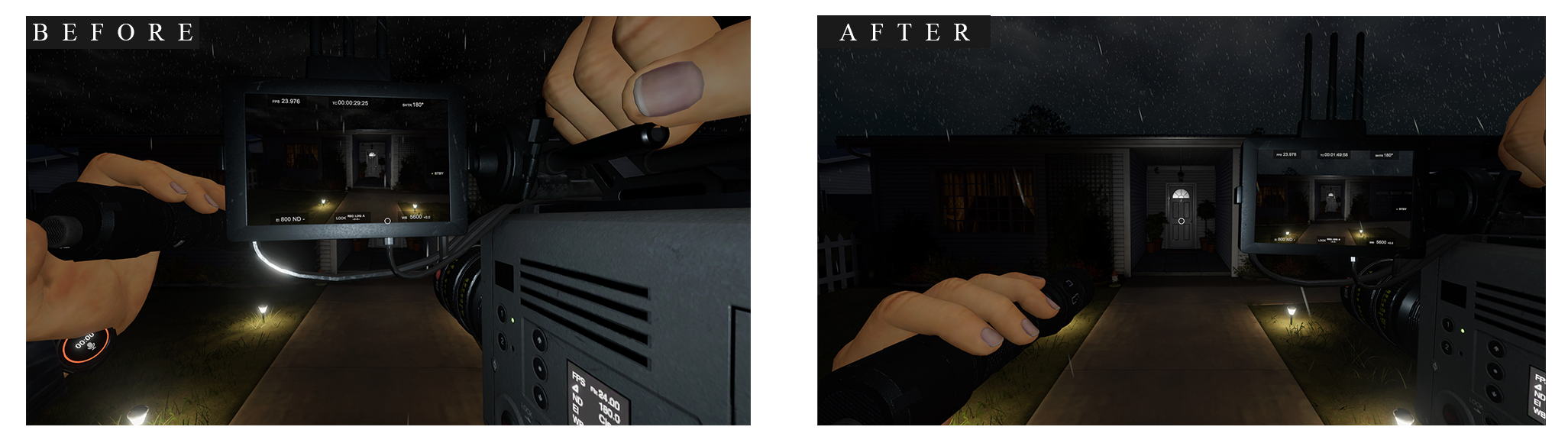
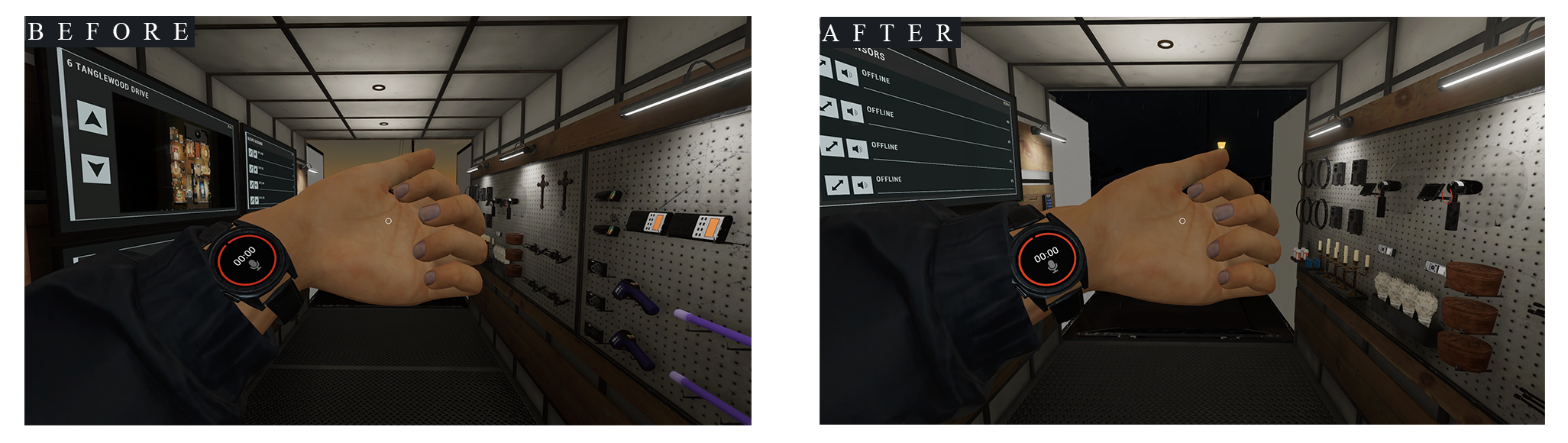
Phasmophobia - Player Character Update 0.17.0.0
Welcome back, Ghost Hunters.
Today we’ve released the Player Character Update for Phasmophobia. The update is out now on all platforms where Phasmophobia is available.
Patch notes are available below.
New
•
Characters: 12 new, higher quality character models (6 male, 6 female) with character bios, adjustable hair colour and more.
•
Cosmetics: A wide array of available cosmetic items to equip your chosen character with; coats, shirts and trousers, all with multiple colour options. Unique shirts for prestige and event specific achievements. Accessories such as piercings, hats and glasses are also available. Note: All cosmetics are either unlockable in-game or purchased with in-game currency.
•
Animations: Alongside the new character models, interactions with equipment, objects and the environment will now feature character animations. Upon dying, a new death animation will also be seen.
•
PC VR Players can enable/disable new first-person death animations with the ‘immersive animations’ toggle in the options menu, as seen below. If disabled, which is the default, the new death animation will be seen in third-person.
•
Player Watch: A watch has been added to the character models that can be used during contracts to monitor player sanity levels and keep track of time elapsed during the contract. To view the watch in full, players can hold the Use button when their left hand is empty or by opening their Journal. The watch will not display Sanity if the Sanity Monitor is disabled, nor will it count as a piece of electronic equipment for Ghost abilities.
•
For VR Players, the watch will always be visible and can be viewed by simply raising their left hand up.
•
Cursed Hollow Cosmetics: The Cursed Hollow cosmetic rewards are now available for all players. The Cursed Hollow Mask, T-Shirt and Necklace can be equipped from within the customisation Shop.
Changes
•
ID Cards: ID Cards and Badges are now equipped and swapped within the customisation Shop menu, rather than the main menu.
•
Death Room: The room a player will enter after being killed by the Ghost has been removed, with the player now seamlessly transitioning to the Dead state.
•
Player’s Journal: The Journal will now appear in game when being used, rather than being a separate UI item.
•
The Prestige limit has been increased to 4000.
•
Note: No additional unlocks are available after Prestige 20.
•
Physics have been added to all Doors, meaning they will now continue to move after the player lets go.
•
Flashlights will now be held in the player’s left hand, and can be dropped when the right hand is empty.
•
Equipment, such as the tripod, can now be placed while standing.
•
All items will now be placed on the character model, rather than invisible unless equipped.
•
Tier 2 Sound Recorders are now included in the Audio Only weekly challenge.
•
The lowest FOV option is now 70, rather than 60. The default setting remains at 70.
•
VR Specific Changes:
•
The inventory belt has been removed, with all items now placed on the character model.
•
The teleport movement circle will now render on top of other objects and will be invisible until the player presses the teleport button when at full stamina.
Fixes
•
Fixed an issue that caused Head Gear to not be visible on all FOV values.
•
Fixed an issue in Prison where wishing for a trap with the Monkey’s Paw wouldn’t affect sliding doors.
•
Fixed an issue where the Raiju’s hunt threshold would only increase if equipment was held.
•
Fixed an issue where the Yokai could hear the Music Box from too far away.
•
Fixed an issue where the Jinn could drain sanity from a player in rooms above and below it.
•
Fixed an issue in VR where a player’s Journal could be seen after that player had died.
•
Fixed an issue in VR that caused player hands to shake.
•
Fixed an issue in VR that caused difficulty picking up the Spirit Box from the van wall.
•
Fixed an issue in VR that caused Salt to rotate with the player’s body, rather than hand.
•
Fixed an issue in VR where players could interact with objects without teleport grab selected.
•
Fixed an issue in VR where the player would be unable to scroll through the Journal in the lobby.
•
Fixed an issue in VR where players would appear to slide down stairs when using teleport locomotion.
•
Fixed an issue in VR where players could grab items through walls.
•
Fixed an issue in VR that caused the Tier 3 Firelight to be held upside down.
•
Fixed an issue in VR that caused the Tier 3 Firelight to float in mid-air for players in Multiplayer.
•
Fixed an issue in VR that caused players to be able to teleport out of the Van at the end of the tutorial and skip areas.
•
Fixed an issue in VR that made it difficult to interact with UI elements.
•
Fixed an issue in VR that caused doors to push players aside.
•
Fixed an issue in VR that caused the T1 Head Gear to fall off players when viewing the CCTV.
•
Fixed an issue in VR that caused player’s models to become misaligned with their position.
•
Various other fixes and improvements.
The below are issues that we are aware of in-game and currently investigating a fix. In some cases, a fix is already planned for a future update. Please do submit any issues, outside of the below, you encounter to our team via our Support Centre as any and all information can help our team find a fix.
Known Issues
•
Players are unable to use the Journal while dying.
•
‘Use’ animations may continue if the equipment is dropped mid-animation.
•
A drop in frame-rate occurs in the customisation menu.
•
Players will be invisible on CCTV through another player’s Tier 1 Head Gear.
•
Flashlights will remain in the player's hand when using a Tier 1 Photo Camera.
•
The Video Camera can be moved away from the player when switched out while in use.
•
The character model's eyes will be wide open after the player has died.
•
The custom difficulty setting “Doors starting open” will only work on Tanglewood.
•
Footstep audio will not correctly match the player's speed when sprinting or crouching.
•
Doors can be held shut by players holding items.
•
VR and Non-VR players can’t hear each others footsteps.
•
Various minor visual inconsistencies.
The following issues, as well as other known bugs, will be fixed with the launch of Phasmophobia's next update on May 12th, 2026:
•
Items placed during a pickup animation will instead be placed at the previous placed position.
•
Pressing cancel on the hair customisation screen will apply the hair to the previously selected character.
•
Yurei’s door closing ability will not fully close the door.
•
Some ID Card badge icons become white if the player selects a badge that only has one unlock out of two.
•
Grabbing a Flashlight with a prop in-hand will cause the flashlight to be held at the player’s feet.
•
Meg Marr’s hair is bald when wearing a hat.
•
The Ouija Board and Haunted Mirror will drop sideways instead of flat on the ground.
•
Doors will not open correctly while holding the Tarot Cards.
•
If revived while crouching, the character rig will display incorrectly.
•
Head Gear will visually stutter when the player is crouched.
•
Equipment will visually stutter when the player is rotating.
•
Tier 3 Video Camera blocks too much of the screen on the right hand side.
•
Player model will ragdoll more than intended upon dying.
•
Hunted and Suburbanite descriptions have been corrected.
•
Animated ID Card & Badges will be displayed correctly.
•
VR Players feet will sink into the ground when crouched.
•
VR Players are unable to open the left hand closet door in the upstairs hallway of 10 Ridgeview Court.
We will also be making the following changes as part of the same update:
•
Removing the equipment switching animation to allow for instant switching.
•
Salt will be placed instantly instead of after the animation has finished.
•
Equipment will be moved closer to the screen for easier readability.
•
Player head rotation will now have a limit for looking up and down for Multiplayer, locally there is still no limit.
•
Various other visual and gameplay adjustments and improvements.
As you continue your investigations in Phasmophobia, if you encounter bugs, issues or simply have feedback for our team, please use our Support Centre to submit your reports.
Today we’ve released the Player Character Update for Phasmophobia. The update is out now on all platforms where Phasmophobia is available.
Patch notes are available below.
New
•
Characters: 12 new, higher quality character models (6 male, 6 female) with character bios, adjustable hair colour and more.
•
Cosmetics: A wide array of available cosmetic items to equip your chosen character with; coats, shirts and trousers, all with multiple colour options. Unique shirts for prestige and event specific achievements. Accessories such as piercings, hats and glasses are also available. Note: All cosmetics are either unlockable in-game or purchased with in-game currency.
•
Animations: Alongside the new character models, interactions with equipment, objects and the environment will now feature character animations. Upon dying, a new death animation will also be seen.
•
PC VR Players can enable/disable new first-person death animations with the ‘immersive animations’ toggle in the options menu, as seen below. If disabled, which is the default, the new death animation will be seen in third-person.
•
Player Watch: A watch has been added to the character models that can be used during contracts to monitor player sanity levels and keep track of time elapsed during the contract. To view the watch in full, players can hold the Use button when their left hand is empty or by opening their Journal. The watch will not display Sanity if the Sanity Monitor is disabled, nor will it count as a piece of electronic equipment for Ghost abilities.
•
For VR Players, the watch will always be visible and can be viewed by simply raising their left hand up.
•
Cursed Hollow Cosmetics: The Cursed Hollow cosmetic rewards are now available for all players. The Cursed Hollow Mask, T-Shirt and Necklace can be equipped from within the customisation Shop.
Changes
•
ID Cards: ID Cards and Badges are now equipped and swapped within the customisation Shop menu, rather than the main menu.
•
Death Room: The room a player will enter after being killed by the Ghost has been removed, with the player now seamlessly transitioning to the Dead state.
•
Player’s Journal: The Journal will now appear in game when being used, rather than being a separate UI item.
•
The Prestige limit has been increased to 4000.
•
Note: No additional unlocks are available after Prestige 20.
•
Physics have been added to all Doors, meaning they will now continue to move after the player lets go.
•
Flashlights will now be held in the player’s left hand, and can be dropped when the right hand is empty.
•
Equipment, such as the tripod, can now be placed while standing.
•
All items will now be placed on the character model, rather than invisible unless equipped.
•
Tier 2 Sound Recorders are now included in the Audio Only weekly challenge.
•
The lowest FOV option is now 70, rather than 60. The default setting remains at 70.
•
VR Specific Changes:
•
The inventory belt has been removed, with all items now placed on the character model.
•
The teleport movement circle will now render on top of other objects and will be invisible until the player presses the teleport button when at full stamina.
Fixes
•
Fixed an issue that caused Head Gear to not be visible on all FOV values.
•
Fixed an issue in Prison where wishing for a trap with the Monkey’s Paw wouldn’t affect sliding doors.
•
Fixed an issue where the Raiju’s hunt threshold would only increase if equipment was held.
•
Fixed an issue where the Yokai could hear the Music Box from too far away.
•
Fixed an issue where the Jinn could drain sanity from a player in rooms above and below it.
•
Fixed an issue in VR where a player’s Journal could be seen after that player had died.
•
Fixed an issue in VR that caused player hands to shake.
•
Fixed an issue in VR that caused difficulty picking up the Spirit Box from the van wall.
•
Fixed an issue in VR that caused Salt to rotate with the player’s body, rather than hand.
•
Fixed an issue in VR where players could interact with objects without teleport grab selected.
•
Fixed an issue in VR where the player would be unable to scroll through the Journal in the lobby.
•
Fixed an issue in VR where players would appear to slide down stairs when using teleport locomotion.
•
Fixed an issue in VR where players could grab items through walls.
•
Fixed an issue in VR that caused the Tier 3 Firelight to be held upside down.
•
Fixed an issue in VR that caused the Tier 3 Firelight to float in mid-air for players in Multiplayer.
•
Fixed an issue in VR that caused players to be able to teleport out of the Van at the end of the tutorial and skip areas.
•
Fixed an issue in VR that made it difficult to interact with UI elements.
•
Fixed an issue in VR that caused doors to push players aside.
•
Fixed an issue in VR that caused the T1 Head Gear to fall off players when viewing the CCTV.
•
Fixed an issue in VR that caused player’s models to become misaligned with their position.
•
Various other fixes and improvements.
The below are issues that we are aware of in-game and currently investigating a fix. In some cases, a fix is already planned for a future update. Please do submit any issues, outside of the below, you encounter to our team via our Support Centre as any and all information can help our team find a fix.
Known Issues
•
Players are unable to use the Journal while dying.
•
‘Use’ animations may continue if the equipment is dropped mid-animation.
•
A drop in frame-rate occurs in the customisation menu.
•
Players will be invisible on CCTV through another player’s Tier 1 Head Gear.
•
Flashlights will remain in the player's hand when using a Tier 1 Photo Camera.
•
The Video Camera can be moved away from the player when switched out while in use.
•
The character model's eyes will be wide open after the player has died.
•
The custom difficulty setting “Doors starting open” will only work on Tanglewood.
•
Footstep audio will not correctly match the player's speed when sprinting or crouching.
•
Doors can be held shut by players holding items.
•
VR and Non-VR players can’t hear each others footsteps.
•
Various minor visual inconsistencies.
The following issues, as well as other known bugs, will be fixed with the launch of Phasmophobia's next update on May 12th, 2026:
•
Items placed during a pickup animation will instead be placed at the previous placed position.
•
Pressing cancel on the hair customisation screen will apply the hair to the previously selected character.
•
Yurei’s door closing ability will not fully close the door.
•
Some ID Card badge icons become white if the player selects a badge that only has one unlock out of two.
•
Grabbing a Flashlight with a prop in-hand will cause the flashlight to be held at the player’s feet.
•
Meg Marr’s hair is bald when wearing a hat.
•
The Ouija Board and Haunted Mirror will drop sideways instead of flat on the ground.
•
Doors will not open correctly while holding the Tarot Cards.
•
If revived while crouching, the character rig will display incorrectly.
•
Head Gear will visually stutter when the player is crouched.
•
Equipment will visually stutter when the player is rotating.
•
Tier 3 Video Camera blocks too much of the screen on the right hand side.
•
Player model will ragdoll more than intended upon dying.
•
Hunted and Suburbanite descriptions have been corrected.
•
Animated ID Card & Badges will be displayed correctly.
•
VR Players feet will sink into the ground when crouched.
•
VR Players are unable to open the left hand closet door in the upstairs hallway of 10 Ridgeview Court.
We will also be making the following changes as part of the same update:
•
Removing the equipment switching animation to allow for instant switching.
•
Salt will be placed instantly instead of after the animation has finished.
•
Equipment will be moved closer to the screen for easier readability.
•
Player head rotation will now have a limit for looking up and down for Multiplayer, locally there is still no limit.
•
Various other visual and gameplay adjustments and improvements.
As you continue your investigations in Phasmophobia, if you encounter bugs, issues or simply have feedback for our team, please use our Support Centre to submit your reports.
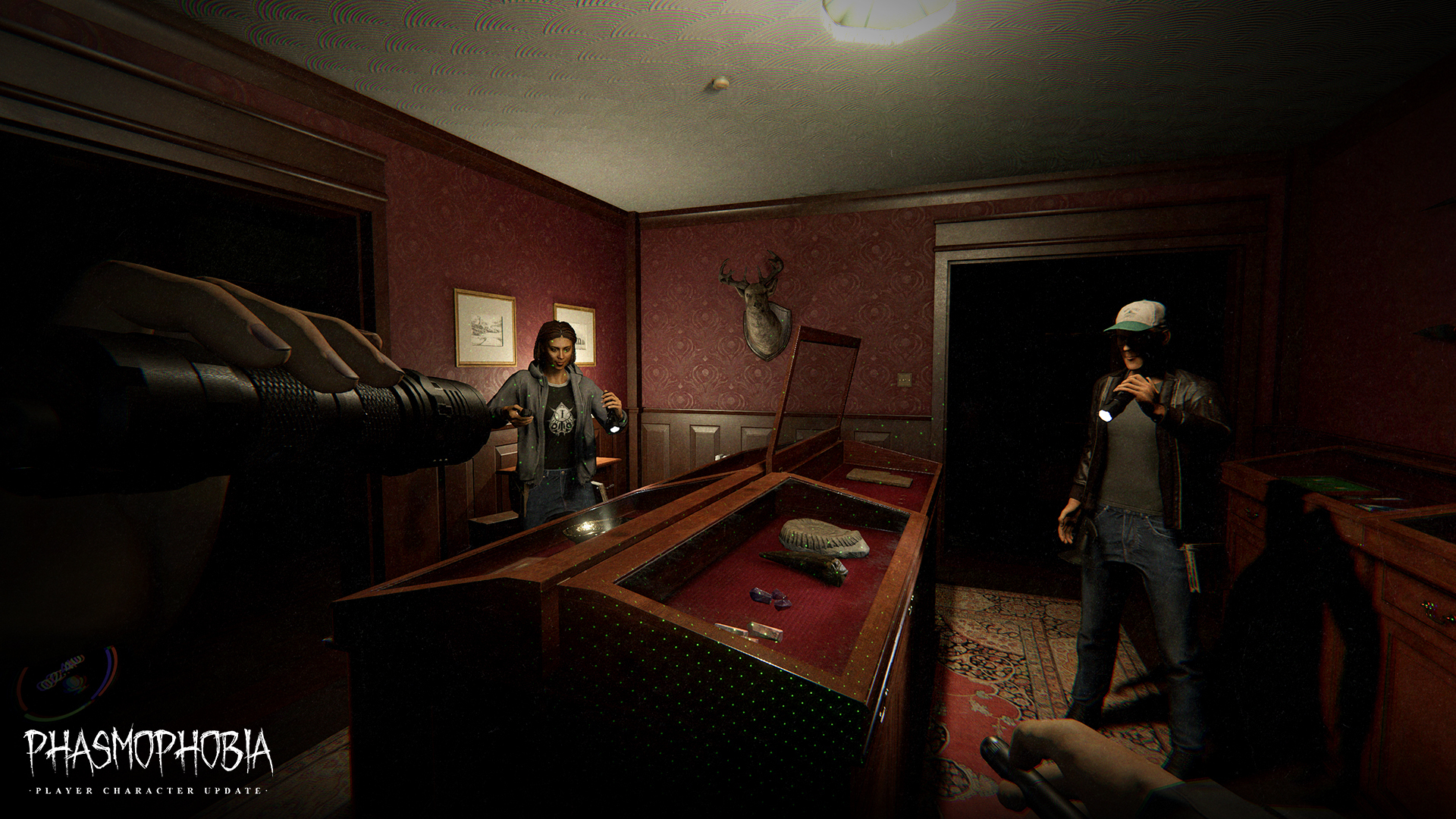
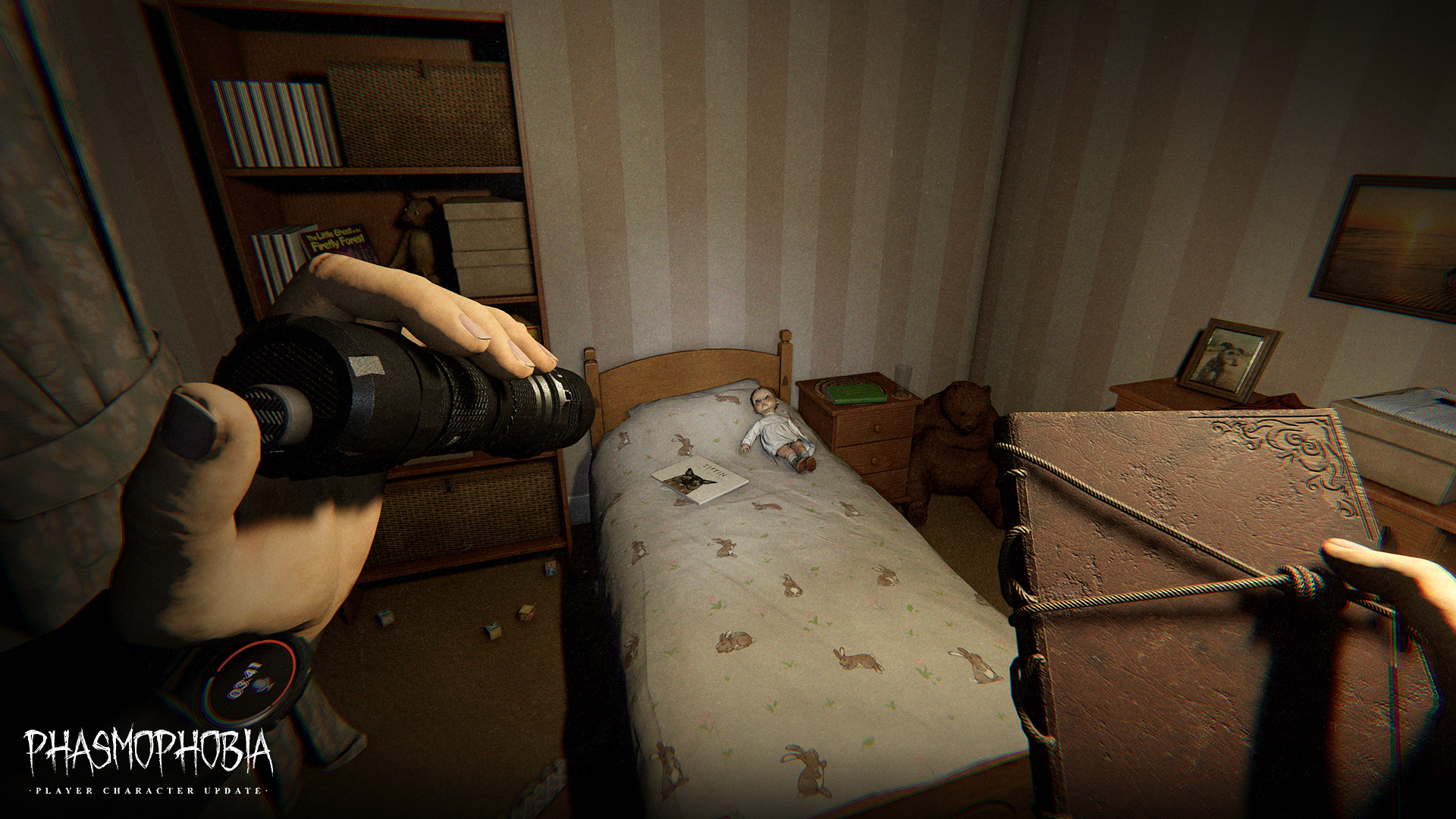
Player Character Update, coming May 5th, 2026.
Welcome back, Ghost Hunters. We have some much-anticipated news for you.
Today we’re excited to announce that Phasmophobia’s Player Character Update will be launching across all platforms on May 5th, 2026. Stay tuned to our social channels and official Discord server for exact release timings.
While we won’t go into too many details before the release, we did want to lift the curtain ever so slightly on some of what you can expect to see in the update. A full rundown of changes, additions and more will be available when the update is released.
Of course, at the heart of this update is the ability to customise your player character in-game. After a long wait, the Customisation shop in the lobby is finally open for business. Here you’ll be able to choose from one of 12 characters and be able to change their clothing, hair colour and much more. While the shop is full of options at launch, you can look forward to more items being added in future updates and Twitch Drops - such as the below High Priestess T-shirt drop that'll be starting with the launch of the update.
This Twitch Drop will be available for all Phasmophobia creators to distribute to their communities from May 5th until May 11th.
To earn Twitch Drops, make sure you've connected your Twitch account to Phasmophobia.
Customisation plays a huge role in this update, but it’s not the only change. With the Player Character Update, we’ll be introducing new character animations as well as some changes to the overall gameplay experience such as the removal of the death room and the way you interact with both the environment and your chosen equipment during an investigation.
Check out a few screenshots below to get a taste of what’s to come on May 5th.
There is plenty to explore and experience once the update launches and we can’t wait to hear your thoughts on the changes to the game. Of course, this is a huge update to the game we’ve all known and loved for many years so we’ll be looking out for feedback after release so that we can continue to iterate and improve Phasmophobia as we head towards 1.0 later this year.
Today we’re excited to announce that Phasmophobia’s Player Character Update will be launching across all platforms on May 5th, 2026. Stay tuned to our social channels and official Discord server for exact release timings.
While we won’t go into too many details before the release, we did want to lift the curtain ever so slightly on some of what you can expect to see in the update. A full rundown of changes, additions and more will be available when the update is released.
Of course, at the heart of this update is the ability to customise your player character in-game. After a long wait, the Customisation shop in the lobby is finally open for business. Here you’ll be able to choose from one of 12 characters and be able to change their clothing, hair colour and much more. While the shop is full of options at launch, you can look forward to more items being added in future updates and Twitch Drops - such as the below High Priestess T-shirt drop that'll be starting with the launch of the update.
This Twitch Drop will be available for all Phasmophobia creators to distribute to their communities from May 5th until May 11th.
To earn Twitch Drops, make sure you've connected your Twitch account to Phasmophobia.
Customisation plays a huge role in this update, but it’s not the only change. With the Player Character Update, we’ll be introducing new character animations as well as some changes to the overall gameplay experience such as the removal of the death room and the way you interact with both the environment and your chosen equipment during an investigation.
Check out a few screenshots below to get a taste of what’s to come on May 5th.
There is plenty to explore and experience once the update launches and we can’t wait to hear your thoughts on the changes to the game. Of course, this is a huge update to the game we’ve all known and loved for many years so we’ll be looking out for feedback after release so that we can continue to iterate and improve Phasmophobia as we head towards 1.0 later this year.
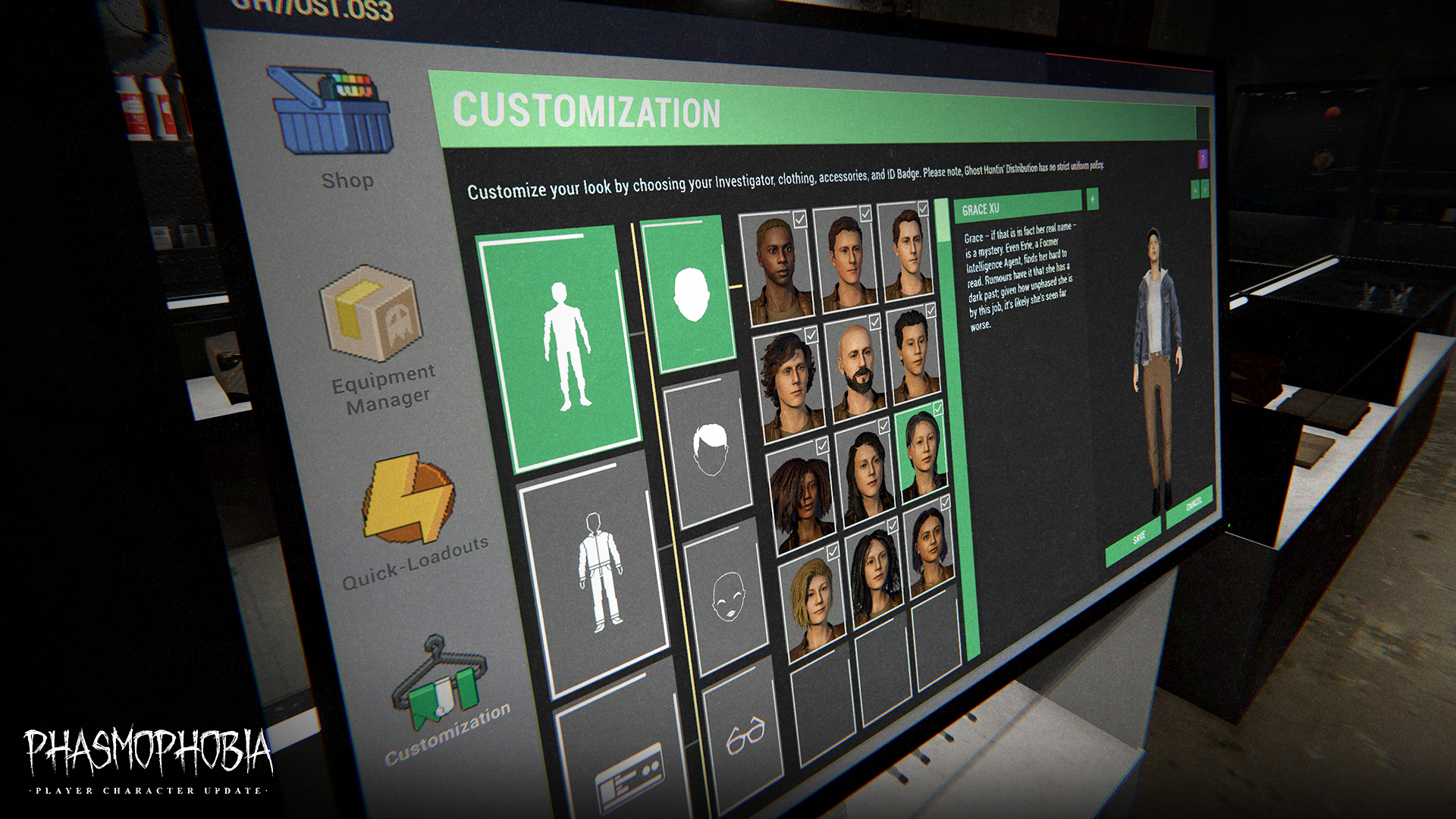
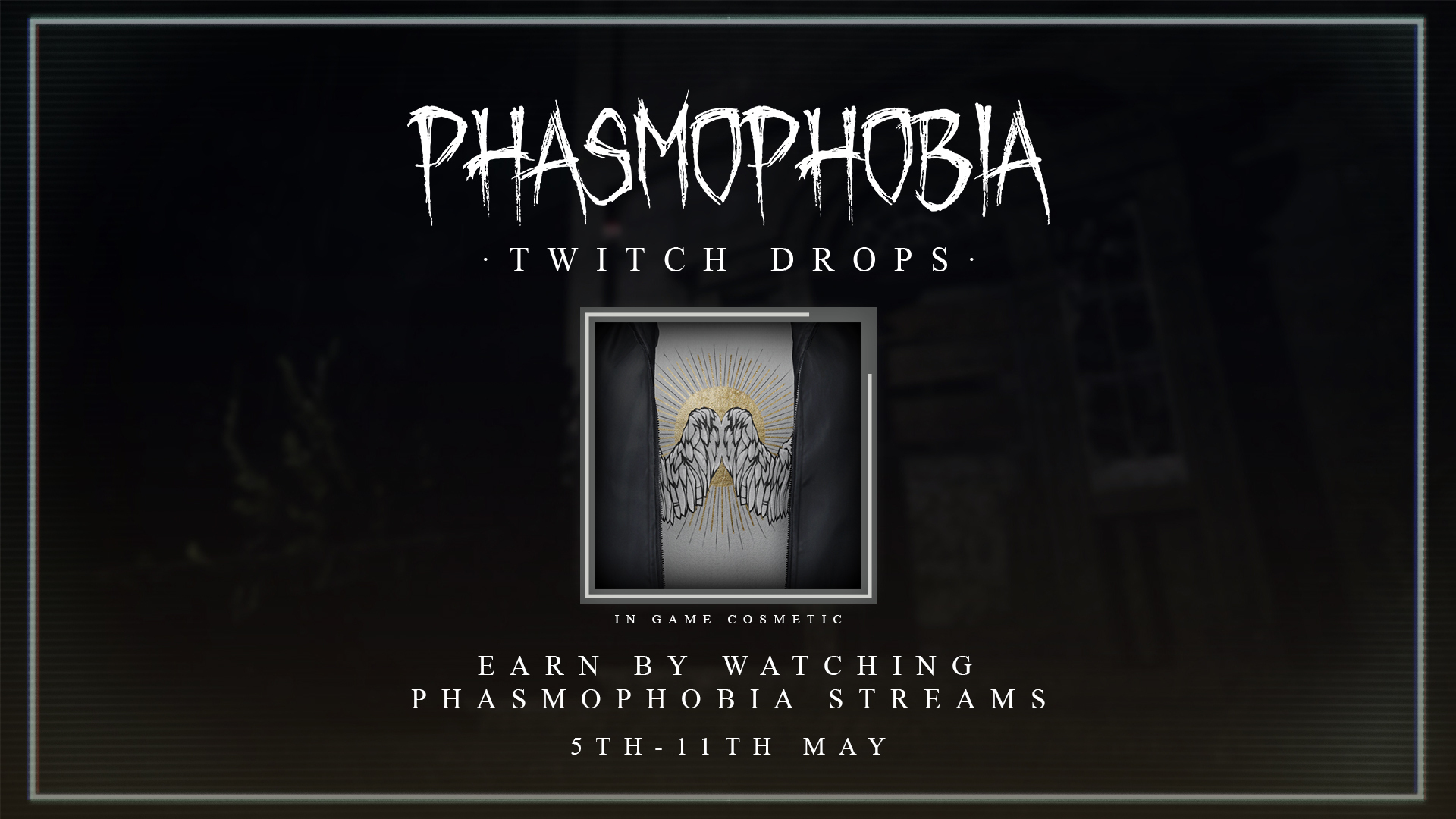
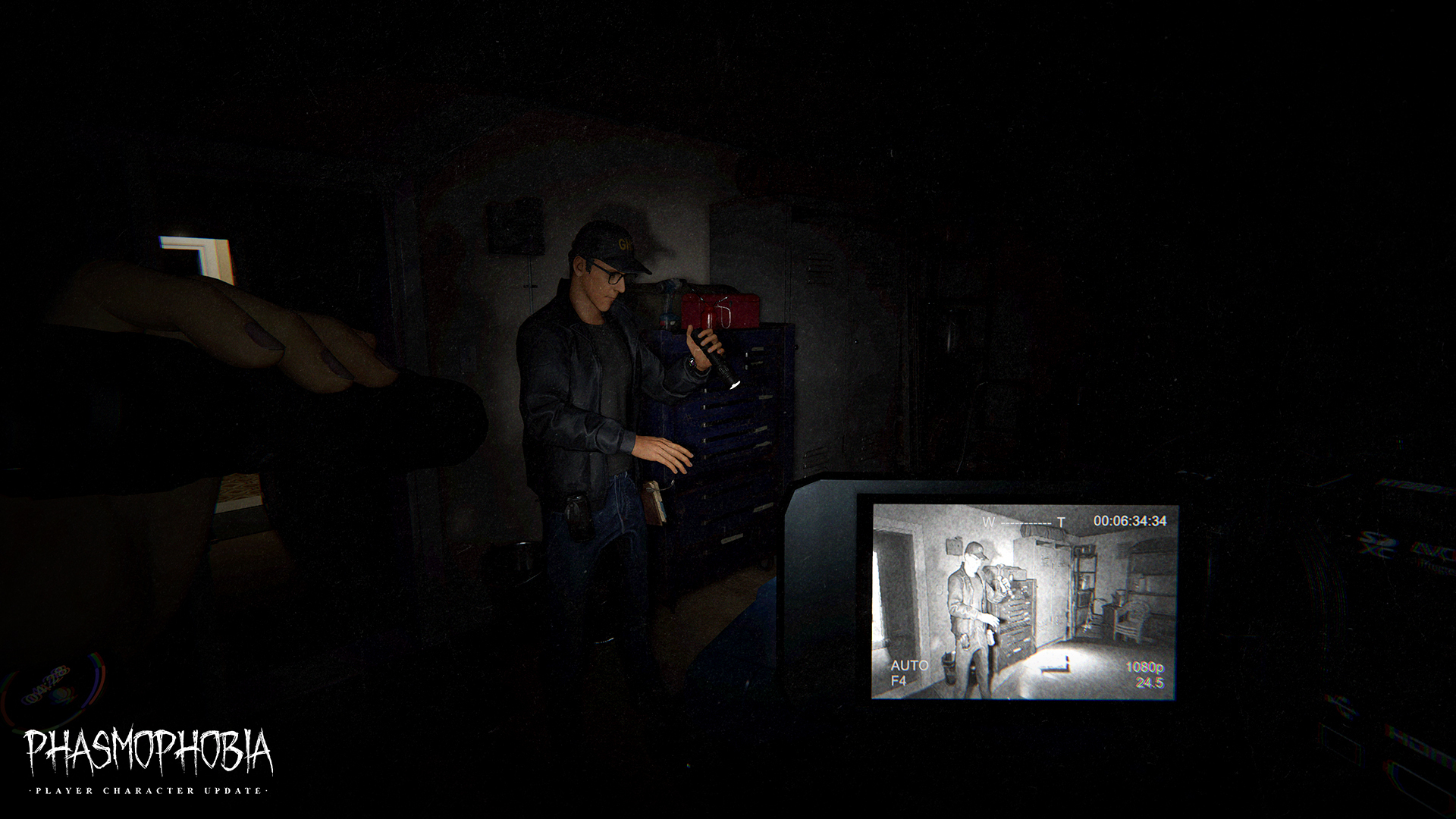
讨论板块
游戏服务器
暂无服务器